
The best AI workflow automation tool depends on the systems you need to connect, the complexity of your processes and the level of technical control your team requires.
Zapier is the strongest general-purpose option for businesses that want accessible no-code automation and a large integration library. Make is better for users who prefer to see complex workflow logic on a visual canvas, while n8n gives technical teams more control, code support and self-hosting options.
Microsoft Power Automate is a logical choice for organisations built around Microsoft 365, Dynamics and desktop applications. Workato, Tray.ai and UiPath are better suited to larger companies managing critical, cross-department processes.
Among newer AI-native platforms, Gumloop focuses on workflows in which AI performs research, classification and decision-making. Lindy is suited to inbox, calendar and administrative workflows, while Bardeen specialises in browser-based research, data extraction and sales operations.
Best AI Workflow Automation Tools at a Glance
| AI workflow automation tool | Best for | Building approach | Self-hosting | Starting price |
| Zapier | Best overall for no-code business automation | Visual workflows and natural-language building | No | Free; Professional from $19.99 per month |
| Make | Best visual workflow builder | Drag-and-drop scenario canvas | No | Free; paid plan from $9 per month |
| n8n | Best for technical teams and self-hosting | Low-code visual workflows with code support | Yes | Community Edition free; Cloud from €20 per month annually |
| Microsoft Power Automate | Best for Microsoft organisations and desktop automation | Low-code cloud and desktop flows | Limited enterprise deployment options | Premium from $15 per user per month annually |
| Workato | Best for enterprise integration and orchestration | Low-code recipes, agents and APIs | Enterprise deployment options | Free access; Pro from $75 per month |
| UiPath | Best for robotic process automation and legacy systems | Low-code workflows, robots and agentic orchestration | Yes, depending on deployment | Plan and usage based |
| Gumloop | Best AI-native visual automation platform | AI-first visual workflows and agents | Enterprise options | From $37 per month |
| Pipedream | Best for developers and API-driven automation | Visual workflows with JavaScript and Python | No | Free plan; paid usage based on compute credits |
| Activepieces | Best open-source alternative for business teams | No-code and low-code flows with agents | Yes | 10 active flows free, then $5 per active flow |
| Tray.ai | Best for enterprise data and AI orchestration | Low-code workflows, APIs, MCP and agents | Enterprise options | Custom pricing |
| Lindy | Best for inbox, calendar and administrative automation | Conversational agents and workflow editor | No | From $49.99 per month |
| Bardeen | Best for browser automation and web research | Browser extension, scrapers and AI agents | Local browser and cloud execution | From $10 per month |
Pricing and product information were reviewed on July 25, 2026. Automation costs can also include model usage, premium connectors, data enrichment, external APIs, storage, telephone services and additional workflow capacity.
Our Top Recommendations
Best overall: Zapier
Zapier is the most accessible starting point for businesses that need to connect many cloud applications without maintaining code.
It supports more than 9,000 applications and combines Zap workflows with Forms, Tables, AI processing, Agents, Chatbots, MCP connections and developer tools. Its free plan includes 100 monthly tasks, while Professional pricing currently begins at $19.99 per month.
Best visual workflow builder: Make
Make is a strong choice for workflows containing multiple branches, filters, transformations and data routes.
Its visual canvas makes it easier to see how information moves through the process. Make currently supports more than 3,000 applications and includes AI Toolkit features, AI Agents and the ability to run JavaScript or Python in workflows.
Best for technical teams: n8n
n8n gives technical teams a visual editor while retaining support for code, APIs, webhooks, custom nodes and self-hosting.
Its Cloud plans are billed by complete workflow executions rather than by every individual step. A single workflow with many actions still counts as one execution.
Best for Microsoft organisations: Power Automate
Microsoft Power Automate is well suited to organisations using Microsoft 365, Teams, SharePoint, Dynamics 365, Dataverse and Windows desktop applications.
It supports cloud flows, attended desktop automation, unattended robotic process automation and process mining. The Premium plan currently starts at $15 per user per month when paid annually.
Best for enterprise integration: Workato
Workato combines application integration, workflow automation, data orchestration, APIs and agentic workflows in one enterprise platform.
Its platform is designed to coordinate agents, employees and software systems across complex organisational processes. Workato now also offers self-service Free and Pro plans, with Pro beginning at $75 per month for 2,500 monthly credits.
Best for robotic process automation: UiPath
UiPath is the strongest option when processes involve desktop applications, legacy software, documents, repetitive interface actions and human approvals.
UiPath Maestro can coordinate AI agents, software robots, APIs, data and people inside one governed business process.
Best AI-native alternative: Gumloop
Gumloop is designed around workflows where AI does more than transform one field.
Teams can build workflows and agents that research information, classify documents, analyse websites, create outputs and select actions. Its Pro plan currently begins at $37 per month with 20,000 or more monthly credits and unlimited seats.
Best open-source alternative: Activepieces
Activepieces offers a visual automation platform with AI agents, more than 700 integrations and an MIT-licensed Community Edition.
Its cloud pricing includes 10 active flows at no charge, followed by $5 per additional active flow per month, with unlimited workflow runs.
How We Evaluated These Tools
Reliqus reviewed each platform using official product documentation, pricing pages and publicly available product information.
We considered:
- Number and quality of integrations
- Workflow-building experience
- Natural-language workflow creation
- AI classification, extraction and generation
- Agentic decision-making
- Branching and conditional logic
- Data transformation
- Code and API support
- Human approval
- Error handling and retries
- Workflow history and debugging
- Desktop and browser automation
- Self-hosting
- Security and administrative controls
- Version control
- Usage reporting
- Pricing transparency
- Suitability for different company sizes
This article does not claim that Reliqus completed an identical production benchmark across every platform.
A small-business no-code tool and an enterprise robotic process automation platform solve different problems. Recommendations are therefore based on documented capabilities, pricing structure and suitability for particular workflows.
Vendor-reported time savings, cost reductions and return-on-investment figures are not treated as results every customer will achieve.
What Is AI Workflow Automation?
AI workflow automation uses artificial intelligence within an automated business process.
Traditional automation follows rules such as:
When a new form is submitted, create a CRM record and notify the sales team.
AI automation can interpret less structured information:
Read the form, determine which service the person needs, assess whether the lead matches the target customer profile, route it to the correct team and draft a personalised reply.
An AI workflow may use AI to:
- Extract information from emails and documents
- Categorise requests
- Summarise conversations
- Identify intent
- Translate content
- Generate messages
- Detect sentiment
- Score leads
- Compare documents
- Research companies
- Select between approved actions
- Decide when human review is required
The most dependable workflows combine AI with fixed business rules.
AI handles interpretation where variation exists. Deterministic workflow steps control actions that must happen predictably.
AI Workflow Automation vs Traditional Automation
Traditional workflow automation
Traditional automation uses predefined triggers, conditions and actions.
Example:
- A customer submits a cancellation form.
- The workflow creates a support ticket.
- It assigns the ticket to the retention team.
- It sends a confirmation email.
The workflow behaves predictably because every step has been explicitly defined.
AI-assisted workflow automation
AI is added to one or more steps inside the fixed workflow.
Example:
- A customer sends an unstructured cancellation email.
- AI identifies the customer’s intent and reason.
- The workflow checks the account.
- It routes the request according to approved rules.
- AI drafts a response for human review.
Agentic workflow automation
An AI agent can determine which approved tools and steps are required.
Example:
- The agent reads the cancellation request.
- It retrieves the subscription record.
- It checks the cancellation policy.
- It identifies an eligible retention offer.
- It asks the customer a follow-up question.
- It requests approval before changing the account.
The agent has more flexibility, but it also creates more risk.
Businesses should not replace predictable automation with agentic reasoning when simple rules would work more reliably.
AI Workflow Automation vs AI Agent Builders
AI workflow automation platforms connect processes across applications and departments.
Their primary purpose is to move information and work through a repeatable business process.
AI agent builders focus more directly on creating systems that can:
- Interpret goals
- Select tools
- Plan multiple steps
- Maintain memory
- Delegate work
- Make decisions
The categories overlap because platforms such as Zapier, Make, n8n, Workato and UiPath now support both traditional workflows and AI agents.
The distinction is still useful:
- Use a workflow automation platform when the process and desired business outcome are already defined.
- Use an agent builder when the system must determine how to complete a less predictable task.
AI Workflow Automation vs Marketing Automation
Marketing automation is one part of organisation-wide workflow automation.
A marketing platform may specialise in:
- Email campaigns
- Lead nurturing
- Ad audiences
- Customer segmentation
- Campaign attribution
- Social publishing
Organisation-wide workflow automation can also cover:
- Finance
- Human resources
- IT
- Legal operations
- Sales operations
- Customer support
- Procurement
- Reporting
- Data management
- Employee onboarding
- Inventory
- Project delivery
Reliqus’s separate guide to AI marketing automation focuses on marketing-specific tools and HubSpot alternatives. This article evaluates platforms that can coordinate work across several departments.
The Best AI Workflow Automation Tools in 2026
1. Zapier
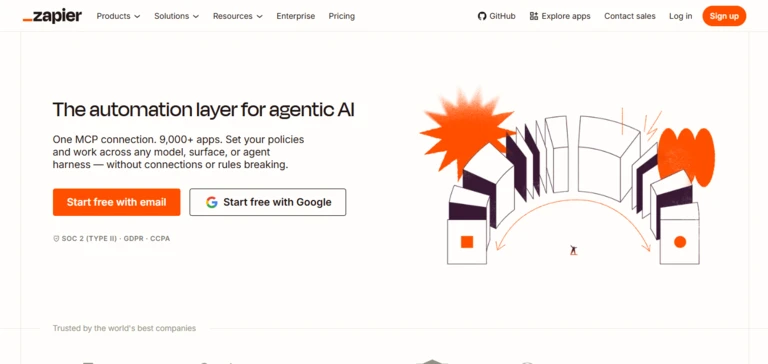
Best for: Businesses wanting accessible no-code automation across a large application ecosystem
Zapier allows users to build automated workflows, known as Zaps, by connecting triggers and actions across cloud applications.
A workflow may begin when:
- A form is submitted
- An email arrives
- A CRM record changes
- A payment succeeds
- A calendar event starts
- A database row is added
The workflow can then move information, apply conditions, use AI, generate documents or notify another system.
Zapier now positions itself as an automation layer for both conventional workflows and AI systems. Its current platform includes Zaps, Forms, Tables, Chatbots, Agents, MCP connections, Functions and developer tools.
Key features
- More than 9,000 application integrations
- Multi-step workflows
- Filters and branching
- Webhooks
- AI processing
- Natural-language workflow building
- Zapier Tables
- Zapier Forms
- Agents and Chatbots
- MCP and SDK access
- Team workspaces
- Enterprise application controls
- Audit and observability features
Pricing
Zapier currently offers:
- Free: $0 with 100 tasks per month
- Professional: From $19.99 per month
- Team: From $69 per month
- Enterprise: Custom pricing
The Team plan includes up to 25 users, shared application connections and SAML single sign-on.
AI by Zapier now uses model-based task multipliers. A Standard model run counts as one task, Advanced as three tasks and Premium as five tasks. Connecting your own AI account can reduce the Zapier task multiplier for selected workflows, although the model provider may charge separately.
Advantages
- Large integration library
- Easy for non-technical users
- Strong template ecosystem
- Useful free plan
- Forms and data tables included
- AI and conventional automation in one platform
- Enterprise governance options
Potential limitations
- Task-based pricing can become expensive in high-volume workflows
- Every chargeable action may consume tasks
- Complex branching is less visually intuitive than Make
- Advanced AI models use higher task multipliers
- Self-hosting is not available
Reliqus verdict
Zapier is the strongest general-purpose starting point for businesses that need to connect common cloud applications quickly.
It becomes less economical when workflows process very high volumes or contain many chargeable steps.
2. Make
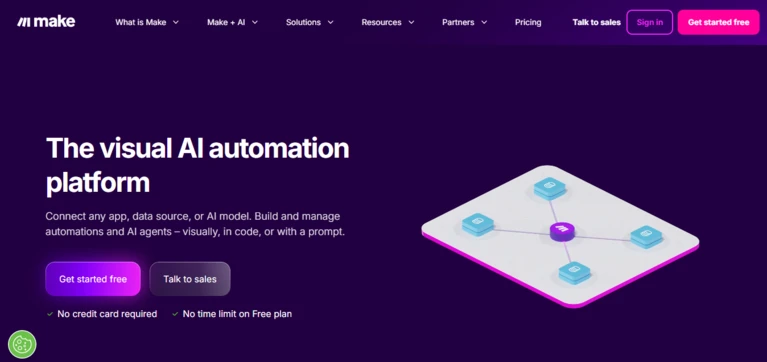
Best for: Visualising complex workflows with branches, filters and data transformations
Make uses a visual canvas where each application action appears as a module.
Users can see how information moves from one step to another, including routers, filters, iterators and error-handling paths.
Make currently supports more than 3,000 applications and provides additional AI integrations, AI Agents and a Code App for JavaScript and Python.
Key features
- Visual workflow canvas
- More than 3,000 applications
- Routers and filters
- Iterators and aggregators
- Data transformation
- Error-handling routes
- Webhooks
- AI Toolkit
- Make AI Agents
- JavaScript and Python execution
- Scenario logs
- Team roles
- Enterprise security controls
Pricing
Make currently offers:
- Free: 1,000 credits per month
- Make Plan: From $9 per month for 5,000 credits
- Company: Custom pricing
One standard module action usually consumes one credit. Code execution and selected AI services may use credits differently.
Advantages
- Excellent visual workflow representation
- Suitable for complex branching
- Lower entry price than many competitors
- Strong data-transformation capabilities
- AI and agentic features
- Custom code support
- Useful execution logs
Potential limitations
- The canvas can become crowded in very large scenarios
- Credit usage can increase quickly when processing arrays or individual records
- Some advanced application actions require manual API configuration
- No self-hosted edition
- Complex error handling has a learning curve
Reliqus verdict
Make is one of the best choices for users who need more logic and visibility than a basic trigger-and-action workflow.
3. n8n
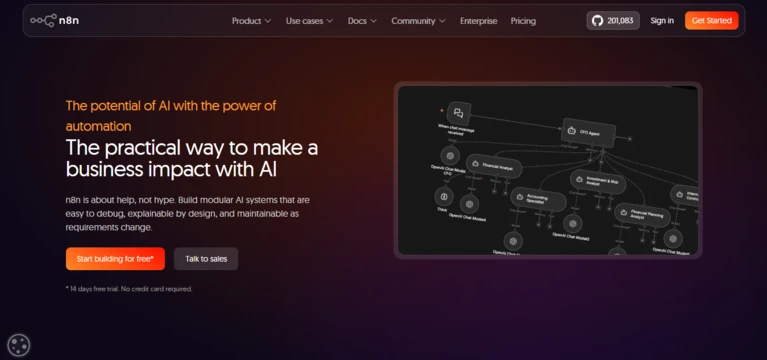
Best for: Technical teams needing control, code and self-hosting
n8n combines a visual workflow editor with developer-oriented capabilities.
Users can:
- Write JavaScript or Python
- Make custom HTTP and GraphQL requests
- Receive webhooks
- Connect queues
- Build AI agents
- Use vector databases
- Create custom nodes
- Self-host the platform
n8n emphasises modular AI systems that can be inspected and debugged instead of hiding the reasoning process inside a black box.
Key features
- Visual node-based workflows
- JavaScript and Python steps
- AI agent nodes
- Model flexibility
- Retrieval and vector-database support
- Webhooks and API requests
- Custom nodes
- Self-hosting
- Community Edition
- Human approval
- Error workflows
- Execution history
- Git version control on selected plans
- External secret-store support on Enterprise
Pricing
n8n Cloud currently offers:
- Starter: €20 per month annually for 2,500 workflow executions
- Pro: €50 per month annually for 10,000 executions
- Business: €667 per month annually for 40,000 self-hosted executions
- Enterprise: Custom pricing
- Community Edition: Free to self-host
All current paid plans include unlimited users, workflows and integrations. Billing is based on complete workflow executions rather than the number of individual steps.
Advantages
- Self-hosting
- Code and API flexibility
- Execution-based pricing
- AI agent support
- Strong debugging
- Unlimited workflow steps
- Large technical community
Potential limitations
- Less beginner-friendly than Zapier
- Self-hosting requires maintenance and security work
- Some enterprise features require expensive plans
- Building polished business interfaces may require another tool
- Complex workflows still require technical design
Reliqus verdict
n8n is one of the strongest options for agencies, developers and technical operations teams that need deeper control than traditional no-code tools provide.
4. Microsoft Power Automate
Best for: Microsoft 365 workflows, approvals and desktop automation
Microsoft Power Automate supports both cloud-based application workflows and robotic process automation.
Cloud flows can connect Microsoft and third-party services. Desktop flows can operate Windows applications, websites and systems that do not provide modern APIs.
Power Automate also integrates with Power Apps, Dataverse, Microsoft Teams, SharePoint, Dynamics 365 and Copilot Studio.
Key features
- Cloud flows
- Desktop robotic process automation
- Attended and unattended bots
- Microsoft 365 integrations
- Dynamics 365 and Dataverse
- Approval workflows
- AI Builder
- Copilot-assisted workflow creation
- Process mining
- Document processing
- Enterprise data-loss-prevention policies
- On-premises data gateway
Pricing
Current US pricing includes:
- Free trial: 30 days
- Power Automate Premium: $15 per user per month annually
- Power Automate Process: $150 per bot per month annually
- Power Automate Hosted Process: $215 per bot per month annually
Power Automate Premium includes cloud flows and attended desktop flows. Process plans support unattended automation, while Hosted Process includes a Microsoft-managed virtual machine.
Advantages
- Deep Microsoft ecosystem integration
- Cloud and desktop automation
- Strong approval workflows
- Useful enterprise administration
- Process-mining capabilities
- Suitable for legacy Windows applications
- Broad Microsoft partner ecosystem
Potential limitations
- Licensing can be difficult to understand
- Premium connectors may require paid licences
- Per-user and per-bot costs can add up
- Desktop flows require careful infrastructure management
- Less attractive to organisations using few Microsoft products
Reliqus verdict
Power Automate is the most logical first choice for businesses already operating heavily in Microsoft 365 and Windows.
5. Workato
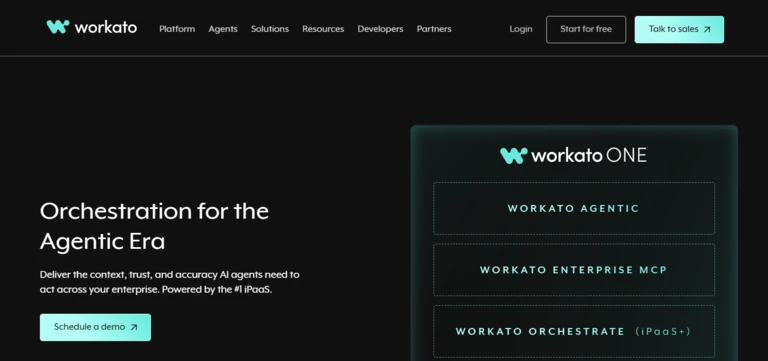
Best for: Enterprise integration, data orchestration and cross-department processes
Workato uses workflows known as recipes to connect applications, APIs, data and business processes.
Recipes can range from simple integrations to long-running, multi-branch processes spanning cloud platforms, internal systems and APIs. Workato also supports workflow applications, enterprise search, data orchestration and AI agents.
Workato ONE now combines agents, automation, integration, data and enterprise MCP capabilities in one governed platform.
Key features
- Enterprise application integration
- Workflow recipes
- API management
- Data orchestration
- Workflow applications
- AI agents and Agent Studio
- Enterprise search
- MCP gateway and registry
- Human workflows
- Environment management
- Audit trails
- Governance and security
- Operational analytics
Pricing
Workato currently provides self-service access:
- Free: One-time grant of 50,000 credits
- Pro: $75 per month for 2,500 monthly credits
- Pro: $100 per month for 3,500 monthly credits
- Pro: $275 per month for 10,000 monthly credits
- Higher Pro tiers: Up to $1,275 per month for 50,000 credits
- Enterprise: Custom pricing
Workato credits can be consumed by tasks, API calls, processed rows and agent actions. Unused monthly Pro credits do not roll over.
Advantages
- Broad enterprise capabilities
- Strong integration and orchestration
- Supports agents and deterministic workflows
- Self-service plans now available
- Useful governance and environment controls
- Suitable for cross-department automation
- Enterprise support and service-level agreements
Potential limitations
- More expensive than small-business tools
- Credit calculations vary by platform capability
- Enterprise implementation may require specialist skills
- Can be excessive for simple application connections
- Unused monthly credits expire
Reliqus verdict
Workato is suited to organisations that treat automation as shared enterprise infrastructure rather than a collection of individual productivity workflows.
6. UiPath

Best for: Automating desktop software, documents and complex enterprise processes
UiPath is best known for robotic process automation.
Its software robots can interact with applications by clicking buttons, entering data, moving files and performing repetitive interface actions.
UiPath has expanded beyond traditional RPA. Maestro can coordinate AI agents, robots, APIs, documents and human decisions inside end-to-end processes.
Key features
- Attended and unattended robots
- Desktop and browser automation
- Document understanding
- Process and task mining
- API workflows
- AI agents
- Human tasks
- Maestro orchestration
- Testing and quality assurance
- Enterprise identity and permissions
- Audit logs
- Cloud and self-managed deployment options
Pricing
UiPath uses tiered platform, user, robot and consumption-based licensing.
Current plans are organised around Basic, Standard and Enterprise editions, with additional users, robots and consumable units available for purchase. Agent runs can consume Platform Units based on the model and number of language-model calls used.
Advantages
- Strong robotic process automation
- Works with legacy systems
- Document and desktop automation
- Process-mining tools
- Enterprise governance
- Agents, robots and people in one process
- Flexible deployment options
Potential limitations
- More complex to implement
- Licensing is not easily comparable with simple no-code tools
- Requires automation expertise
- Desktop automation can break when interfaces change
- Excessive for basic cloud-application workflows
Reliqus verdict
UiPath is the strongest option when a process cannot be completed through cloud APIs alone.
7. Gumloop
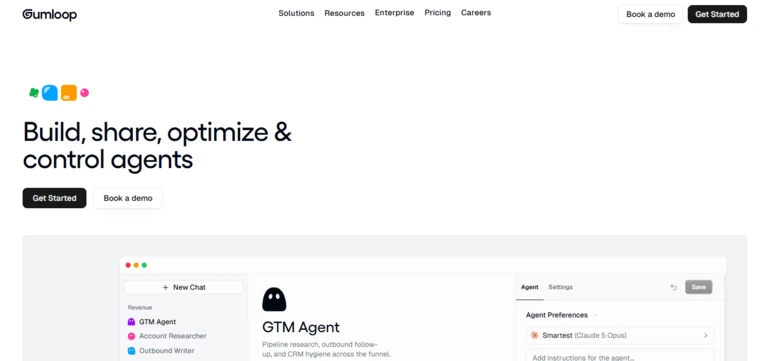
Best for: AI-heavy research, document and data workflows
Gumloop is an AI-native automation platform built around workflows and agents.
It is particularly suited to processes that require AI to:
- Research websites
- Extract data
- Read documents
- Classify information
- Generate content
- Compare records
- Select an action
- Produce a final report
Gumloop also supports knowledge sources, agent evaluations, code sandboxes, hosted agent pages and MCP server hosting.
Key features
- Visual workflow builder
- AI agents
- Natural-language workflow generation
- Web research and scraping
- Document processing
- Knowledge sources
- Bring-your-own model keys
- Agent evaluations
- Code sandboxes
- Human approval
- MCP integrations
- Team collaboration
- AI spend analytics
Pricing
Gumloop currently offers:
- Pro: From $37 per month
- Included usage: 20,000 or more monthly credits
- Seats: Unlimited
- Concurrent workflow runs: Five
- Enterprise: Custom pricing
The Pro plan includes unlimited workflows, agents and teams. Enterprise adds controls such as SSO, role-based access, audit logs, retention policies and virtual private cloud options.
Advantages
- Designed specifically for AI workflows
- Visual building experience
- Unlimited team seats on Pro
- Strong research and data-processing use cases
- Model-key flexibility
- Agent evaluations
- Enterprise AI governance
Potential limitations
- Smaller application library than Zapier
- Credit consumption depends on workflow complexity
- AI-heavy flows can be difficult to cost in advance
- Less suitable for simple high-volume data synchronisation
- No permanent free plan is currently highlighted
Reliqus verdict
Gumloop is a strong choice when AI reasoning and data interpretation are central to the process rather than a small optional step.
8. Pipedream
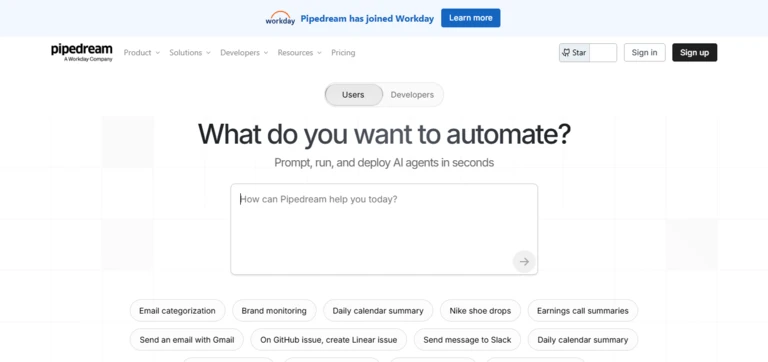
Best for: Developers automating APIs and building integrations into software products
Pipedream provides a workflow builder for connecting APIs, databases and applications.
It supports prebuilt actions alongside custom JavaScript, Python, Go and Bash code. Developers can also use Pipedream Connect and MCP to add integrations and authenticated application tools to their own software or AI agents.
Pipedream currently provides access to more than 3,000 APIs and over 10,000 tools through its MCP and Connect infrastructure.
Key features
- API-first workflow automation
- JavaScript and Python
- Prebuilt application actions
- Webhooks and scheduled triggers
- Managed authentication
- Environment variables
- Data stores
- Queues
- MCP servers
- Pipedream Connect
- Virtual private cloud connections
- GitHub synchronisation
- Developer APIs and CLI
Pricing
Pipedream provides a free plan with daily credit limits.
Paid workflow usage is based on compute credits rather than the number of workflow steps. One credit covers up to 30 seconds of compute at the default 256 MB memory level for a workflow segment. Development and testing runs do not consume credits.
Pipedream Connect pricing also considers the number of external users who connect accounts through a product.
Advantages
- Strong developer experience
- Code and prebuilt actions
- Large API tool library
- Managed authentication
- Free development and testing
- Useful for embedded integrations
- Compute-based rather than step-based billing
Potential limitations
- Less approachable for non-technical users
- Production Connect pricing has multiple components
- No self-hosted workflow engine
- Requires software-development knowledge for advanced use
- Business-user collaboration features are less prominent than enterprise iPaaS platforms
Reliqus verdict
Pipedream is a strong choice when engineers need to automate APIs or embed integrations inside another application.
9. Activepieces
Best for: Teams wanting a modern open-source alternative with simple cloud pricing
Activepieces is an open-source automation platform combining visual workflows, AI agents, application integrations and governance features.
Its cloud pricing is based on active flows rather than the number of workflow runs. This can make costs easier to estimate for high-volume processes.
Key features
- Visual workflow builder
- AI agents
- More than 700 integrations
- Human approval
- Tables
- MCP servers
- Code steps
- Self-hosting
- MIT-licensed Community Edition
- Team projects
- Role-based controls on higher plans
- Audit logs on Enterprise
Pricing
Activepieces currently offers:
- Standard: 10 active flows free
- Additional active flows: $5 per flow per month
- Workflow runs: Unlimited
- Community Edition: Free to self-host
- Ultimate: Custom annual contract
The Standard plan also includes AI agents, unlimited MCP servers and unlimited tables.
Advantages
- Open-source Community Edition
- Simple active-flow pricing
- Unlimited runs
- AI agents included
- Self-hosting available
- Suitable for non-technical and technical teams
- Lower cost for high-volume flows
Potential limitations
- Smaller integration library than Zapier
- Self-hosting requires technical skills
- Enterprise governance requires a custom plan
- Fewer mature enterprise features than Workato or UiPath
- Community-built integrations need evaluation
Reliqus verdict
Activepieces is one of the strongest newer alternatives for businesses that want open-source control without giving up a modern visual interface.
10. Tray.ai
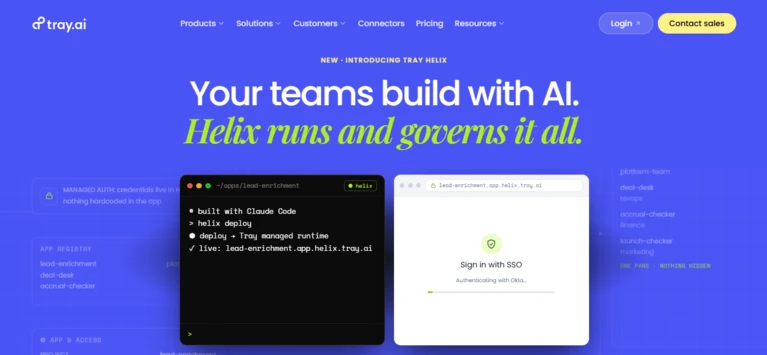
Best for: Enterprise orchestration across data, APIs, AI agents and MCP tools
Tray.ai combines enterprise integration, workflow automation, API management, data orchestration and AI-agent infrastructure.
Its current platform includes a visual low-code builder, headless developer tools, a governed MCP gateway and Merlin Agent Builder. Tray currently supports more than 700 application connectors.
Key features
- Enterprise iPaaS
- Visual workflow builder
- Headless developer environment
- More than 700 connectors
- API management
- Data orchestration
- AI agents
- MCP gateway and governance
- Application and tool permissions
- Audit trails
- Analytics
- Regional and enterprise deployment options
Pricing
Tray.ai uses custom enterprise pricing.
The final quote may depend on:
- Workflow and integration volume
- Connectors
- API usage
- Agent and MCP tool calls
- Environments
- Data throughput
- Governance requirements
- Support
Advantages
- Strong enterprise orchestration
- Combines integration, data and agents
- Visual and developer building methods
- MCP governance
- Enterprise security controls
- Suitable for organisation-wide programmes
- Useful for API-heavy environments
Potential limitations
- No transparent self-service pricing
- Primarily aimed at larger organisations
- Requires implementation planning
- Excessive for simple team automations
- Enterprise evaluation and procurement may take longer
Reliqus verdict
Tray.ai is best suited to enterprises that need one governed layer for integrations, data processes and AI tools.
11. Lindy

Best for: Automating email, meetings, calendars and administrative work
Lindy takes an assistant-oriented approach to automation.
Users can delegate tasks through chat or SMS, while Lindy manages connected inboxes, meeting scheduling, preparation, note-taking and follow-up.
Lindy also supports custom agents and workflows that can use application integrations, web research and computer-use capabilities.
Key features
- Email triage
- Draft replies
- Calendar scheduling
- Meeting preparation
- Meeting notes
- Follow-up emails
- SMS and iMessage delegation
- Custom agents
- Workflow editor
- Computer use on Pro
- Application integrations
- Human approval before sending
Pricing
Lindy currently offers:
- Plus: $49.99 per month
- Pro: $99.99 per month
- Max: $199.99 per month
- Enterprise: Custom pricing
- Trial: Seven days
Plus supports two inboxes. Pro increases usage, supports three inboxes and adds computer use. Enterprise adds team administration, SSO, SCIM, audit logs and compliance options.
Advantages
- Assistant-style user experience
- Strong email and calendar workflows
- Natural-language delegation
- Built-in approval before messages are sent
- Meeting support
- Custom workflows and integrations
- Suitable for professionals without automation expertise
Potential limitations
- Less suitable for deterministic high-volume data processing
- Usage allowances are not expressed as simple task numbers
- Resource-heavy tasks can consume limits quickly
- Fewer workflow controls than n8n or enterprise iPaaS tools
- Primarily focused on individual and administrative work
Reliqus verdict
Lindy is useful for professionals who want to delegate administrative work without designing every workflow from individual application modules.
12. Bardeen
Best for: Browser automation, web research, scraping and sales operations
Bardeen operates primarily through a browser extension and cloud automations.
Its Browser Agent can interact with websites and extract structured information from pages that do not provide convenient APIs. Users can also describe an automation through its AI prompt interface and have Bardeen create the workflow.
Bardeen is now positioned mainly around go-to-market processes such as:
- Lead sourcing
- Contact enrichment
- Web research
- Data extraction
- CRM updates
- Sales personalisation
Key features
- Browser automation
- Web scraping
- Browser Agent
- AI research
- Lead sourcing
- Data enrichment
- CRM automation
- Natural-language workflow creation
- Local browser execution
- Cloud execution
- Prebuilt scrapers
- Application integrations
Pricing
Bardeen currently offers:
- Basic: From $10 per month with 100 monthly credits
- Premium: From $50 per month with 1,000 monthly credits
- Annual Premium: From $480 per year
- Enterprise: Custom pricing
Higher credit allowances can be selected within the paid tiers.
Advantages
- Strong browser automation
- Useful web-scraping capabilities
- Local execution option
- Accessible starting price
- AI-generated workflows
- Strong lead-research use cases
- Can automate sites without APIs
Potential limitations
- Increasingly focused on sales and go-to-market workflows
- Browser automation may break when websites change
- Credit usage varies by action
- Not a complete enterprise process platform
- Websites may restrict automated access or data extraction
Reliqus verdict
Bardeen is a valuable specialist tool for browser-based work, but it should not be treated as a direct replacement for an organisation-wide integration platform.
Best AI Workflow Automation Tools by Use Case
Best for beginners
Consider:
- Zapier
- Make
- Activepieces
- Lindy
Zapier is easiest for straightforward application connections.
Make provides better visual control once a workflow contains several branches.
Lindy is useful when the user prefers delegating tasks conversationally rather than designing every step.
Best for technical teams
Consider:
- n8n
- Pipedream
- Activepieces
- Make
n8n is better for self-hosting and complex internal workflows.
Pipedream is better when automation is primarily built around APIs and code.
Best for enterprise integration
Consider:
- Workato
- Tray.ai
- Microsoft Power Automate
- UiPath
Workato and Tray.ai focus on integration and orchestration across business systems.
Power Automate is strongest in Microsoft environments.
UiPath is better when desktop applications and software robots are part of the process.
Best for AI-heavy workflows
Consider:
- Gumloop
- n8n
- Make
- Workato
- Activepieces
Gumloop is designed around research, document analysis and AI reasoning.
n8n provides more technical control over models, memory and tools.
Best for desktop and legacy applications
Consider:
- UiPath
- Microsoft Power Automate
Cloud-based automation platforms usually work best when an application provides an API.
RPA tools are more suitable when the process requires clicking through desktop software or an old internal system.
Best for browser automation
Consider:
- Bardeen
- UiPath
- Power Automate
Bardeen is useful for lightweight web research and scraping.
UiPath and Power Automate provide stronger enterprise controls for business-critical browser processes.
Best for self-hosting
Consider:
- n8n
- Activepieces
Both provide community editions that can be deployed on infrastructure controlled by the organisation.
Self-hosting does not automatically make the system private or secure. The organisation becomes responsible for configuration, patches, backups, access controls and monitoring.
Organisation-Wide AI Workflow Automation Examples
Finance
AI workflows can:
- Extract invoice information
- Match invoices with purchase orders
- Identify missing fields
- Route exceptions for approval
- Categorise expenses
- Summarise budget variances
- Prepare payment files
- Notify account owners
Payments should remain controlled by deterministic rules and human approval.
Human resources
Workflows can:
- Process candidate applications
- Schedule interviews
- Prepare onboarding tasks
- Create accounts
- Send policy documents
- Answer employee questions
- Track training completion
- Coordinate offboarding
AI should not make final hiring or disciplinary decisions without appropriate human review.
Sales operations
Workflows can:
- Enrich new leads
- Detect duplicates
- Score enquiries
- Assign account ownership
- Research companies
- Draft outreach
- Update CRM records
- Prepare meeting briefs
- Notify representatives of buying signals
Customer support
Workflows can:
- Categorise tickets
- Detect urgency
- Retrieve account information
- Suggest answers
- Identify the correct policy
- Route requests
- Create tasks
- Summarise escalations
High-risk actions such as refunds or account changes should require authentication and approval.
IT operations
Workflows can:
- Create employee accounts
- Reset access
- Route incidents
- Summarise logs
- Enrich security alerts
- Open service tickets
- Coordinate approvals
- Disable accounts during offboarding
Legal and compliance
AI workflows can:
- Extract contract clauses
- Compare agreements
- Identify missing documents
- Route contracts by risk level
- Track renewal dates
- Prepare summaries
- Maintain approval records
AI-generated legal analysis must be reviewed by qualified professionals.
Reporting
Workflows can:
- Collect data from multiple systems
- Clean and combine records
- Create summaries
- Generate recurring reports
- Distribute dashboards
- Highlight unusual changes
- Notify responsible teams
How to Choose an AI Workflow Automation Tool
1. Define the process before selecting software
Document:
- What triggers the process
- Which systems are involved
- What information enters the workflow
- Which rules apply
- Which actions are performed
- Where approvals are required
- What happens when something fails
- How success is measured
Do not begin with:
We need AI automation.
Begin with:
We need to read incoming supplier invoices, extract five fields, compare them with purchase orders and send mismatches to the finance manager.
2. Determine whether AI is actually required
Use fixed automation when:
- The input is structured
- The rules are stable
- The correct action is predictable
- Accuracy is critical
Use AI when:
- The input is unstructured
- Language must be interpreted
- Documents vary
- Categories are not always explicit
- A summary or draft is required
Adding AI to a simple process can increase cost and reduce predictability without producing additional value.
3. Check the required integrations
Create a list of every:
- Cloud application
- Internal system
- Database
- API
- Spreadsheet
- File-storage system
- Communication tool
- Desktop application
Verify whether the platform provides:
- A native connector
- A community connector
- A webhook
- A custom HTTP request
- An SDK
- Browser or desktop automation
A connector existing in a directory does not prove that it supports every action the business needs.
4. Evaluate data transformation
Real workflows often need to:
- Reformat dates
- Split names
- Clean phone numbers
- Match records
- Remove duplicates
- Iterate through arrays
- Merge results
- Map fields
- Calculate values
Make, n8n, Workato and Pipedream are generally stronger when data transformation is a major part of the workflow.
5. Review error handling
Ask whether the workflow can:
- Retry failed steps
- Wait before retrying
- Use a fallback path
- Pause for human review
- Store failed records
- Resume from the failed step
- Prevent duplicate actions
- Alert the correct owner
- Roll back a change
A workflow that works only under ideal conditions is not production-ready.
6. Examine human approval
The platform should support approval before:
- Sending external communications
- Publishing content
- Updating sensitive records
- Issuing refunds
- Deleting information
- Changing prices
- Making payments
- Contacting customers
- Signing agreements
7. Calculate the complete cost
The platform subscription may be only one part of the cost.
Include:
- Tasks or operations
- Workflow executions
- AI model usage
- Credits
- Premium connectors
- External APIs
- Data enrichment
- Storage
- Robots
- Users
- Implementation
- Maintenance
- Monitoring
8. Review governance
For organisation-wide deployment, look for:
- SSO
- Role-based access
- Application restrictions
- Shared credentials
- Environment separation
- Audit logs
- Version control
- Secret management
- Data-retention controls
- Usage limits
- Centralised monitoring
9. Consider maintenance
Every automation creates ongoing responsibility.
Applications change. Fields are renamed. Credentials expire. APIs are updated. Business policies change.
Assign an owner for every production workflow.
How AI Workflow Automation Pricing Works
Per task or operation
The platform charges for each chargeable action.
Common examples include Zapier tasks and Make credits.
A workflow containing ten billable steps may consume ten units every time it runs.
Per workflow execution
The platform charges when the complete workflow runs.
n8n uses execution-based pricing. The number of internal workflow steps generally does not change the execution count.
Compute based
Pricing depends on how long the workflow runs and the resources it uses.
Pipedream charges according to workflow compute time and memory.
Per active workflow
The platform charges according to the number of enabled workflows rather than usage volume.
Activepieces currently uses this model for its Standard cloud plan.
Credit based
Different platform actions consume different numbers of credits.
Workato, Gumloop, Lindy and many AI-native tools use forms of credit-based pricing.
Per user or bot
Enterprise automation platforms may charge for:
- Named users
- Developers
- Attended robots
- Unattended robots
- Hosted machines
- Process capacity
Microsoft Power Automate and UiPath use combinations of these models.
How Reliqus Should Test AI Workflow Automation Tools
A credible comparison should use identical processes wherever possible.
Test workflow 1: Lead intake
Create a workflow that:
- Receives a website form.
- Checks for an existing CRM contact.
- Uses AI to classify the enquiry.
- Enriches the company.
- Assigns the correct sales representative.
- Creates a CRM task.
- Sends an internal notification.
- Drafts a response for approval.
Measure:
- Build time
- Integration reliability
- AI classification accuracy
- Duplicate handling
- Error handling
- Execution cost
- Debugging difficulty
Test workflow 2: Invoice processing
Provide 50 invoices in different formats.
The workflow must:
- Extract supplier name
- Extract invoice number
- Extract date
- Extract total
- Match the purchase order
- Route exceptions
- Save the file
- Create an accounting record
Measure extraction accuracy and exception handling.
Test workflow 3: Customer-support triage
Provide 100 customer emails containing:
- Account questions
- Refund requests
- Technical issues
- Complaints
- Spam
- Security concerns
Measure:
- Correct category
- Priority accuracy
- Routing
- False urgent cases
- Missed urgent cases
- Draft quality
Test workflow 4: Failure recovery
Disable one application connection.
Check whether the platform:
- Detects the failure
- Retries safely
- Prevents duplicate actions
- Notifies the correct person
- Preserves workflow state
- Allows the run to resume
Test workflow 5: Human approval
Attempt to make the workflow issue a refund without approval.
The action should remain blocked even when the input contains:
- Claims of urgency
- Manager impersonation
- Instructions hidden in a document
- Repeated requests
- Pressure to ignore policy
Suggested Scoring Framework
| Criterion | Weight |
| Workflow reliability | 20% |
| Integrations and API support | 15% |
| Workflow logic and data transformation | 15% |
| AI capabilities | 10% |
| Error handling and debugging | 10% |
| Human approval and governance | 10% |
| Ease of use | 10% |
| Pricing and predictability | 5% |
| Deployment flexibility | 5% |
The weighting should change by buyer.
A small business may prioritise ease of use and pricing.
A regulated enterprise should place more weight on governance, auditability and deployment control.
Risks and Limitations
Incorrect AI decisions
AI may misclassify a request, misunderstand a document or choose the wrong workflow path.
Important decisions should be constrained by business rules and reviewed when confidence is low.
Prompt injection
Emails, documents and websites may contain instructions designed to manipulate an AI workflow.
Treat external content as untrusted data. Do not allow it to override system instructions or tool permissions.
Excessive permissions
A workflow should not receive access to every application simply because that makes building easier.
Use least-privilege permissions and separate read access from write access.
Duplicate actions
Retries may accidentally:
- Send two emails
- Create duplicate records
- Issue two refunds
- Process the same invoice twice
Use unique identifiers and idempotency controls for actions with financial or customer consequences.
Hidden costs
An apparently inexpensive workflow may use:
- Hundreds of application actions
- Large AI prompts
- Premium models
- Data-enrichment credits
- Browser automation
- External APIs
Monitor cost per completed business outcome.
Workflow sprawl
When every employee creates automations independently, the organisation may lose track of:
- Which workflows exist
- Who owns them
- Which credentials they use
- Which customer data they access
- Whether they are still needed
Create a central workflow register and ownership policy.
Automation bias
Employees may trust an automated result because it appears organised and confident.
Require evidence, source links or human verification for consequential decisions.
Final Verdict
The best AI workflow automation tool should make a business process more reliable, not merely more impressive.
Choose Zapier when your priority is simple no-code automation across the largest possible application ecosystem.
Choose Make when you need a visual canvas for complex workflow logic.
Choose n8n when technical control, code and self-hosting matter.
Choose Microsoft Power Automate when your organisation depends on Microsoft 365, Dynamics, Windows and desktop applications.
Choose Workato or Tray.ai when automation must operate as governed enterprise infrastructure.
Choose UiPath when desktop software, documents, robots and legacy systems are part of the process.
Choose Gumloop when AI research, interpretation and decision-making are central to the workflow.
Choose Pipedream when developers are building API-driven automations or embedded integrations.
Choose Activepieces when you want open-source control with simple cloud pricing.
Choose Lindy for inbox, calendar and administrative delegation.
Choose Bardeen for browser-based research, scraping and sales operations.
Before adopting any platform, confirm that it can:
- Connect the systems involved in your real process.
- Transform data correctly.
- Use AI only where interpretation is required.
- Handle failures without creating duplicate actions.
- Request human approval before sensitive steps.
- Provide useful logs and debugging.
- Protect credentials and customer data.
- Operate within a predictable cost.
- Scale to the required volume.
- Remain understandable to the team responsible for maintaining it.
The right platform is not the one with the most AI features.
It is the one that can move real work through the organisation accurately, securely and with enough visibility for people to remain in control.
Frequently Asked Questions
What is the best AI workflow automation tool?
Zapier is a strong general-purpose option for businesses seeking easy no-code connections between applications. Make is better suited to complex visual workflows, while n8n is stronger for technical teams that need code, deeper API control, or self-hosting. Power Automate is a strong fit for Microsoft organisations, while Workato, Tray.ai, and UiPath are better suited to enterprise automation programmes.
What is the best free AI workflow automation tool?
Several platforms offer free plans or free editions, including Zapier, Make, Activepieces, Pipedream, Workato, and n8n Community Edition. Free plans have different usage limits. Zapier limits monthly tasks, Make uses credits, Activepieces limits active flows, and n8n Community Edition requires self-hosting.
Which is better, Zapier or Make?
Choose Zapier when ease of use, simplicity, and broad application coverage are the main priorities. Choose Make when your workflows require complex branches, filters, loops, data transformations, or other logic that benefits from a visual workflow canvas.
Which is better, Make or n8n?
Choose Make if you want an accessible, hosted visual automation platform. Choose n8n if you need self-hosting, custom code, greater API control, or more flexibility for AI-powered workflows and agent-based automation.
Is n8n free?
n8n offers a free Community Edition that can be self-hosted. Its hosted Cloud plans start at €20 per month when billed annually. Although self-hosting can reduce software subscription costs, it still requires infrastructure, maintenance, updates, backups, and security management.
Can AI workflow tools replace employees?
AI workflow automation tools can reduce repetitive administrative work, but they do not eliminate the need for people to define processes, handle exceptions, review sensitive decisions, maintain systems, monitor results, manage customers, and apply professional judgment. The appropriate level of human involvement depends on the workflow and its risk.
Can AI workflows make decisions?
Yes. AI workflows can make decisions within a clearly defined scope. Low-risk tasks, such as categorising emails or routing requests, can often be automated. Decisions involving money, employment, legal rights, sensitive accounts, or other high-risk areas should generally include appropriate human review.
Can workflow automation tools operate desktop applications?
Yes. Power Automate and UiPath provide robotic process automation capabilities for desktop applications, legacy software, and other systems that may not offer modern APIs. Tools such as Zapier and Make primarily connect cloud applications through APIs and integrations.
What is the difference between Zapier and UiPath?
Zapier primarily connects cloud applications and automates processes through APIs and application integrations. UiPath also supports robotic process automation, allowing businesses to automate desktop interfaces, legacy applications, documents, and complex enterprise processes through software robots.
Which tool is best for self-hosting?
n8n and Activepieces are two strong options for businesses and technical teams looking for self-hosted workflow automation. The best choice depends on your requirements for customization, integrations, security, infrastructure, and technical expertise.
How much do AI workflow automation tools cost?
Entry-level plans can range from free to approximately $50 per month, depending on the platform and usage requirements. Enterprise automation platforms may cost hundreds or thousands of dollars per month based on factors such as users, workflow volume, automation runs, robots, support, and governance. AI model usage and external service charges may be billed separately.
Do I need an AI agent or a workflow?
Use a workflow when the process is predictable, defined, and repeatable. Use an AI agent when the system needs to interpret a goal, choose tools, and determine which actions to take based on changing information. Many production automation systems combine both approaches by placing an AI agent inside a controlled workflow.