
The best AI agent builder depends on how much technical control your team needs and where the agent will operate.
OpenAI AgentKit is a strong developer-focused option for visually designing, evaluating and deploying agents built around OpenAI models. Google Gemini Enterprise Agent Platform, Microsoft Copilot Studio and Salesforce Agentforce Builder are better suited to organisations already operating within their respective cloud and business ecosystems.
For developers who want deeper control over orchestration, LangGraph, CrewAI and Amazon Bedrock AgentCore provide frameworks and infrastructure for long-running, multi-step agents. Business and operations teams may prefer visual platforms such as Relevance AI, n8n, Flowise, Dify and Zapier Agents.
An AI agent builder is not the same as an AI app builder.
An app builder helps someone create an interface, website, database application or internal tool. An agent builder creates a system that can interpret a goal, decide which steps to take, use tools, maintain context and attempt to complete a task.
Best AI Agent Builders at a Glance
| AI agent builder | Best for | Building approach | Model flexibility | Starting price |
| OpenAI AgentKit | OpenAI-based developer teams | Visual builder and code SDK | Primarily OpenAI, with selected evaluation support for other models | Standard API usage pricing |
| Gemini Enterprise Agent Platform | Google Cloud enterprises | Low-code studio and developer SDK | Google, third-party and open models | Usage based |
| Microsoft Copilot Studio | Microsoft 365 and Power Platform organisations | Low-code visual builder | Microsoft-managed model ecosystem | Pay as you go or credit packs |
| Salesforce Agentforce Builder | Salesforce customers | Low-code builder with Salesforce actions | Salesforce-managed model and data ecosystem | Usage, conversation or user based |
| Amazon Bedrock AgentCore | AWS development teams | Developer infrastructure and managed services | Multiple model providers | Usage based |
| LangGraph and LangSmith | Complex, stateful developer agents | Open-source code framework and managed deployment | Model agnostic | Free framework; LangSmith from $0 |
| CrewAI | Multi-agent teams and role-based workflows | Code framework and visual studio | Model agnostic | Free plan; Enterprise custom |
| Relevance AI | No-code AI workforces | Visual low-code platform | Multiple model providers | Custom enterprise pricing |
| n8n | Controlled business automation with agents | Visual low-code workflows with code support | Multiple model providers | Cloud from €20 per month annually |
| Flowise | Open-source visual agent development | Drag-and-drop builder | Multiple model providers | Free; Cloud from $35 per month |
| Dify | Agentic workflows and knowledge-based agents | Visual builder and open-source platform | Multiple model providers | Free; Professional from $590 per year |
| Zapier Agents | Business agents connected to many applications | No-code agent and automation builder | Works across supported AI services | Free entry point; paid usage varies |
Pricing and product information were reviewed in July 2026. Agent-building costs frequently include several components, including model tokens, tool calls, workflow executions, storage, search, memory and third-party applications. Confirm current terms directly with each provider before deploying an agent.
Our Top Recommendations
Best developer platform for OpenAI agents: OpenAI AgentKit
OpenAI AgentKit combines a visual Agent Builder, connector management, embeddable agent interfaces and evaluation tools. Developers who need deeper control can also use the open-source Agents SDK to create multi-agent workflows, tool calls and long-running tasks in code. AgentKit features are included with standard API model pricing.
Best enterprise cloud platform: Gemini Enterprise Agent Platform
Google’s platform supports both low-code development through Agent Studio and code-based development through its Agent Development Kit. It also includes enterprise features for identity, permissions, runtime policies, security and agent evaluation.
Best for Microsoft organisations: Microsoft Copilot Studio
Copilot Studio allows organisations to build agents that work with Microsoft 365, Power Platform, websites and external applications. It is especially relevant when agents need to access SharePoint, Teams, Outlook, Dataverse or Power Automate workflows.
Best for Salesforce workflows: Salesforce Agentforce Builder
Agentforce Builder is a logical choice for agents that must work with Salesforce records, permissions, knowledge and Flow automations. Eligible Enterprise Edition customers can access Agentforce Builder through Salesforce Foundations, although production agent activity may consume Flex Credits or other paid usage.
Best for stateful agent orchestration: LangGraph
LangGraph is designed for long-running agents that need durable execution, state, memory, human approval and detailed control over the agent loop. The framework is open source, while LangSmith adds tracing, evaluation and managed deployment.
Best for multi-agent collaboration: CrewAI
CrewAI is built around agents with specialised roles working together through crews and structured flows. Its visual Studio and open-source framework make it suitable for both technical experimentation and production multi-agent systems.
Best no-code AI workforce platform: Relevance AI
Relevance AI allows business teams to create agents, tools and multi-agent workforces without building the complete infrastructure in code. It is particularly suited to sales, support, operations and research workflows requiring multiple integrations.
Best for controlled workflow automation: n8n
n8n combines AI agents with deterministic workflow steps, branching, code and human approval. It is a strong choice when the business wants an agent to reason within a carefully controlled automation rather than operate without boundaries.
Best open-source visual builder: Flowise
Flowise provides a drag-and-drop interface for creating agents, retrieval workflows and multi-agent systems. It can be self-hosted or used through Flowise Cloud, making it attractive to technical teams that want visual development without giving up infrastructure control.
Best for application integrations: Zapier Agents
Zapier Agents is most useful when an agent needs to take action across a wide range of business applications. Zapier currently connects its AI and automation products with nearly 9,000 applications and provides central policies, permissions and auditability for organisational use.
How We Evaluated These AI Agent Builders
Reliqus reviewed each platform using current official documentation, product pages and pricing information.
We considered:
- Visual and code-based building options
- Reasoning and planning controls
- Tool and API connections
- Knowledge retrieval
- Short-term and long-term memory
- Multi-agent orchestration
- Human approval
- Error handling
- Testing and simulation
- Tracing and observability
- Agent evaluation
- Version control
- Deployment options
- Model flexibility
- Security and permissions
- Self-hosting
- Pricing transparency
- Suitability for different technical skill levels
This article does not claim that Reliqus conducted the same production benchmark across all 12 platforms.
These products serve substantially different users. Comparing a no-code business automation platform directly with a low-level orchestration framework would produce a misleading universal ranking.
Recommendations are therefore based on platform capabilities, intended users and deployment requirements. Vendor claims about productivity or cost savings are not treated as guaranteed outcomes.
What Is an AI Agent Builder?
An AI agent builder is a platform, framework or development environment used to create AI systems that can pursue goals and perform actions.
A typical agent may:
- Receive a goal or request.
- Interpret what the user wants.
- Create or follow a plan.
- Select an appropriate tool.
- Retrieve information.
- Call an API or use software.
- inspect the result.
- Decide what to do next.
- Ask for approval when required.
- Return an answer or complete an action.
Examples include agents that:
- Research a company and produce a report
- Qualify a sales lead and update a CRM
- Review a customer ticket and issue an approved refund
- Monitor inventory and alert purchasing teams
- Collect information from documents and enter it into software
- Schedule meetings based on email conversations
- Investigate an IT incident
- Coordinate several specialist agents on a complex task
An agent builder normally provides several of the following components:
- Language-model access
- Prompt and instruction management
- Tool calling
- API connections
- Knowledge retrieval
- Memory
- Workflow logic
- Human approval
- Testing
- Evaluation
- Monitoring
- Deployment infrastructure
- Security and governance
AI Agent Builder vs No-Code AI App Builder
Reliqus already has a separate guide to no-code AI app builders. The two topics should remain distinct.
AI app builder
An AI app builder helps users create an application.
The main output may be:
- A website
- A mobile application
- A customer portal
- A dashboard
- A database interface
- An internal business tool
- A software prototype
The application may contain AI features, but it generally follows predefined screens, forms, buttons and application logic.
AI agent builder
An agent builder creates a system that can make decisions and take actions within defined boundaries.
The main output may be:
- A research agent
- A customer-service agent
- A sales agent
- A procurement agent
- A data-analysis agent
- An executive assistant
- A multi-agent workflow
- An autonomous operational process
The practical difference
Suppose a company wants to manage support requests.
An app builder might create a support portal where customers submit forms and employees manage tickets.
An agent builder might create an agent that:
- Reads the request
- Identifies the customer
- Searches the knowledge base
- Checks the account
- Determines whether an action is permitted
- Updates the ticket
- Responds to the customer
- Escalates exceptions
The portal is the application. The system interpreting the request and deciding what to do is the agent.
Some platforms can build both, but the search intent and evaluation criteria remain different.
AI Agent Builder vs Workflow Automation Platform
Traditional workflow automation follows predefined steps:
When event A happens, perform actions B and C.
An agentic workflow can interpret less structured information and decide between multiple possible actions.
For example:
Traditional workflow
- A form is submitted.
- Add the information to the CRM.
- Send a standard email.
- Notify the sales team.
Agentic workflow
- Read the form submission.
- Research the company.
- Determine whether the lead fits the ideal customer profile.
- Select an appropriate sales play.
- Draft a personalised email.
- Request approval if the account exceeds a specified value.
- Update the CRM with the reasoning.
The best systems often combine both approaches.
Use deterministic automation for steps that must happen predictably. Use agent reasoning only where interpretation, planning or judgement is genuinely necessary.
The Best AI Agent Builders in 2026
1. OpenAI AgentKit and Agents SDK
Best for: Developers building tool-using agents around OpenAI models
OpenAI AgentKit is a collection of tools for building, deploying and improving AI agents.
Its Agent Builder provides a visual canvas for composing multi-agent workflows, adding tools, configuring guardrails and versioning agent designs. ChatKit helps developers embed agent experiences into their products, while OpenAI’s evaluation tools support datasets, trace grading and prompt optimisation.
Developers who prefer code can use the Agents SDK. The SDK supports agent handoffs, tools, orchestration and tracing. OpenAI expanded the SDK in 2026 with controlled sandbox environments for agents that need to inspect files, execute commands and complete longer tasks.
Key features
- Visual Agent Builder
- Open-source Agents SDK
- Multi-agent workflows
- Tool calling
- Agent handoffs
- File and web tools
- Controlled sandbox execution
- Guardrails
- Workflow versioning
- Preview runs
- Trace-based evaluation
- Embeddable chat interfaces
- Connector administration
Pricing
AgentKit and the updated Agents SDK use standard OpenAI API pricing based on model tokens and tool usage. There is no separate fixed AgentKit subscription listed for standard API developers.
Total costs may include:
- Input and output tokens
- Web search
- File retrieval
- Code or sandbox tools
- Storage
- External APIs
- Application hosting
Advantages
- Strong integration with current OpenAI models
- Visual and code-based development
- Built-in evaluations
- Useful tracing and versioning
- Embeddable user interfaces
- Support for long-running tasks
- Open-source SDK
Potential limitations
- Primarily optimised for OpenAI models
- Agent Builder may change while in beta
- Production agents still require application engineering
- Costs can increase with long reasoning loops and tool calls
- Developers remain responsible for permissions and action safety
Reliqus verdict
OpenAI AgentKit is a strong option for product and engineering teams already building on OpenAI’s API.
It is particularly useful when developers want visual workflow design, code-level flexibility and agent evaluation within one ecosystem.
2. Gemini Enterprise Agent Platform
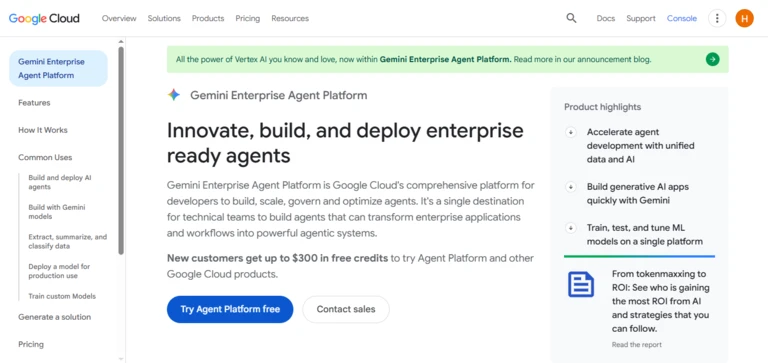
Best for: Enterprises building governed agents on Google Cloud
Google’s current agent platform combines low-code development, developer frameworks, model access, deployment, governance and optimisation.
Agent Studio provides a visual environment for designing and managing agent workflows. The Agent Development Kit offers a modular, model-agnostic framework for developers building more sophisticated agents. Agent Garden provides reusable templates, while Model Garden gives teams access to Google, third-party and open models.
The platform also includes controls designed for enterprise deployment:
- Agent identities
- Granular permissions
- Runtime policies
- Model security
- Agent gateways
- Evaluation
- Managed infrastructure
Key features
- Agent Studio
- Agent Development Kit
- Agent Garden
- Model Garden
- Knowledge and retrieval services
- Tool connections
- Agent identity
- Runtime policy enforcement
- Managed deployment
- Evaluation and optimisation
- Support for more than one model provider
- Google Cloud security integration
Pricing
Google uses usage-based pricing across models, agent infrastructure, search, evaluation, storage and other cloud services.
The final cost depends on which platform components the agent uses. Google Cloud provides introductory credits for new accounts, but production teams should model the complete architecture rather than treating the trial credit as a permanent free plan.
Advantages
- Supports low-code and code development
- Strong enterprise governance
- Multiple model choices
- Integration with Google Cloud data
- Managed production infrastructure
- Agent evaluation and security tools
- Suitable for large organisations
Potential limitations
- Pricing spans several Google Cloud services
- The current product has evolved from earlier Vertex AI naming
- Requires Google Cloud expertise
- Smaller teams may find the architecture complex
- Cross-cloud deployment may require additional work
Reliqus verdict
Gemini Enterprise Agent Platform is one of the most complete options for large organisations that need to build and govern multiple production agents.
It is especially relevant when the company already uses Google Cloud for data, identity, infrastructure and generative AI.
3. Microsoft Copilot Studio

Best for: Organisations using Microsoft 365, Power Platform and Dynamics
Microsoft Copilot Studio is a low-code environment for creating agents that work across Microsoft and external systems.
Agents can use information from SharePoint, Dataverse, websites and connected enterprise data. They can perform actions through Power Automate, communicate through channels such as Teams or websites and apply Microsoft’s administrative and security controls.
Key features
- Visual agent builder
- Natural-language agent creation
- Microsoft 365 knowledge
- SharePoint connections
- Dataverse
- Power Automate actions
- Website and application deployment
- Teams integration
- Authentication
- Topics and workflows
- Generative orchestration
- Analytics
- Administrative controls
- Human handoff options
Pricing
Microsoft currently offers:
- Copilot Credit capacity packs
- Pay-as-you-go billing
- Pre-purchased credit commitments
- Access through eligible Microsoft 365 Copilot licences
On Microsoft’s India pricing page, a pack of 25,000 Copilot Credits is listed at ₹16,640 per month. The number of credits consumed depends on the type and complexity of the agent response or action.
Microsoft also provides a Copilot Studio trial for users evaluating the platform.
Advantages
- Strong Microsoft 365 integration
- Accessible low-code builder
- Power Automate actions
- Enterprise identity and administration
- Internal and external agent deployment
- Flexible credit purchasing
- Familiar environment for Power Platform teams
Potential limitations
- Credit consumption can be difficult to predict
- Complex agents may still require technical expertise
- Best value is tied to the Microsoft ecosystem
- Licensing can involve several Microsoft products
- External connectors may require premium services
Reliqus verdict
Copilot Studio is the most logical place to start for organisations whose documents, communications, workflows and identity already operate in Microsoft 365.
4. Salesforce Agentforce Builder
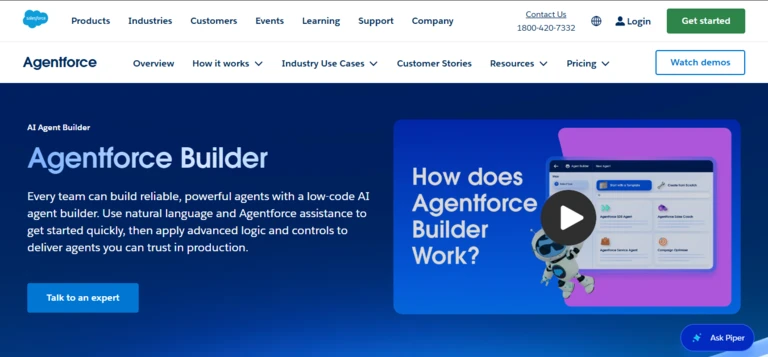
Best for: Building agents that work with Salesforce data and processes
Agentforce Builder allows Salesforce customers to create agents that reason over CRM information, answer questions and perform approved actions.
Agents can use:
- Salesforce records
- Knowledge articles
- Data 360 information
- Flow actions
- Apex code
- MuleSoft integrations
- Configured topics and instructions
- Salesforce permissions
The builder is designed for use cases such as customer service, sales, field service, employee support and account management.
Key features
- Low-code agent creation
- Salesforce CRM context
- Salesforce Flow actions
- Prompt Builder
- Agent Script
- Knowledge grounding
- Data 360 integration
- User and agent permissions
- Testing
- Usage monitoring
- Digital Wallet
- Internal and customer-facing agents
- Voice-agent options
Pricing
Salesforce Foundations currently includes Agentforce Builder for eligible Enterprise Edition and higher customers. Production usage can then be priced through Flex Credits, conversations or per-user licensing.
Salesforce currently prices Flex Credits at $500 per 100,000 credits, with a standard Agentforce action consuming 20 credits in its published rate model. Additional Salesforce, data and integration costs may apply.
Advantages
- Native CRM integration
- Existing Salesforce permissions
- Strong business workflow support
- Flow and Apex actions
- Useful for customer and employee agents
- Consumption monitoring
- Enterprise governance
Potential limitations
- Primarily valuable to Salesforce customers
- Pricing may involve several Salesforce services
- Poor CRM data will reduce agent reliability
- Complex actions require Salesforce expertise
- Flex Credit consumption needs careful modelling
Reliqus verdict
Agentforce Builder is a strong choice when the agent’s primary purpose is to understand and act on Salesforce information.
It is less compelling as a general-purpose agent platform for organisations that do not use Salesforce.
5. Amazon Bedrock AgentCore
Best for: AWS teams deploying secure, production-grade agents
Amazon Bedrock AgentCore provides modular infrastructure for running and managing AI agents.
Its services include:
- Agent runtime
- Memory
- Identity
- Gateway
- Browser capabilities
- Code execution
- Observability
- Policy controls
- Evaluation
- Web search
AgentCore is designed to work with multiple agent frameworks and models rather than requiring developers to use one proprietary orchestration approach.
Important product change
AWS has renamed its earlier Amazon Bedrock Agents product to Amazon Bedrock Agents Classic. AWS states that the Classic product will stop accepting new customers from July 30, 2026 and directs new users toward AgentCore capabilities.
New comparisons should therefore evaluate AgentCore rather than presenting Bedrock Agents Classic as AWS’s main current agent platform.
Key features
- Managed agent runtime
- Short-term and long-term memory
- Agent identity
- Tool gateway
- Policy enforcement
- Code execution
- Browser tools
- Web search
- Observability
- Framework flexibility
- AWS security integration
- Consumption-based scaling
Pricing
AgentCore uses component-based, consumption pricing.
For example, runtime is billed according to compute and memory use, while AgentCore Web Search currently costs $7 per 1,000 queries. Gateway, memory, identity, browser and other services use their own usage units.
Model inference through Amazon Bedrock is billed separately according to the selected provider and model.
Advantages
- Modular production infrastructure
- Multiple framework support
- Multiple model choices
- Strong AWS security integration
- Identity and policy controls
- Managed runtime and memory
- Usage-based scaling
Potential limitations
- Requires cloud engineering expertise
- Pricing spans several infrastructure components
- Not a simple no-code builder
- Developers must design the agent logic separately
- Monitoring the complete cost can be complex
Reliqus verdict
AgentCore is best for AWS teams that already know how they want their agent to behave and need secure infrastructure to run it in production.
6. LangGraph and LangSmith
Best for: Developers building long-running, stateful and controllable agents
LangGraph is an open-source orchestration framework for building agents with explicit state and workflow control.
It is especially useful for agents that need:
- Long-running execution
- Persistent state
- Loops
- Branches
- Human approval
- Recovery after failures
- Multiple agents
- Detailed orchestration
LangGraph is deliberately lower level than many visual builders. It gives developers control over how the agent moves between states rather than hiding the complete loop behind a simple prompt.
LangSmith adds:
- Tracing
- Observability
- Evaluation
- Testing
- Prompt management
- Managed deployment
LangGraph Platform was renamed LangSmith Deployment in October 2025.
Key features
- Open-source LangGraph framework
- Stateful agent graphs
- Durable execution
- Human-in-the-loop controls
- Memory
- Multi-agent orchestration
- Streaming
- Detailed traces
- Evaluation
- Managed or self-hosted deployment
- Framework-agnostic observability
- Python and JavaScript support
Pricing
LangGraph is free and MIT licensed.
LangSmith currently offers:
- Developer: $0 per seat, then usage based
- Plus: $39 per seat per month, then usage based
- Enterprise: Custom pricing
Usage can include tracing, compute, deployment and storage.
Advantages
- Fine-grained orchestration
- Model agnostic
- Open-source framework
- Strong observability
- Good support for human approval
- Suitable for complex production agents
- Managed and self-hosted options
Potential limitations
- Requires development experience
- More setup than high-level agent builders
- Teams must design their own user interface
- Model and infrastructure charges are separate
- Poorly designed graphs can become difficult to maintain
Reliqus verdict
LangGraph is a strong choice when reliability and control matter more than building the first prototype as quickly as possible.
7. CrewAI
Best for: Role-based multi-agent systems and collaborative agent workflows
CrewAI is an open-source framework and enterprise platform for creating agents that work together.
A CrewAI system can assign different roles to agents, such as:
- Researcher
- Analyst
- Writer
- Reviewer
- Planner
- Customer-service specialist
The agents can collaborate through a crew, while CrewAI Flows provide more structured control over execution.
CrewAI’s current platform includes a visual Studio, templates, tools, triggers, tracing, testing, guardrails and deployment options.
Key features
- Multi-agent crews
- Role-based agents
- Structured flows
- Open-source framework
- Visual Studio
- Tools and triggers
- Memory and knowledge
- Guardrails
- Tracing
- LLM testing
- Managed deployment
- Private infrastructure options
- MCP export
- GitHub integration
Pricing
CrewAI currently provides:
- Free plan with 50 workflow executions per month
- Visual editor and AI copilot
- Enterprise plan with custom pricing
- Private infrastructure and enterprise support options
The open-source framework can also be used independently, with model and infrastructure expenses paid separately.
Advantages
- Designed specifically for multi-agent collaboration
- Open-source framework
- Visual and code-based creation
- Model agnostic
- Built-in testing and tracing
- Enterprise deployment options
- Clear agent roles
Potential limitations
- Multi-agent systems can cost more than necessary
- More agents do not automatically improve results
- Requires careful task and responsibility design
- Enterprise pricing is not public
- Debugging agent-to-agent behaviour can be complex
Reliqus verdict
CrewAI is a strong option when a task genuinely benefits from several specialised agents.
Do not create five agents for work that one well-designed workflow could complete more reliably.
8. Relevance AI
Best for: Business teams building no-code agents and AI workforces
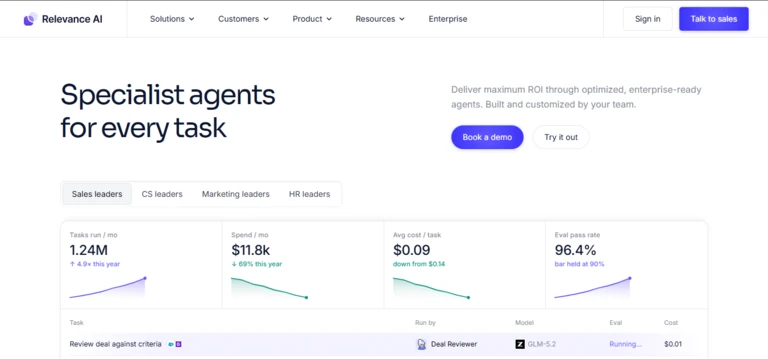
Relevance AI is a low-code and no-code platform for creating agents, tools and multi-agent workforces.
Users can assign an agent instructions, knowledge, tools and integrations, then connect several agents into a workforce. The platform is designed for departments such as:
- Sales
- Marketing
- Customer support
- Recruitment
- Research
- Operations
Relevance AI supports multiple model providers and separates agent actions from model-related vendor credits. Teams can also use their own model API keys.
Key features
- No-code agent builder
- Multi-agent workforces
- Agent tools
- More than 2,000 integrations on Enterprise
- Knowledge sources
- Triggers
- Calling and meeting agents
- Agent evaluation
- A/B testing
- Analytics
- Model routing
- Human approval
- Enterprise governance
Pricing
Relevance AI’s current public pricing page focuses on a custom Enterprise offering with unlimited agents, users, projects and workforces, along with integrations, evaluations and security controls.
Its billing model separates:
- Actions performed by agents
- Vendor Credits for model usage
Customers can connect their own model API keys to manage or bypass vendor-model credits.
Advantages
- Accessible visual builder
- Multi-agent workforce design
- Broad integrations
- Model selection and routing
- Evaluation and analytics
- Business-focused templates
- Enterprise governance
Potential limitations
- Current public pricing is not transparent for smaller production teams
- Credit consumption varies by agent behaviour
- Complex agents still require operational design
- No-code does not eliminate the need for testing
- Large workforces can become difficult to govern
Reliqus verdict
Relevance AI is one of the better options for business teams that want to build operational agents without maintaining a traditional software-development stack.
9. n8n
Best for: Technical operations teams combining AI reasoning with controlled automation
n8n is a workflow automation platform with dedicated AI agent capabilities.
Its main strength is the ability to combine:
- AI reasoning
- Fixed workflow steps
- Code
- API connections
- Business application nodes
- Human approval
- Error handling
- Self-hosting
This makes n8n suitable when an agent needs freedom to interpret information but should complete important actions through controlled workflow logic.
n8n promotes traceable agent reasoning on its visual canvas and supports self-hosting for teams that need infrastructure control.
Key features
- Visual workflows
- AI Agent nodes
- More than 500 integrations
- Code steps
- Model flexibility
- Memory
- Vector databases
- Human approval
- Branching and deterministic logic
- Workflow history
- Execution search
- Self-hosting
- Community Edition
- Enterprise security controls
Pricing
n8n Cloud currently starts at:
- Starter: €20 per month when billed annually
- Pro: €50 per month when billed annually
- Business: €667 per month when billed annually
- Enterprise: Custom pricing
Plans are primarily priced by complete workflow executions rather than charging for every individual step. A self-hosted Community Edition is also available.
Model API fees and selected third-party services may be separate.
Advantages
- Strong integration of agents and workflows
- Self-hosting
- Code when needed
- Human approval controls
- Transparent execution-based pricing
- Large integration library
- Good fit for technical operations teams
Potential limitations
- Requires more technical knowledge than simple no-code tools
- Self-hosting creates maintenance responsibility
- Agents may still require external model accounts
- Complex workflows can become difficult to understand
- Security depends heavily on configuration and software updates
Reliqus verdict
n8n is a strong option for business automation where an agent must operate inside a visible, testable and controlled process.
10. Flowise
Best for: Open-source visual development of agents and retrieval workflows
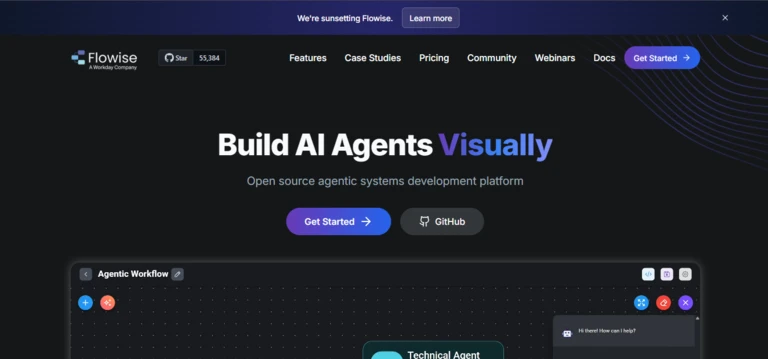
Flowise is an open-source platform for building AI agents and language-model workflows through a drag-and-drop interface.
Its Agentflow system can be used for:
- Tool-using agents
- Multi-agent systems
- Retrieval-augmented generation
- Chat assistants
- Conditional workflows
- Human approval
- Embedded agent interfaces
The platform can be installed locally or used through Flowise Cloud.
Key features
- Visual agent canvas
- Agentflow
- Multi-agent support
- Model flexibility
- Tools and APIs
- Retrieval and vector databases
- Memory
- Evaluations and metrics
- Embedded chat
- Open-source deployment
- Cloud hosting
- Workspaces and permissions
Pricing
Flowise Cloud currently offers:
- Free: Two flows or assistants and 100 monthly predictions
- Starter: $35 per month with unlimited flows and 10,000 predictions
- Pro: $65 per month with 50,000 predictions and five included users
The open-source version can be self-hosted, with the organisation paying its own model, server and database costs.
Advantages
- Open-source
- Accessible visual builder
- Model agnostic
- Self-hosting available
- Useful for RAG and agent systems
- Affordable cloud plans
- Embeddable interfaces
Potential limitations
- Requires technical setup for production use
- Self-hosted security is the user’s responsibility
- Cloud plans limit predictions
- Less enterprise governance than major cloud platforms
- Complex workflows may require custom code
Reliqus verdict
Flowise is one of the best starting points for developers who want a visual agent builder while retaining the option to self-host and inspect the underlying system.
11. Dify
Best for: Building agentic workflows, knowledge pipelines and deployable AI services
Dify is an open-source platform for building agents, retrieval workflows, model-powered applications and knowledge pipelines.
Its Workflow Studio provides a visual canvas for designing multi-stage processes. Users can add models, tools, conditional logic, knowledge retrieval, code and agent nodes.
Dify supports cloud, private and self-hosted deployments and allows teams to use models from several providers.
Key features
- Visual Workflow Studio
- Agent nodes
- Multiple model providers
- Knowledge pipelines
- Retrieval-augmented generation
- Tools and plugins
- Triggers
- API deployment
- Application interfaces
- Logs and observability
- Cloud hosting
- Self-hosted Community Edition
- Private enterprise deployment
Pricing
Dify currently offers:
- Sandbox: Free with 200 message credits and five applications
- Professional: $590 per workspace per year
- Team: $1,590 per workspace per year
- Enterprise: Custom
- Community Edition: Free to self-host under Dify’s open-source licence
Professional currently includes 5,000 monthly message credits, 50 applications and 500 knowledge documents. Users can connect their own model API keys after included credits are used.
Advantages
- Visual agentic workflows
- Strong knowledge and retrieval features
- Model flexibility
- Cloud and self-hosting
- Clear annual cloud pricing
- API deployment
- Open-source Community Edition
Potential limitations
- Broader than a pure agent builder
- Message and trigger limits vary by plan
- Self-hosting requires infrastructure management
- Enterprise controls require a custom plan
- Complex agents may need code and custom plugins
Reliqus verdict
Dify is a strong option for teams that want to combine agents, knowledge retrieval and deployable AI services in one visual environment.
It should remain in this article because of its agentic workflow capabilities, while the existing app-builder article should focus on platforms whose primary output is a user-facing application.
12. Zapier Agents
Best for: Business users building agents that take action across many applications
Zapier Agents allows users to create agents that work with the company’s automation and integration ecosystem.
An agent can be given instructions, knowledge and access to connected applications. It can then perform work such as:
- Researching leads
- Updating records
- Managing support requests
- Preparing reports
- Routing information
- Monitoring business processes
- Drafting and sending approved communications
Zapier’s major advantage is application connectivity. The company currently promotes connections across nearly 9,000 applications and central governance for organisational AI and automation.
Key features
- No-code agent creation
- Thousands of application integrations
- Zapier MCP
- Business data connections
- Workflow automation
- Tables and forms
- Policies
- Permissions
- Audit trails
- Human-controlled actions
- Templates
- Enterprise SSO and provisioning
Pricing
Zapier offers a free entry point, while paid costs depend on the organisation’s automation plan, task volume, AI usage and enterprise requirements.
Agent pricing should be evaluated alongside the wider Zapier platform because many useful agents rely on:
- Zap workflows
- Application tasks
- Tables
- Forms
- Premium integrations
- AI-model usage
- Enterprise governance
Advantages
- Extensive application connectivity
- Accessible to business users
- Useful workflow ecosystem
- Central policies and auditability
- Strong automation templates
- MCP connectivity
- Enterprise administration
Potential limitations
- Complex reasoning control is more limited than developer frameworks
- Costs can grow with task volume
- Some applications require premium access
- Agent reliability depends on connected workflows
- Less suitable for highly customised model orchestration
Reliqus verdict
Zapier Agents is a practical choice when the main challenge is connecting an agent to the company’s existing applications.
It is less suitable when developers need detailed control over the reasoning loop, state management or model infrastructure.
Best AI Agent Builders by User Type
Best no-code agent builders
Consider:
- Relevance AI
- Microsoft Copilot Studio
- Salesforce Agentforce Builder
- Zapier Agents
- Dify
- Flowise
These products still require users to understand:
- The intended task
- Available data
- Tools and permissions
- Failure conditions
- Human approval
- Testing
- Cost controls
No-code means the platform reduces programming. It does not mean the resulting agent is automatically safe or reliable.
Best low-code platforms
Consider:
- n8n
- Dify
- Flowise
- Gemini Enterprise Agent Platform
- Copilot Studio
These provide visual construction while allowing code, APIs or custom tools when required.
Best developer frameworks
Consider:
- OpenAI Agents SDK
- LangGraph
- CrewAI
- Google Agent Development Kit
- Amazon Bedrock AgentCore
These provide more control but require developers to build or configure more of the system.
Best enterprise ecosystem platforms
Choose according to existing infrastructure:
- Google Cloud: Gemini Enterprise Agent Platform
- Microsoft: Copilot Studio
- Salesforce: Agentforce Builder
- AWS: AgentCore
- OpenAI API: AgentKit and Agents SDK
Best open-source options
Consider:
- LangGraph
- CrewAI
- Flowise
- Dify
- n8n Community Edition
Open source provides more infrastructure control, but the organisation becomes responsible for:
- Hosting
- Updates
- Security patches
- Monitoring
- Scaling
- Backups
- Model access
- Support
How to Choose an AI Agent Builder
1. Define the task before choosing a platform
Do not begin with:
We need an AI agent.
Begin with:
We need an agent to read support emails, find the relevant account, draft a response and request approval before updating the ticket.
A well-defined task should include:
- Trigger
- Required inputs
- Expected output
- Tools
- Permissions
- Decision points
- Approval requirements
- Failure handling
- Success criteria
2. Decide how autonomous the agent should be
An agent may:
- Recommend an action
- Draft an action
- Request approval
- Perform a reversible action
- Perform an irreversible action
- Work without direct supervision
Start with the lowest autonomy that can still create meaningful value.
A research agent may be permitted to read public websites and draft a report.
A financial agent should not transfer money merely because it interpreted an email as an instruction.
3. Evaluate tool connections
Agents become useful when they can work with real systems.
Check whether the platform supports:
- APIs
- Webhooks
- MCP servers
- Databases
- CRMs
- Helpdesks
- Calendars
- File storage
- Project-management software
- Browsers
- Code execution
- Custom tools
Verify whether integrations are:
- Native
- Community developed
- Read only
- Read and write
- Included
- Premium
- Supported by the vendor
4. Examine memory
Agent memory may refer to several different capabilities:
- Context within the current conversation
- Stored facts about a user
- Previous task results
- Long-term organisational knowledge
- Workflow state
- Temporary scratch data
Ask:
- What does the agent remember?
- Where is memory stored?
- How long is it retained?
- Can users correct it?
- Can administrators delete it?
- Is memory separated between customers?
- Does memory contain sensitive data?
5. Review human approval
The platform should allow approval before actions such as:
- Sending an external email
- Updating a customer record
- Publishing content
- Changing a price
- Issuing a refund
- Deleting information
- Signing an agreement
- Making a payment
- Contacting a prospect
Approval controls should be part of the workflow, not dependent on a team member remembering to inspect logs later.
6. Evaluate observability
A production agent should show:
- Input
- Model decision
- Tools selected
- Tool parameters
- Tool responses
- Final output
- Errors
- Retries
- Approval events
- Cost
- Latency
- State changes
Without this information, teams may know that an agent failed without understanding why.
7. Test failure recovery
Ask what happens when:
- An API is unavailable
- A tool returns incomplete data
- Authentication expires
- A document contains malicious instructions
- The model chooses the wrong tool
- A workflow exceeds its time limit
- A record is locked
- The agent receives conflicting information
- The requested action is not permitted
The agent should fail safely rather than inventing a successful result.
8. Compare deployment options
Possible deployment models include:
- Vendor-managed cloud
- Public cloud account
- Private cloud
- Virtual private cloud
- Self-hosted
- Hybrid
- On-premises
The right option depends on:
- Data sensitivity
- Compliance
- Infrastructure skills
- Scaling requirements
- Procurement
- Geographic restrictions
- Integration needs
9. Model the complete cost
Agent costs may include:
- Platform subscription
- User seats
- Model tokens
- Reasoning tokens
- Tool calls
- Search
- Memory
- Vector storage
- Workflow executions
- Application tasks
- Database usage
- Hosting
- Observability
- Third-party APIs
- Development
- Maintenance
Compare cost per successfully completed task rather than cost per model call.
How Reliqus Should Test AI Agent Builders
A credible comparison should use the same agent task across compatible platforms.
Standard test agent
Build a customer-enquiry agent that must:
- Read an incoming request.
- Identify the customer.
- Retrieve order information.
- Review the return policy.
- Decide whether the request qualifies.
- Draft a response.
- Ask for approval before issuing a return.
- Update the CRM and support ticket.
- Record the outcome.
Provide the same:
- Knowledge documents
- API definitions
- Test customer data
- Business rules
- Approval requirements
- Success criteria
Test 1: Build time
Record:
- Time to create the first working version
- Coding required
- Integration setup
- Authentication effort
- Deployment steps
- Documentation issues
Test 2: Task completion
Create test cases for:
- Eligible return
- Ineligible return
- Missing order
- Customer outside policy
- Conflicting documentation
- System outage
- Request for another customer’s data
Measure whether the final business state is correct.
Test 3: Tool selection
Check whether the agent:
- Uses the correct API
- Passes correct parameters
- Avoids unnecessary calls
- Verifies tool success
- Handles errors
- Respects tool permissions
Test 4: Human approval
Confirm that the agent cannot issue a refund or change a record before receiving the required approval.
Attempt to bypass the approval using:
- User pressure
- Hidden document instructions
- Repeated requests
- Claims of urgency
- False manager authorisation
Test 5: Knowledge grounding
Include:
- Current policy
- Outdated policy
- Conflicting FAQ
- Unsupported request
- Deliberately malicious document text
The agent should use the approved source and avoid following instructions found inside untrusted content.
Test 6: Recovery
Disable one integration during the task.
The agent should:
- Recognise the failure
- Avoid confirming completion
- Retry only when appropriate
- Escalate or save the task
- Preserve relevant state
Test 7: Observability
Review whether the platform makes it easy to understand:
- Why the agent made a decision
- Which tools it used
- Which data it accessed
- Where the workflow failed
- How much the run cost
- Which version was active
Test 8: Deployment and governance
Evaluate:
- Role-based permissions
- SSO
- Audit logs
- Environment separation
- Version control
- Data retention
- Secret management
- Approval controls
- Usage limits
- Emergency shutdown
Suggested Scoring Framework
| Criterion | Weight |
| Task-completion reliability | 20% |
| Tool and integration support | 15% |
| Control over agent logic | 15% |
| Testing and observability | 15% |
| Human approval and safety | 10% |
| Ease of building | 10% |
| Deployment and governance | 10% |
| Pricing and value | 5% |
The weighting should change according to the user.
A non-technical operations team may place more weight on ease of building.
A regulated enterprise should place more weight on permissions, security, deployment and auditability.
Risks and Limitations of AI Agent Builders
Prompt injection
An agent may encounter instructions inside an email, website or document that attempt to manipulate its behaviour.
Because an agent can call tools, successful prompt injection may cause more harm than an incorrect chatbot answer.
Restrict tools, separate trusted instructions from untrusted data and require approval for sensitive actions.
Excessive permissions
An agent should not receive access to every system simply because that makes development easier.
Apply least-privilege access:
- Read only where possible
- Limit records
- Restrict tools
- Set financial limits
- Separate production and testing
- Require approvals
- Maintain audit logs
Incorrect action completion
The agent may claim an action succeeded even when the API failed.
Require tool responses to confirm the actual system state before the agent tells the user the task is complete.
Uncontrolled loops
An agent may repeatedly call a tool, search for more information or ask several models to review the same task.
Set limits for:
- Model calls
- Tool calls
- Execution time
- Tokens
- Cost
- Retries
- Subagents
Hidden operating costs
An agent that appears inexpensive during a demonstration may become costly when it processes thousands of tasks.
Track costs by:
- Agent
- Workflow
- Customer
- Tool
- Model
- Successful outcome
Model and platform lock-in
Moving an agent can be difficult when its:
- Prompts
- tools
- memory
- evaluations
- data
- workflow logic
- user interface
are closely tied to one platform.
Model-agnostic and open-source tools can reduce lock-in, but they may increase engineering work.
Weak evaluation
A successful demonstration does not prove production reliability.
Test known scenarios, failures, edge cases, security attacks and real business outcomes before increasing autonomy.
Frequently Asked Questions
What is the best AI agent builder?
OpenAI AgentKit is a strong option for developers using OpenAI models. LangGraph is better for teams needing detailed control over stateful agents, while CrewAI is suited to multi-agent collaboration.
Microsoft Copilot Studio, Salesforce Agentforce Builder and Gemini Enterprise Agent Platform are better aligned with organisations already using those ecosystems.
Relevance AI, n8n, Flowise, Dify and Zapier Agents provide more visual building experiences.
What is the difference between an AI agent builder and an AI app builder?
An AI app builder creates software interfaces and applications.
An AI agent builder creates systems that can interpret a goal, choose tools, make decisions and complete multi-step tasks.
An application may contain an agent, but the two are not the same.
What is the best no-code AI agent builder?
Relevance AI is a strong no-code option for business workforces. Microsoft Copilot Studio and Salesforce Agentforce Builder are suitable for their respective enterprise ecosystems.
Zapier Agents is useful for application connectivity, while Dify and Flowise provide visual building with more technical flexibility.
What is the best AI agent framework for developers?
Consider:
- OpenAI Agents SDK for OpenAI-based systems
- LangGraph for stateful orchestration
- CrewAI for multi-agent teams
- Google Agent Development Kit for Google Cloud
- Amazon Bedrock AgentCore for AWS production infrastructure
The right framework depends on the model, deployment environment and level of orchestration control required.
Can AI agents use external tools?
Yes.
Agents may use:
- APIs
- databases
- browsers
- code execution
- search
- calendars
- CRMs
- helpdesks
- file systems
- workflow applications
Each tool should have clearly limited permissions.
Can AI agents work together?
Yes.
Multi-agent platforms allow specialised agents to delegate or coordinate tasks.
However, multi-agent systems are generally more complex and expensive than single-agent workflows. Use several agents only when specialised roles create measurable value.
Are there free AI agent builders?
Yes.
Free or open-source options include:
- LangGraph
- CrewAI
- Flowise
- Dify Community Edition
- n8n Community Edition
- Free development plans from LangSmith, CrewAI, Flowise and Dify
Model, server and external API costs may still apply.
Can AI agents be self-hosted?
Several platforms support self-hosting, including:
- LangGraph
- CrewAI
- n8n
- Flowise
- Dify
Enterprise cloud providers also offer private or customer-controlled deployment options.
Self-hosting creates responsibility for security, scaling, backups, updates and monitoring.
How much does an AI agent builder cost?
Costs range from free open-source frameworks to enterprise platforms with custom contracts.
Cloud plans for visual builders may begin below $50 per month, while enterprise deployments can include substantial charges for licences, model usage, infrastructure, integrations and implementation.
What should an AI agent remember?
An agent should remember only information necessary to complete its approved task.
Memory should be:
- Relevant
- Correctable
- Deletable
- Access controlled
- Retained for a defined period
- Separated between users or customers
Sensitive information should not be stored indefinitely simply because the platform provides memory.
Can an AI agent perform actions without approval?
Yes, but it should only do so for actions that are low risk and clearly authorised.
Sensitive, irreversible or financially significant actions should normally require human approval.
Final Verdict
The best AI agent builder is the platform that gives your team the right balance of autonomy, control and operational effort.
Choose OpenAI AgentKit and the Agents SDK when developers want a complete OpenAI-based environment for designing, evaluating and embedding agents.
Choose Gemini Enterprise Agent Platform when the organisation needs a governed agent platform across Google Cloud.
Choose Microsoft Copilot Studio when agents must work with Microsoft 365, Power Platform and Dataverse.
Choose Salesforce Agentforce Builder when the agent’s primary job involves Salesforce customers, records and workflows.
Choose Amazon Bedrock AgentCore when AWS developers need modular infrastructure for production agents.
Choose LangGraph when the engineering team needs precise control over state, execution and human approval.
Choose CrewAI when the task genuinely benefits from several specialised agents working together.
Choose Relevance AI when business teams want to build an AI workforce without managing a traditional development stack.
Choose n8n when agent reasoning must be combined with controlled, visible automation.
Choose Flowise for open-source visual development.
Choose Dify when the team needs agents, knowledge retrieval and deployable AI workflows in one platform.
Choose Zapier Agents when application connectivity is the main requirement.
Before selecting a platform, build one clearly defined agent and test whether it can:
- Complete the intended business task.
- Select and use the correct tools.
- Respect permissions.
- Request approval at the right time.
- Recover from integration failures.
- Ignore malicious instructions in external content.
- Explain what happened through clear traces.
- Operate within a defined cost limit.
- Preserve accurate state.
- Fail safely when it cannot complete the task.
An AI agent builder should not merely make it easy to create an impressive demonstration.
It should make it possible to deploy an agent that performs useful work reliably, securely and at a cost the organisation can sustain.