
The best enterprise AI search tool depends on where your organisation stores information, how complicated its permissions are and whether employees need search results, generated answers or agents that can take action.
Glean is one of the strongest overall options for large organisations searching across many business applications. It offers more than 275 connectors and applies existing source permissions when returning results and AI-generated answers.
Microsoft 365 Copilot Search is better suited to Microsoft-centred organisations, while Slack Enterprise Search is a practical option for companies where Slack is already the main employee interface.
Notion Enterprise Search and Atlassian Rovo are compelling for teams already working in those ecosystems. Guru combines enterprise search with verified knowledge management, while GoSearch provides a comparatively accessible option for smaller and mid-sized teams.
For regulated, highly customised or technically complex environments, platforms such as Coveo, Sinequa and Lucidworks provide greater control over indexing, ranking, search interfaces and retrieval architecture.
Best Enterprise AI Search Tools at a Glance
| Enterprise AI search tool | Best for | Notable connected sources | Pricing |
| Glean | Best overall for large organisations | Google Drive, Slack, Salesforce, Jira, Confluence, GitHub, ServiceNow and more | Custom pricing |
| Microsoft 365 Copilot Search | Microsoft-based organisations | SharePoint, OneDrive, Teams, Outlook and 100+ external connectors | From approximately $30 per user per month, plus a qualifying Microsoft 365 plan |
| Slack Enterprise Search | Companies working primarily in Slack | Google Drive, Salesforce, Jira, Confluence, GitHub, Asana, Box and more | Enterprise+ custom pricing |
| Atlassian Rovo | Jira and Confluence users | Jira, Confluence, Google Drive, Slack, GitHub, HubSpot and more | Included with eligible Atlassian plans, subject to usage allowances |
| Notion Enterprise Search | Teams wanting search inside an all-in-one workspace | Notion, Slack, Google Drive, Jira, GitHub, Teams, SharePoint and OneDrive | Business from $20 per user per month |
| Guru | Governed and verified internal knowledge | Google Drive, Slack, Salesforce, Confluence, help centres and Guru content | Custom pricing |
| ServiceNow Moveworks | Enterprise search connected with employee service automation | Google Drive, SharePoint, OneDrive, Slack, Outlook, ServiceNow and other systems | Custom pricing |
| GoSearch | Small and mid-sized teams wanting transparent pricing | Slack, Google Drive, Notion, Jira, Salesforce and 100+ tools | Free plan; Pro from $20 per user per month |
| Dropbox Dash | Accessible universal search across files and apps | Google Drive, Slack, Outlook, Notion, OneDrive, Gmail and Dropbox | Trial available; business pricing varies |
| Google Cloud Search | Google Workspace and custom third-party repository search | Gmail, Drive, Docs, Calendar, SharePoint, Confluence and ServiceNow | Included in selected Workspace editions or sold through certified partners |
| Coveo | Customer service, intranet and personalised search experiences | Enterprise content, CRMs, service platforms, websites and internal portals | Custom pricing |
| Sinequa | Regulated industries and complex enterprise data | SharePoint, Salesforce, ServiceNow, SAP, Confluence, Documentum and 200+ connectors | Custom pricing |
| Lucidworks | Custom enterprise search applications and data discovery | Enterprise repositories, databases and custom indexed content | Custom pricing |
Pricing and product information were reviewed in July 2026. Enterprise-search contracts may also include implementation, connector development, indexing volume, AI usage, support, storage and security requirements.
Our Top Recommendations
Best overall: Glean
Glean is one of the most complete platforms for searching across distributed workplace knowledge.
It provides more than 275 application connectors, parses both content and permissions and builds a searchable layer across systems such as Slack, Salesforce, Google Drive, Jira, GitHub, ServiceNow and Confluence. Users can ask natural-language questions and receive answers based on information they are permitted to access.
Best for Microsoft organisations: Microsoft 365 Copilot Search
Microsoft 365 Copilot Search provides a universal search layer across Microsoft 365 and connected external systems.
Microsoft currently supports more than 100 Microsoft-built connectors, custom connectors and additional connectors provided by software partners. It can retrieve information from Microsoft applications, line-of-business software and external repositories through indexed or real-time connector models.
Best for Slack-centred teams: Slack Enterprise Search
Slack Enterprise Search allows employees to search external business systems from the Slack interface.
Its connectors include platforms such as Google Drive, Salesforce, Jira, Confluence, GitHub, Asana and Box. Search results are presented with conversational summaries and citations while respecting the user’s access permissions.
Best for Atlassian users: Rovo
Rovo combines search, chat and agents across Jira, Confluence and connected third-party applications.
Available connectors include Google Drive, Slack, GitHub and HubSpot. Rovo is included with eligible Atlassian Standard, Premium and Enterprise cloud subscriptions, although credit and indexed-object allowances vary by plan.
Best integrated knowledge workspace: Notion Enterprise Search
Notion Enterprise Search is well suited to teams that want search, documentation, projects, meeting notes and AI assistance in one workspace.
It can search Notion and connected applications such as Slack, Google Drive, Jira, GitHub, Microsoft Teams, SharePoint and OneDrive. The feature is included in Notion’s Business and Enterprise plans.
Best for governed internal knowledge: Guru
Guru combines enterprise search with a maintained internal knowledge base.
Its Knowledge Agents search sources such as Google Drive, Slack, Confluence, Salesforce, help centres and Guru Cards to produce sourced answers. Guru also supports selective syncing, inherited source permissions and expert verification of important internal knowledge.
Best accessible option for growing teams: GoSearch
GoSearch connects with more than 100 applications, including Slack, Google Drive, Jira, Notion and Salesforce.
Its Pro plan begins at $20 per user per month with no published seat minimum. The platform also provides a free individual plan and combines enterprise search with AI-generated answers and follow-up actions.
How We Evaluated These Tools
Reliqus reviewed each product using current official documentation, connector directories, security information, pricing pages and product descriptions.
We considered:
- Google Drive search
- Slack search
- Notion search
- CRM search
- Wiki and documentation search
- Microsoft 365 search
- Natural-language queries
- Keyword and filtered search
- AI-generated answers
- Source citations
- Permission enforcement
- Search-result relevance
- Connector coverage
- Indexing freshness
- Federated and real-time retrieval
- Multimodal file support
- Knowledge graphs
- People and expertise search
- Search analytics
- Custom ranking and relevance controls
- Deployment flexibility
- Administrative controls
- Pricing transparency
- Suitability for different organisation sizes
This article does not claim that Reliqus ran the same full-scale deployment across every platform.
Enterprise-search products require access to real organisational systems, users, permissions and documents. Some platforms provide trials or self-service access, while others require implementation through the vendor or a certified partner.
Recommendations are based on documented capabilities and likely product fit. Vendor-reported productivity improvements are not treated as outcomes every organisation will achieve.
What Is Enterprise AI Search?
Enterprise AI search is software that allows employees to find information across several internal applications and repositories from one search interface.
The searchable content may include:
- Google Drive files
- Slack conversations
- Notion pages
- CRM records
- Confluence spaces
- SharePoint sites
- Microsoft Teams messages
- Jira issues
- GitHub repositories
- Support tickets
- Emails
- Internal websites
- PDFs
- Presentations
- Videos and transcripts
- Databases
- File systems
A traditional company search engine may return documents containing the same words used in the query.
An AI-powered enterprise search system may instead:
- Interpret the meaning of the question.
- Search several connected systems.
- Retrieve relevant passages.
- Apply permissions.
- Rank the evidence.
- Generate a direct answer.
- Cite the supporting sources.
- Suggest related people, documents or actions.
For example, an employee could ask:
What did we promise the Acme account regarding the implementation deadline?
The search system may need to retrieve information from:
- Salesforce opportunity records
- Slack account discussions
- Google Drive proposals
- Meeting transcripts
- Project plans
- Support tickets
The answer is useful only when it is based on current information and the employee has permission to access every source used.
Enterprise Search vs Knowledge Base
Enterprise search and knowledge bases solve related but different problems.
Knowledge base
A knowledge base contains information the organisation intentionally records and maintains.
Examples include:
- Policies
- Standard operating procedures
- Product documentation
- Frequently asked questions
- Training materials
- Support articles
- Internal manuals
Knowledge-base platforms generally provide:
- Page ownership
- Review dates
- Version history
- Verification
- Approval workflows
- Page hierarchies
Enterprise search
Enterprise search retrieves information from multiple systems where employees already work.
The organisation may not have deliberately converted that information into formal documentation.
Searchable information might include:
- A decision in a Slack thread
- A contract in Google Drive
- A Jira issue
- A CRM note
- A Confluence page
- An email
- A meeting transcript
When both are needed
An organisation may use:
- Guru or Notion as its maintained knowledge base
- Glean or Microsoft 365 Copilot Search to retrieve broader information across business systems
Enterprise search can find information, but it does not automatically make that information approved or authoritative.
Enterprise Search vs AI Knowledge Base
An AI knowledge base generally answers questions using a defined collection of approved content.
Enterprise AI search can reach across a wider range of systems, including content that may be incomplete, conversational or not formally governed.
This creates a useful distinction:
- Use an AI knowledge base for trusted policies and documented procedures.
- Use enterprise search for discovery across company-wide information.
- Use both when employees need broad context and a clearly identified source of truth.
Indexed vs Federated Enterprise Search
The way a search platform retrieves information affects freshness, security and performance.
Indexed search
The platform copies content or a representation of the content into a central search index.
Advantages include:
- Faster search
- Advanced ranking
- Semantic retrieval
- Cross-source analytics
- Consistent result formatting
Potential drawbacks include:
- Content duplication
- Synchronisation delays
- Data-retention concerns
- More complex permission syncing
- Increased indexing and storage costs
Glean connectors, for example, parse content and source permissions into its search system.
Federated search
The platform sends the query to the source system and retrieves information in real time.
Advantages include:
- Fresher information
- Less duplicated content
- Native source permission checks
- Lower central storage requirements
Potential drawbacks include:
- Slower responses
- Dependence on source APIs
- Inconsistent result formats
- Rate limits
- Reduced ranking flexibility
Microsoft now supports both synced connectors that index content into Microsoft Graph and federated connectors that retrieve information in real time through MCP.
Hybrid search
Many enterprise systems combine indexed and federated retrieval.
Frequently accessed content may be indexed, while sensitive or rapidly changing data is retrieved directly from the source.
The Best Enterprise AI Search Tools in 2026
1. Glean
Best for: Large organisations requiring broad connector coverage and permission-aware search
Glean is a workplace search and enterprise AI platform designed to connect knowledge across business applications.
Its connector catalogue currently includes more than 275 integrations. Common sources include:
- Google Drive
- Slack
- Microsoft 365
- Salesforce
- Jira
- Confluence
- GitHub
- ServiceNow
- Zendesk
- Box
- Notion
- Asana
Connectors parse document content, comments, metadata and source permissions. Glean then uses this information to provide search, conversational answers, an AI assistant and agents.
Key features
- Cross-application enterprise search
- Natural-language questions
- AI-generated answers
- Source citations
- More than 275 connectors
- Permission-aware retrieval
- Knowledge graph
- People and expertise search
- Personalised ranking
- Search inside Slack and Microsoft Teams
- Browser and mobile access
- Agent platform
- Analytics and governance
- MCP access
Pricing
Glean uses custom enterprise pricing. The final contract may depend on:
- Number of employees
- Connected sources
- AI products
- Deployment requirements
- Security
- Support
- Implementation
Advantages
- Broad connector coverage
- Strong workplace-search focus
- Permission-aware indexing
- Useful people and expertise search
- Search, assistant and agents in one platform
- Suitable for complex enterprises
Potential limitations
- No public standard pricing
- Likely excessive for small teams
- Requires connector and permission configuration
- Implementation can involve several departments
- Search quality still depends on source data
Reliqus verdict
Glean is one of the strongest options when information is distributed across a large and varied technology stack.
It should be evaluated through a pilot using real questions from employees rather than generic demonstration queries.
2. Microsoft 365 Copilot Search
Best for: Organisations centred on Microsoft 365, SharePoint, Teams and Outlook
Microsoft 365 Copilot Search is an AI-powered enterprise search experience available within the Microsoft 365 Copilot application.
It automatically searches Microsoft 365 information and can extend that search to external business systems using Copilot connectors.
Microsoft supports:
- More than 100 Microsoft-built connectors
- Custom connectors
- Connectors from independent software vendors
- Synced indexing through Microsoft Graph
- Real-time federated retrieval through MCP
The search experience is available across desktop, web and mobile versions of the Microsoft 365 Copilot application.
Key features
- Search across Microsoft 365
- SharePoint and OneDrive retrieval
- Teams and Outlook context
- More than 100 external connectors
- Custom connector development
- Synced and federated retrieval
- AI-generated answers
- Microsoft Graph grounding
- Permission-aware results
- Desktop, web and mobile access
- Enterprise administration
- Copilot integration
Pricing
Microsoft 365 Copilot for enterprise organisations is currently listed at approximately $30 per user per month, normally requiring an eligible Microsoft 365 subscription. Packaging and contract terms may vary.
Advantages
- Native Microsoft 365 integration
- Strong SharePoint and OneDrive search
- Broad connector strategy
- Microsoft Graph permissions
- Search and productivity assistant combined
- Familiar interface for Microsoft users
Potential limitations
- Requires Microsoft licences
- Less attractive to Google-first companies
- Connector setup may require administrators or developers
- External-source quality varies by connector
- Copilot features extend beyond search, increasing total cost
Reliqus verdict
Microsoft 365 Copilot Search is the natural first option when most employees already work in Microsoft 365.
The key buying question is whether its external connectors cover enough of the organisation’s non-Microsoft stack.
3. Slack Enterprise Search
Best for: Organisations where employees use Slack as their primary work interface
Slack Enterprise Search extends Slack search beyond messages and files stored directly in Slack.
Employees can search across connected systems such as:
- Google Drive
- Salesforce
- Jira
- Confluence
- GitHub
- Asana
- Box
- Notion
- Dropbox
- Microsoft applications
Search results can include direct answers, summaries and source citations. Slack states that the system respects the permissions applied to connected data.
Key features
- Search from the Slack interface
- Slack messages and files
- Connected application search
- Conversational answers
- Citations
- Permission-aware results
- Filters by source
- Salesforce and Google Drive context
- AI search and summaries
- Slackbot integration
- Enterprise administration
Pricing
Enterprise Search is included in Slack’s Enterprise+ offering. Slack uses custom pricing for this plan. Earlier deployments may have used the legacy Slack AI add-on with Enterprise Grid, but current buyers should review the latest Enterprise+ packaging.
Advantages
- Employees can search without leaving Slack
- Strong Slack conversation context
- Useful Salesforce and Drive connections
- Conversational search results
- Familiar employee interface
- Enterprise identity and administrative controls
Potential limitations
- Available on the highest Slack tier
- Most valuable only when Slack is widely adopted
- Connector availability may differ by account
- Search is centred on the Slack interface
- Organisations may still need a broader AI platform
Reliqus verdict
Slack Enterprise Search is compelling for organisations that want Slack to function as the front door to internal knowledge.
It is less suitable when the company does not use Slack consistently across departments.
4. Atlassian Rovo
Best for: Product, engineering and service teams using Jira and Confluence
Rovo combines three primary capabilities:
- Rovo Search
- Rovo Chat
- Rovo Agents
Its Teamwork Graph connects people, projects, tasks and content across Atlassian applications and external systems.
Available connectors include Google Drive, Slack, GitHub, HubSpot and other workplace tools. Jira and Confluence content are available natively.
Key features
- Jira and Confluence search
- Google Drive connector
- Slack connector
- GitHub connector
- HubSpot connector
- Natural-language search
- Rovo Chat
- AI agents
- Teamwork Graph
- Permission-aware results
- Search filters
- Atlassian administration
Pricing
Rovo is available with eligible Atlassian Standard, Premium and Enterprise plans.
Atlassian is introducing credit and indexed-object allowances according to the purchased collection and tier. For example, some Standard plans include lower per-user Rovo credits and indexed-object allowances than Premium plans.
Advantages
- Native Jira and Confluence knowledge
- Strong fit for product and engineering teams
- Search, chat and agents
- External connectors
- Included with eligible Atlassian plans
- Teamwork Graph context
Potential limitations
- Best value is tied to Atlassian adoption
- Credit allowances require monitoring
- Connected-source coverage is smaller than Glean’s
- Large Confluence instances may contain stale information
- Administrators need to configure external connectors
Reliqus verdict
Rovo is one of the best choices when Jira and Confluence contain a substantial share of the organisation’s operational knowledge.
5. Notion Enterprise Search
Best for: Teams wanting enterprise search inside a collaborative knowledge workspace
Notion Enterprise Search is part of Notion AI.
It can search:
- Notion pages
- Uploaded PDFs
- Slack
- Google Drive
- Jira
- GitHub
- Microsoft Teams
- SharePoint
- OneDrive
Notion can provide direct answers and longer reports based on workspace and connected-source information. It applies the user’s permissions when searching connected content.
Key features
- Search across Notion
- AI connectors
- Natural-language questions
- Generated answers
- Research reports
- Citations
- PDF search
- Slack and Drive retrieval
- GitHub and Jira search
- SharePoint and Teams search
- Notion Agent integration
- Collaborative workspace
Pricing
Enterprise Search is available with Notion’s Business and Enterprise plans.
Notion Business currently starts at $20 per user per month, with Enterprise using custom pricing.
Advantages
- Search and knowledge creation in one platform
- Clear Business-plan entry price
- Broad productivity suite
- Useful for smaller and mid-sized teams
- Connected-app search
- AI writing, meetings and search included together
Potential limitations
- Best when Notion is already widely used
- Not as connector-rich as Glean
- General workspace flexibility can create duplicate pages
- Search quality depends on workspace governance
- Some connectors and features remain subject to ongoing expansion
Reliqus verdict
Notion Enterprise Search is a strong value option for teams that want more than standalone search and already use Notion as a central workspace.
6. Guru
Best for: Organisations that need enterprise search plus verified knowledge
Guru differs from search-only platforms because it also provides a structured internal knowledge base.
Knowledge Agents can search across connected sources such as:
- Google Drive
- Slack
- Confluence
- Salesforce
- Help centres
- Guru Cards
The system returns sourced answers and can be configured for particular departments, audiences or knowledge collections.
Guru can selectively sync source content and apply inherited or configured access permissions.
Key features
- Enterprise search
- Knowledge Agents
- Verified Guru Cards
- Source citations
- Selective syncing
- Permission-aware answers
- Slack integration
- Browser extension
- Knowledge verification
- Duplicate and conflict detection
- Knowledge-gap identification
- Department-specific agents
Pricing
Guru uses custom pricing based on users, sources, knowledge volume and AI requirements.
Advantages
- Combines search and knowledge governance
- Verification workflows
- Department-specific answers
- Strong Slack experience
- Useful for support, sales and HR
- Helps identify missing knowledge
Potential limitations
- Requires active knowledge management
- Pricing is not public
- More administrative work than a search-only tool
- Smaller connector catalogue than Glean
- Important knowledge still needs human verification
Reliqus verdict
Guru is a strong option when the organisation needs answers employees can distinguish as verified rather than merely retrieved.
7. 
Best for: Enterprises combining search with employee service and task completion
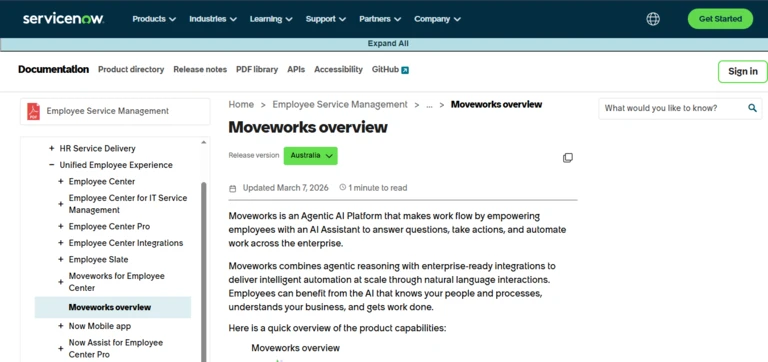
Moveworks is now part of ServiceNow’s employee-experience and AI platform.
Its enterprise search can retrieve information across systems such as:
- SharePoint
- OneDrive
- Google Drive
- Slack
- Outlook
- ServiceNow
The platform combines search with an AI assistant that can also update records, complete service requests and trigger governed workflows.
ServiceNow introduced EmployeeWorks after completing its Moveworks acquisition, combining Moveworks search and conversational AI with ServiceNow workflows and portals.
Key features
- Unified enterprise search
- AI-generated summaries
- Search filters
- Permission-aware results
- Employee assistant
- ServiceNow workflow execution
- Slack and Teams availability
- Employee portal integration
- IT and HR service use cases
- Record updates
- Task completion
- Enterprise administration
Pricing
ServiceNow Moveworks and EmployeeWorks use custom enterprise pricing.
Advantages
- Search and action in one interface
- Strong employee-service workflows
- ServiceNow integration
- Useful for IT and HR requests
- Slack, Teams and browser access
- Suitable for large organisations
Potential limitations
- Primarily enterprise focused
- Requires ServiceNow procurement and implementation
- Product packaging is evolving after the acquisition
- More than a standalone search tool
- Likely excessive for smaller teams
Reliqus verdict
ServiceNow Moveworks is best when the goal is not only to find information but also to turn the employee’s request into a completed service workflow.
8. GoSearch
Best for: Growing companies wanting accessible, cross-application AI search
GoSearch is an enterprise search and AI-answering platform that connects with more than 100 workplace applications.
Supported sources include:
- Slack
- Google Drive
- Notion
- Jira
- Salesforce
- Confluence
- Microsoft applications
- Internal documents
Users can search through a web interface, browser extension and workplace integrations. GoAI provides direct answers, summaries and follow-up capabilities across connected sources.
Key features
- More than 100 connectors
- Natural-language search
- GoAI answers
- Search across files and messages
- PDF, slide and image search
- Browser extension
- Search analytics
- MCP connectors
- Permission controls
- AI security controls
- No-code agents
- Free plan
Pricing
GoSearch currently offers:
- Free: Individual use with limited daily AI queries
- Pro: From $20 per user per month
- Enterprise: Custom pricing, generally from 35 users
The Pro plan has no published seat minimum.
Advantages
- Transparent entry pricing
- Free plan
- Broad common-app coverage
- Suitable for smaller teams
- AI search and agents
- Faster self-service adoption than many enterprise products
Potential limitations
- Smaller enterprise footprint than Glean
- Fewer connectors than the largest platforms
- Some governance capabilities may require Enterprise
- Teams should independently test relevance
- Vendor comparison content naturally favours its own positioning
Reliqus verdict
GoSearch is a commercially attractive option for organisations that need cross-application AI search but cannot justify a large enterprise-search contract.
9. Dropbox Dash
Best for: Teams wanting simple universal search across files, email and cloud applications
Dropbox Dash is an AI-powered universal search and knowledge workspace.
It can connect with applications such as:
- Google Drive
- Slack
- Outlook
- Gmail
- Notion
- OneDrive
- Dropbox
Users can search for documents, emails, images, videos and other files without remembering the exact filename or storage location. Dash can also provide answers across connected content.
Key features
- Universal cross-app search
- Natural-language queries
- AI-generated answers
- Search across files and email
- Multimedia search
- Start page
- Stacks for organising content
- Content sharing
- Permission visibility
- SSO
- Connected-app management
Pricing
Dropbox Dash offers a 30-day trial and is available to eligible Dropbox business customers.
Current public pages direct larger teams to request business pricing rather than showing one universal per-user rate.
Advantages
- Accessible user experience
- Strong file and media discovery
- Useful for Dropbox customers
- Google Drive and Slack connections
- Less complex than traditional enterprise-search deployment
- Helpful project-content organisation
Potential limitations
- Smaller enterprise-search feature set than Glean or Sinequa
- Pricing is not fully transparent
- More focused on universal content search than complex enterprise relevance
- Connector depth varies
- May not suit highly regulated environments
Reliqus verdict
Dropbox Dash is a good option for teams whose primary challenge is finding files, emails and project content spread across common workplace applications.
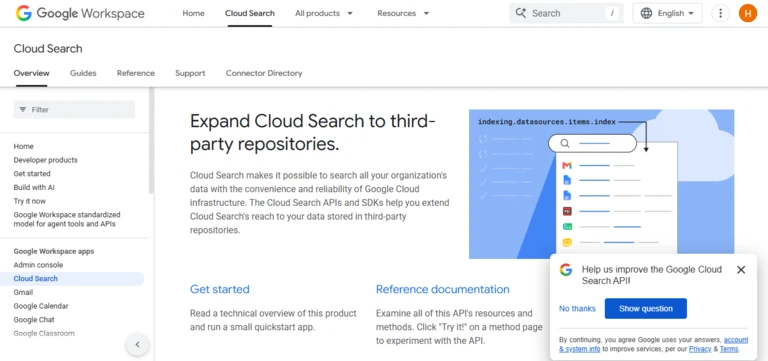
10. Google Cloud Search
Best for: Google Workspace organisations and custom search across third-party repositories
Google Cloud Search provides company search across Google Workspace services such as:
- Gmail
- Google Drive
- Docs
- Sheets
- Slides
- Calendar
- Directory
- Groups
The platform follows Google Workspace sharing permissions so users see only content they can access.
Google also offers Cloud Search Platform for searching third-party repositories and building custom search applications.
Supported third-party environments can include:
- Microsoft SharePoint
- Confluence
- ServiceNow
- Databases
- File systems
Cloud Search Platform provides filters, facets, custom operators, identity mapping, access controls and embeddable search interfaces.
Key features
- Search across Google Workspace
- Gmail and Drive search
- Company-directory search
- Permission-aware results
- Third-party repository indexing
- Custom search applications
- Filters and facets
- Custom search operators
- Identity mapping
- Embeddable search interface
- APIs
- Prebuilt connectors
Pricing
Cloud Search is included in selected Google Workspace editions.
The standalone Cloud Search Platform is purchased through a certified Google Cloud Search partner. Contract pricing and overage terms can cover queries, indexed items and search applications.
Third-party indexing on selected Workspace editions may require at least 500 licences and a certified partner.
Advantages
- Native Google Workspace search
- Familiar Google search experience
- Strong permissions model
- Custom third-party search applications
- Search APIs
- Suitable for Google-centred enterprises
Potential limitations
- Third-party indexing can require 500 licences
- Deployment may require a certified partner
- Less conversational and agentic than newer platforms
- External repository integration requires technical work
- Contract and overage pricing are not simple
Reliqus verdict
Google Cloud Search is most relevant to large Google Workspace organisations that need controlled search across Workspace and selected external repositories.
11. Coveo
Best for: Customer service, intranet and personalised enterprise-search experiences
Coveo is an AI search and relevance platform used across internal and customer-facing experiences.
It can provide search and generative answers within:
- Employee portals
- Customer help centres
- CRM interfaces
- Support-agent workspaces
- Websites
- Software products
Coveo’s Relevance Generative Answering retrieves approved enterprise content before generating an answer. Its documentation states that generated answers are based on specified enterprise content and can be presented with citations.
Key features
- Enterprise search
- Generative answering
- Semantic retrieval
- Personalised ranking
- Permission-aware results
- Customer self-service search
- Agent-assistance search
- Intranet search
- Salesforce integration
- Search analytics
- Custom search interfaces
- APIs and developer tools
Pricing
Coveo uses custom pricing based on:
- Search experiences
- Query volume
- Indexed content
- AI features
- Integrations
- Support
- Implementation
Advantages
- Strong relevance technology
- Internal and external search
- Customer-service expertise
- Personalised results
- Generative answers with enterprise grounding
- Flexible developer interfaces
Potential limitations
- Enterprise implementation
- No public standard pricing
- More complex than a plug-and-play workplace tool
- Requires relevance and content configuration
- May be excessive for simple file search
Reliqus verdict
Coveo is a strong option when enterprise search must power several customer and employee experiences rather than one internal search box.
12. Sinequa
Best for: Regulated industries, research-heavy organisations and complex enterprise repositories
Sinequa is an enterprise AI search platform designed for large-scale and highly varied data environments.
It provides more than 200 prebuilt connectors for sources such as:
- SharePoint
- Confluence
- Salesforce
- SAP
- ServiceNow
- Documentum
- Product-lifecycle systems
- Research repositories
- Internal databases
Sinequa combines keyword search, semantic search, natural-language processing and generative AI while enforcing document-level security.
Key features
- Enterprise AI search
- More than 200 connectors
- Hybrid retrieval
- Semantic and neural search
- Natural-language processing
- Generative answers
- Document-level security
- Expert discovery
- Technical and scientific content search
- Knowledge graphs
- MCP access
- Custom applications
- Regulated-industry deployment
Pricing
Sinequa uses custom enterprise pricing. Costs may depend on:
- Users
- Data volume
- Connectors
- Custom applications
- Deployment
- Security requirements
- Support
Advantages
- Strong complex-data support
- Large connector library
- Suitable for regulated environments
- Technical and scientific content search
- Granular security
- Customisable architecture
Potential limitations
- Significant implementation effort
- Primarily for large organisations
- No public self-service pricing
- Requires search and data expertise
- Excessive for straightforward workplace search
Reliqus verdict
Sinequa is best suited to enterprises where search must understand technical, regulated or highly specialised information distributed across complex systems.
13. Lucidworks
Best for: Organisations building customised enterprise search and data-discovery applications
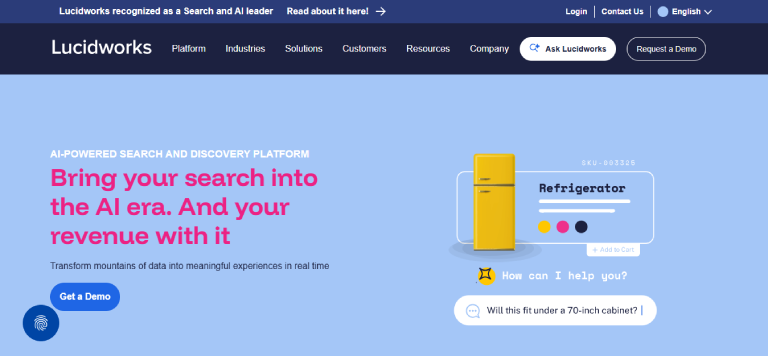
Lucidworks provides an enterprise search and discovery platform for creating customised internal and external search experiences.
Its platform combines:
- Data acquisition
- Search
- Machine learning
- Generative AI
- Personalisation
- Custom search applications
- Analytics
Lucidworks Search is a cloud-native platform for deploying AI-powered data-discovery and search applications. Its AI services can use indexed enterprise data to enrich and improve search results and generative experiences.
Key features
- Enterprise search
- Custom search applications
- Data connectors and acquisition
- Semantic search
- Generative AI
- Search relevance
- Personalisation
- Search signals
- AI agents
- Analytics
- Cloud-native architecture
- Developer controls
Pricing
Lucidworks uses custom enterprise pricing.
Advantages
- Strong customisation
- Search and recommendation expertise
- Suitable for internal and external applications
- Developer-oriented architecture
- Generative AI capabilities
- Useful for complex relevance requirements
Potential limitations
- Requires implementation expertise
- No transparent standard pricing
- Less immediately accessible than workplace-search SaaS
- Not focused solely on employee search
- May require custom user-interface development
Reliqus verdict
Lucidworks is a good option when the organisation wants to build a tailored search product rather than adopt a standard employee search interface.
Best Enterprise AI Search Tools by Use Case
Best for searching Google Drive and Slack
Consider:
- Glean
- Slack Enterprise Search
- Notion Enterprise Search
- Guru
- GoSearch
- Dropbox Dash
Choose Glean when broad enterprise coverage and governance are required.
Choose Slack Enterprise Search when employees already work primarily inside Slack.
Choose Notion or GoSearch when a more accessible implementation and published entry price matter.
Best for searching CRMs
Consider:
- Glean
- Slack Enterprise Search
- Guru
- Microsoft 365 Copilot Search
- Rovo
- Coveo
- Sinequa
Verify which CRM objects are searchable.
A connector may search:
- Accounts
- Contacts
- Opportunities
- Notes
- Activities
- Support cases
but not necessarily every custom object, attachment or permission type.
Best for Microsoft 365
Consider:
- Microsoft 365 Copilot Search
- ServiceNow Moveworks
- Glean
- Slack Enterprise Search
- Notion Enterprise Search
- Coveo
Microsoft 365 Copilot Search provides the strongest native experience across SharePoint, OneDrive, Outlook and Teams.
A third-party product may still be preferable when Salesforce, Slack, Jira or Google Drive contain equally important information.
Best for Jira and Confluence
Consider:
- Atlassian Rovo
- Glean
- Guru
- GoSearch
- Sinequa
Rovo provides the most native Atlassian experience.
Glean may be better when Atlassian represents only one part of a larger technology stack.
Best for small and mid-sized teams
Consider:
- GoSearch
- Notion Enterprise Search
- Dropbox Dash
- Guru
GoSearch and Notion have more visible entry pricing than most enterprise-search vendors.
A smaller team should avoid purchasing a complex enterprise platform before confirming that:
- Employees actually struggle to find information
- The connected systems contain valuable knowledge
- Permissions are organised
- Search adoption can be measured
Best for regulated enterprises
Consider:
- Sinequa
- Coveo
- Glean
- Microsoft 365 Copilot Search
- ServiceNow Moveworks
Evaluate:
- Data residency
- Encryption
- Retention
- Audit logs
- Private deployment
- Permission enforcement
- Regulatory certifications
- Customer-controlled model options
- Zero-data-retention arrangements
Best for custom search applications
Consider:
- Coveo
- Lucidworks
- Sinequa
- Google Cloud Search
- Microsoft Copilot connectors
These platforms are more suitable when the organisation needs to embed search inside:
- An intranet
- A customer portal
- A product
- A CRM
- A support interface
- A custom internal application
How to Choose an Enterprise AI Search Tool
1. Inventory the systems employees search
List every important source, including:
- Google Drive
- Slack
- Notion
- Salesforce
- HubSpot
- SharePoint
- OneDrive
- Jira
- Confluence
- GitHub
- ServiceNow
- Zendesk
- File servers
- Databases
Estimate how often each source is used and which departments depend on it.
A platform with 300 connectors is not automatically better if it lacks the one internal system containing your most valuable information.
2. Test connector depth, not only availability
A connector logo does not show what the connector can retrieve.
Ask:
- Does it search comments?
- Does it index attachments?
- Are custom CRM objects supported?
- Can it search private Slack channels?
- Are PDF tables searchable?
- Does it search image text?
- Are video transcripts indexed?
- Are deleted records removed promptly?
- How often does the source sync?
3. Review permission enforcement
The search platform must not expose information merely because it successfully indexed it.
Test users with different permissions:
- General employee
- Sales representative
- Manager
- HR employee
- Finance employee
- Contractor
- Administrator
Check whether the system respects:
- Document sharing
- Private channels
- CRM ownership
- Team spaces
- Restricted folders
- Group access
- Role-based permissions
A permission leak should be treated as a disqualifying failure.
4. Examine citation quality
AI-generated answers should link to the evidence used.
Check whether each citation:
- Supports the statement
- Opens the correct source
- Shows the relevant passage
- Preserves source permissions
- Identifies the date
- Identifies the document owner
- Distinguishes current and outdated information
Research on generative search has shown that fluent answers can contain unsupported statements or citations that do not fully support the generated claim. Citation accuracy must therefore be tested rather than assumed.
5. Test conflicting information
Organisations frequently maintain several versions of:
- Pricing
- Policies
- Product documentation
- Process instructions
- Contract templates
The search system should not blend contradictory sources into one confident answer.
It should ideally:
- Identify the conflict
- Prioritise approved content
- Show dates
- Show verification status
- Explain uncertainty
- Route the user to an owner
6. Evaluate indexing freshness
Ask how quickly the system reflects:
- A newly created document
- A changed permission
- An edited CRM record
- A deleted file
- A Slack message
- A user leaving the organisation
A useful answer based on yesterday’s permissions may still create a security issue today.
7. Compare search and answer modes
Employees may need both:
Search results
Useful when the person wants to inspect several documents or conduct open-ended research.
Direct answers
Useful for specific questions.
Reports and synthesis
Useful when information must be combined across several systems.
Do not allow generated answers to replace access to the underlying search results.
8. Review relevance controls
Enterprise terminology can be ambiguous.
For example:
- “Apple” may mean a customer, company or device.
- “Phoenix” may mean a product, project or location.
- “Renewal” may refer to a contract, licence or insurance policy.
Look for:
- Synonyms
- Entity recognition
- Result boosting
- Source weighting
- Recency controls
- Department-specific ranking
- Search analytics
- Manual curation
- Personalisation controls
9. Calculate the total cost
Enterprise-search costs may include:
- User licences
- Minimum seat commitments
- Connector fees
- AI usage
- Indexed objects
- Search queries
- Storage
- Implementation
- Custom connector development
- Support
- Security
- Data residency
- Professional services
Compare cost per active user and cost per successfully answered employee question.
10. Assign ownership
Enterprise search requires ongoing management.
Assign owners for:
- Connectors
- Permission audits
- Search analytics
- Relevance tuning
- Content governance
- AI-answer evaluation
- Security incidents
- Employee training
- Vendor management
How Reliqus Should Test Enterprise AI Search Tools
Create a controlled source environment
Use the same content across:
- Google Drive
- Slack
- Notion
- A CRM
- A wiki
- Uploaded PDFs
- Internal documents
Include:
- Correct documents
- Outdated documents
- Conflicting information
- Duplicate files
- Restricted content
- Images
- Tables
- Scanned files
- Missing answers
- Several documents using similar project names
Test 1: Known-answer questions
Create 50 questions with verified answers.
Score responses as:
- Correct and complete
- Correct but incomplete
- Partially correct
- Unsupported
- Incorrect
- Appropriately refused
Test 2: Cross-source synthesis
Ask questions that require information from several systems.
Example:
What was agreed with Acme about the launch date, who owns the remaining work and what risks were mentioned?
The correct answer may require:
- Salesforce
- Slack
- Google Drive
- Jira
Test 3: Search relevance
Create 25 document-finding queries.
Measure:
- Whether the correct result appears
- Its ranking position
- Irrelevant results above it
- Whether filters improve the result
- Search latency
Test 4: Citation accuracy
Review every generated citation.
Measure:
- Citation supports claim
- Citation is current
- Citation opens correctly
- Citation is permitted
- Citation highlights relevant context
Test 5: Permission enforcement
Create restricted information for:
- HR
- Finance
- Legal
- Executive leadership
- Customer accounts
Attempt to retrieve it through:
- Direct search
- AI answers
- Follow-up questions
- Summary requests
- Indirect prompts
Test 6: Permission changes
Remove a user’s access to a document.
Measure how long the document remains discoverable in:
- Search results
- Generated answers
- Cached summaries
- Recommendations
Test 7: Conflicting documents
Provide an old and current policy.
The system should not quietly combine them.
Test 8: Missing information
Ask questions that have no supported answer.
The tool should:
- State that the information is unavailable
- Avoid inventing an answer
- Suggest a person or source
- Capture the query as a knowledge gap
Test 9: Multimedia search
Test:
- Image text
- Presentation slides
- PDF tables
- Video transcripts
- Audio transcripts
Test 10: Analytics
Review whether administrators can see:
- Common searches
- Failed searches
- Unanswered questions
- Low-confidence answers
- Popular sources
- Unused connectors
- Permission errors
- Search trends
Suggested Scoring Framework
| Criterion | Weight |
| Answer accuracy | 20% |
| Search relevance | 15% |
| Permission enforcement | 15% |
| Citation accuracy | 15% |
| Connector coverage and depth | 10% |
| Indexing freshness | 10% |
| Administration and analytics | 5% |
| User experience | 5% |
| Pricing and value | 5% |
Permission leakage should be treated as a disqualifying issue rather than balanced against strong relevance or usability.
Risks and Limitations of Enterprise AI Search
Permission leakage
A connector may incorrectly mirror, flatten or fail to update source permissions.
Test both indexing and generated answers because a restricted document may remain hidden in keyword results but influence an AI summary.
Incorrect generated answers
The system may retrieve relevant information but combine it incorrectly.
Require citations and provide employees with a way to report incorrect answers.
Outdated information
Search can make obsolete documents easier to find.
Search platforms should be combined with:
- Document owners
- Review dates
- Verification
- Retention policies
- Archiving
- Source prioritisation
Conflicting sources
A generated answer may merge different versions of the same policy.
Important information should have a recognised authoritative source.
Prompt injection
Indexed documents may contain text designed to manipulate AI answers or connected agents.
GoSearch, for example, states that it includes controls intended to detect malicious instructions in indexed content. Regardless of platform, organisations should test prompt-injection resistance before enabling agent actions.
Search-result bias
Personalisation may improve relevance but can also create different information experiences for different users.
Administrators should understand:
- How ranking is personalised
- Which activity data is used
- Whether personalisation can be disabled
- Whether results can be audited
- How promoted sources are displayed
Data duplication
Indexed search may create a searchable copy of organisational information inside another vendor environment.
Review:
- Storage location
- Encryption
- Retention
- Deletion
- Backups
- Model training
- Subprocessors
- Data residency
- Contract termination procedures
Low adoption
Employees may continue searching individual applications or asking coworkers.
Adoption improves when:
- Search is available inside Slack or Teams
- Common questions return useful answers
- Employees trust citations
- The system is fast
- Incorrect results can be reported
- Search analytics are actively reviewed
What Happened to Elastic Workplace Search?
Many older enterprise-search comparisons recommend Elastic Workplace Search.
Elastic has now discontinued the standalone Enterprise Search product in Elastic 9.0 and later, including Workplace Search, App Search and Elastic-managed Enterprise Search connectors. Elastic directs customers toward Elasticsearch, the Open Web Crawler and self-managed content connectors.
Elastic remains relevant for technical teams building custom search infrastructure, but it should not be presented as a current plug-and-play workplace-search product.
This is why Elastic is not included as one of the main turnkey platforms in this list.
Final Verdict
The best enterprise AI search platform should help employees find trustworthy information without weakening access controls.
Choose Glean when your organisation has a large and varied technology stack and needs broad connector coverage.
Choose Microsoft 365 Copilot Search when most company knowledge and work already lives in Microsoft 365.
Choose Slack Enterprise Search when Slack is the main place employees communicate and access work.
Choose Atlassian Rovo when Jira and Confluence contain much of the organisation’s product, engineering and service knowledge.
Choose Notion Enterprise Search when you want search, documentation, projects and AI in one workspace.
Choose Guru when answers must be connected with verified internal knowledge.
Choose ServiceNow Moveworks when search should lead directly into employee-service workflows.
Choose GoSearch when transparent entry pricing and quick deployment matter.
Choose Dropbox Dash when the main challenge is finding files and media across common workplace applications.
Choose Google Cloud Search when a large Google Workspace organisation needs controlled search across Workspace and selected third-party repositories.
Choose Coveo when search must support customer service, intranets and personalised digital experiences.
Choose Sinequa when highly technical, regulated or specialised information must be searched securely at scale.
Choose Lucidworks when the organisation wants to build a customised enterprise-search application.
Before purchasing, test whether the product can:
- Retrieve the correct information from your actual systems.
- Rank useful sources above irrelevant ones.
- Produce answers supported by accurate citations.
- Respect source permissions.
- Remove access promptly after permission changes.
- Recognise outdated and conflicting information.
- Refuse when supporting evidence is unavailable.
- Search important file and media formats.
- Provide administrators with useful analytics.
- Deliver enough employee value to justify its total cost.
Enterprise AI search should not merely create one more place to ask questions.
It should become a dependable route to the right company information, supported by evidence and protected by the same permissions as the original source.
Frequently Asked Questions
What is the best enterprise AI search tool?
Glean is one of the strongest overall choices for large organisations with information distributed across multiple applications. Microsoft 365 Copilot Search is better suited to Microsoft-centred organisations, while Slack Enterprise Search is a strong option for Slack-led workplaces. Notion Enterprise Search, Guru, and GoSearch provide more accessible options for smaller and mid-sized teams.
What is the best enterprise search tool for Google Drive and Slack?
Glean, Slack Enterprise Search, Notion Enterprise Search, Guru, GoSearch, and Dropbox Dash can connect to business information across different applications. The best choice depends on the organisation’s existing technology stack and whether it also needs integrations with systems such as Salesforce, Jira, Confluence, or Microsoft 365.
What is the best enterprise search tool for Salesforce?
Glean, Slack Enterprise Search, Guru, Sinequa, and other enterprise search platforms support Salesforce integrations. Before selecting a platform, check whether its Salesforce connector supports the specific data your organisation needs, including standard and custom objects, cases, notes, activities, attachments, and record-level permissions.
Can enterprise AI search search private Slack channels?
Some enterprise search platforms can search private Slack channels when the connector supports them and the user has permission to access the content. Permission controls should prevent users from retrieving information from private channels they cannot access. Organisations should test these permissions before deployment.
Can enterprise search search Notion?
Yes. Glean, Notion Enterprise Search, GoSearch, Dropbox Dash, and other platforms can connect to Notion. Connector capabilities vary, so organisations should verify support for pages, databases, comments, attachments, permissions, and deleted content before deployment.
What is permission-aware enterprise search?
Permission-aware enterprise search applies the access controls of the original information source. For example, an employee who cannot access an HR document in Google Drive should not be able to retrieve that document through enterprise search or receive its contents in an AI-generated answer.
What is the difference between semantic search and keyword search?
Keyword search looks for specific words or phrases that match the query. Semantic search attempts to understand the meaning and context of the query and content. Enterprise search platforms often combine both approaches because exact names, product codes, IDs, and other identifiers can benefit from keyword matching.
Does enterprise AI search copy company data?
It depends on the platform’s architecture. Some indexed search systems create a searchable representation of connected content, while federated systems may retrieve information from source systems in real time rather than storing complete copies centrally. Many platforms use a combination of approaches. Organisations should review the vendor’s architecture, data-processing terms, and security documentation.
How much does enterprise AI search cost?
Pricing varies widely by platform, users, features, integrations, and contract terms. Some products publish per-user pricing, while enterprise platforms such as Glean, Coveo, Sinequa, and Lucidworks typically use customised pricing. Organisations should also account for implementation, connector, integration, and ongoing administration costs.
Is enterprise AI search secure?
Enterprise AI search can be deployed securely, but its security depends on factors such as connector permissions, indexing architecture, identity management, data retention, search logs, model providers, and administrative controls. Organisations should test the platform against restricted and sensitive documents before broad deployment.
Can enterprise search replace a knowledge base?
No. Enterprise search can help employees find information across multiple systems, but it does not automatically ensure that information is accurate, approved, or current. A maintained knowledge base remains valuable for authoritative policies, procedures, and other information that requires clear ownership and regular review.
Can enterprise search identify internal experts?
Yes. Some platforms can analyse documents, organisational information, and activity signals to help identify people associated with specific topics. These recommendations can help employees find subject-matter experts, but the suggested expertise should still be verified.
Can an enterprise search tool take action?
Some enterprise search platforms now combine search with AI agents that can perform actions through connected systems. Examples include Glean Agents, Atlassian Rovo Agents, ServiceNow AI agents, GoSearch agents, and Microsoft Copilot agents. Search access and action permissions should be governed separately because finding information should not automatically grant permission to modify records or contact customers.