The people still managing campaigns the same way they did 3 years ago believe they have control over every dollar. The reality is that many budgets are wasting money through thousands of small decisions nobody has time to review. Google Ads automation is changing the equation by doing tasks that most advertisers never get around to doing themselves.
Intrigued? Good, because it gets more interesting from here. We will share the actual mechanics of where your money leaks in Google Ads and which automations fix which leaks. You will also get a 4-phase Google Ads automation rollout that won’t make you nervous. If you are already trying to stretch a tight Google Ads budget, this is exactly what you need.
3 Most Common Areas Where Google Ads Money Gets Wasted
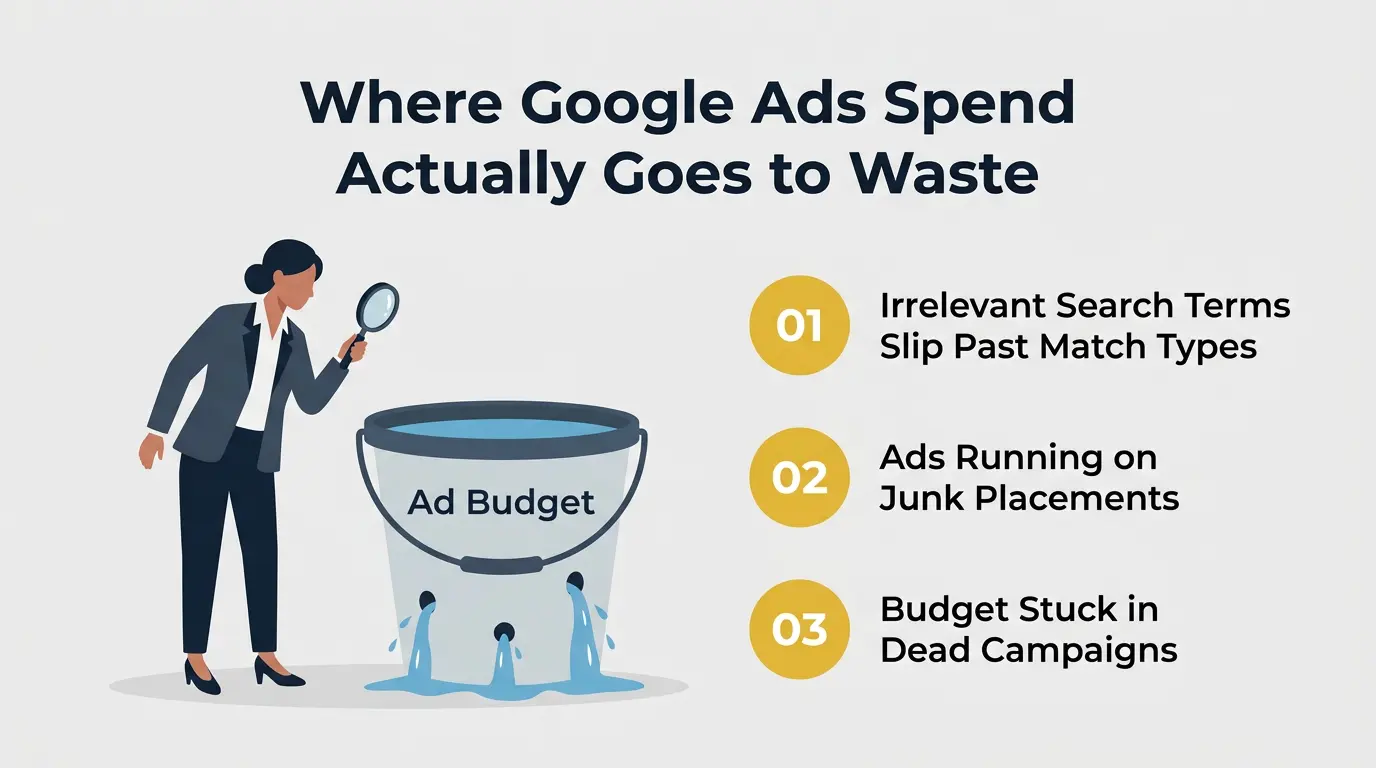
Google Ads accounts lose 20–40% of their paid search budget to clicks that were never going to convert. Here are 3 places where your budget disappears.
1. Irrelevant Search Terms That Slip Past Match Types
This one wastes the most money and gets the least attention. You bid on “roof repair,” and Google helpfully matches you to “roof repair certification program” and “how to repair a roof yourself.” None of those people wanted to hire a roofer. But you paid for every click.
Broad match and phrase match are designed to reach a lot of searches, and that gets a lot of garbage. The fix isn’t switching to exact match for everything – that kills your reach. Getting your keyword strategy right is part of it, but the bigger fix is automated systems that review your search term reports daily and add negatives before they waste another day’s budget.
This removes a lot of repetitive tasks that usually eat up time in manual PPC management. Without that automation, the leakage just compounds. A $50/day problem becomes a $1,500/month problem, and you might not even notice because the dashboard still shows clicks coming in.
2. Bidding on Audiences and Placements That Don’t Convert
If you are running Display or YouTube campaigns, look at your placement report right now. Seriously… go check. You will almost certainly find your ads running on mobile game apps where toddlers are tapping everything and YouTube channels that have nothing to do with your target audience.
Google’s default placement targeting is extremely broad, and it stays broad unless you actively exclude the junk. Same story with audiences: “in-market for business software” sounds useful until you realize it includes everyone who Googled “free project management tool” once.
Without regular pruning, a solid chunk of your Display budget is buying impressions that nobody with actual purchase intent ever sees. The goal is simple: maximize conversions by removing anything that doesn’t match buying intent.
3. Budget Stuck in Ad Campaigns That Stopped Converting Days Ago
You set campaign budgets on the 1st. Everything runs fine for two weeks. Then your best-performing campaign starts converting at 2x your target CPA around day 15.
Meanwhile, a smaller campaign catches fire and starts converting at half the cost. But the budgets don’t move. The underperformer keeps burning its full daily budget while the winner hits its cap by 2 PM. You don’t notice until your weekly review on Thursday.
That is four days of budget going to the wrong place. Multiply that across a year, and you are looking at thousands of dollars that could have been used for what was actually working.
How Google Ads Automation Reduces Waste in Ad Spend: 5 Key Ways
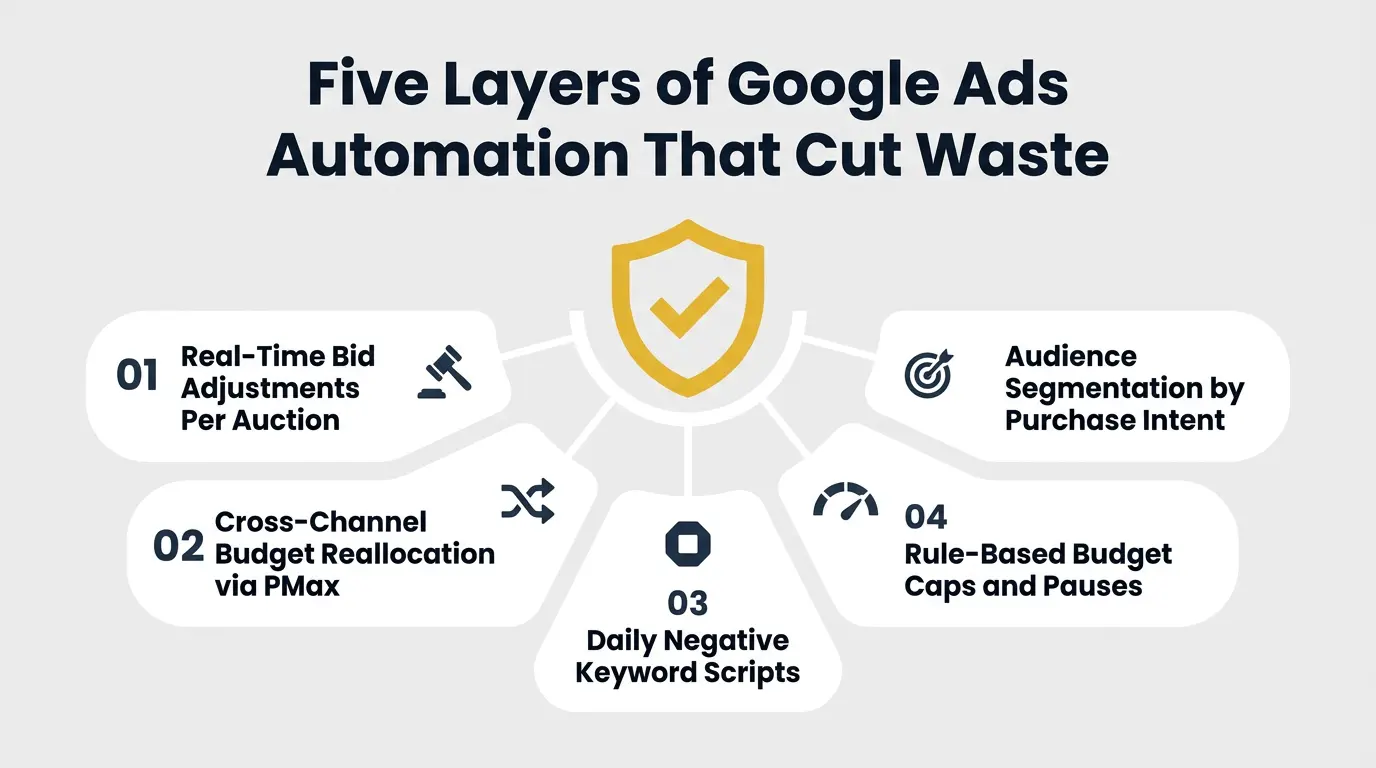
Here are 5 areas where Google Ads automation makes the biggest difference.
1. Automated Bidding Adjusts Every Auction Based on Conversion Signals
When you run manual CPC bidding, you set a max bid for each keyword, and that is what you pay (roughly), no matter who is clicking. A CEO searching from their office on a Tuesday morning gets the same bid as a college student browsing on their phone at midnight.
Smart Bidding changes that completely. It looks at every auction individually – the device, location, time of day, the searcher’s audience profile, what they have browsed before. It then decides in real time how much that specific click is worth to you.
A click from someone who matches your best customer profile gets a higher bid. A click from someone who looks like a window shopper gets a lower one. Advertisers using Performance Max see an average 27% increase in conversions at a similar CPA or ROAS.
That is not because the ads are better. It is because the bidding is smarter about which clicks to pay full price for.
2. Performance Max Reallocates Budget Across Channels Automatically
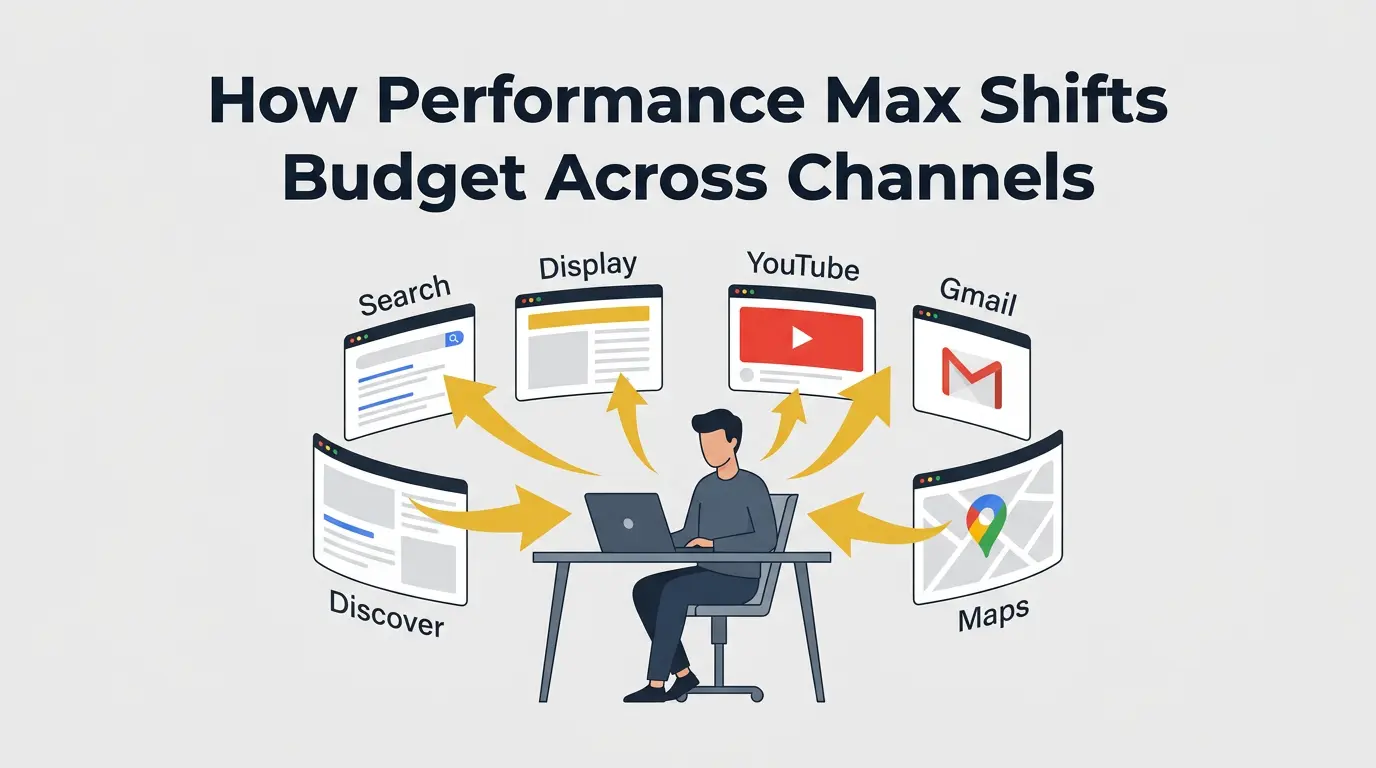
Most accounts are structured separately – separate Dynamic Search Ads campaign, separate Display campaign, separate YouTube campaign, separate Shopping campaign. Each has its own budget.
If YouTube is having a strong day on a particular Tuesday but your YouTube budget is capped at $50/day, tough luck. That money can’t flow to YouTube from your underperforming Display campaign.
Performance Max eliminates that wall inside the Ads platform. You give it one budget and one conversion goal, and it distributes spend based on where conversions are actually happening – Search, Display, YouTube, Gmail, Discover, Maps.
For eCommerce brands, it also pulls product data from Google Merchant Center to let Shopping inventory compete for budget alongside every other channel.
When Shopping outperforms Search, the budget goes there. When Display starts underdelivering, spend shifts away. It is the kind of cross-channel reallocation that would require a full-time analyst to do manually, and even then, they couldn’t do it in real time.
3. Negative Keyword Scripts Block Bad Traffic Before It Costs You
This is the single highest-ROI automation you can run in Google Ads. And ironically, it is not even built into the platform natively. You need a Google Ads script – free and takes about 15 minutes to install. It:
- Runs every day
- Pulls your search term report
- Finds queries that spent money without converting
- Adds them as negatives automatically
Some scripts use a simple rule: any query that has spent more than 2x your target CPA without a conversion gets blocked. Others look for patterns – “free,” “jobs,” “salary,” “how to,” “DIY” – that signal informational intent in a transactional account.
The impact is cumulative and permanent. Every bad query you block today saves you money tomorrow, next week, and every day after that.
4. Rule-Based Budget Caps Pause Underperformers Automatically
Google Ads has a built-in rules feature that most advertisers never touch. It lets you set simple conditions:
- If campaign X’s cost per conversion exceeds $80 over the last 7 days, pause it and email me
- If campaign Y’s ROAS drops below 2.0, cut the daily budget by 25%
- If any ad group hasn’t generated a conversion in 14 days, pause it
These are basic if-then logic. But they solve the “budget stuck in a dead campaign” problem completely. Instead of discovering on Thursday that your money’s been going to the wrong place since Monday, the rule picks it up the same day. Paired with the right performance benchmarks, automated rules turn your account into something that self-corrects.
5. Audience Segmentation Focuses Spend on Buyers, Not Browsers
Most accounts bid the same amount for everyone who matches a keyword. That is like a store charging the same marketing cost for a first-time visitor and a repeat customer standing at the checkout counter.
Audience layering fixes that. You add signals on top of your keyword targeting, and Smart Bidding adjusts bids per segment. Someone who visited your pricing page three days ago and is now searching for your product category gets an aggressive bid. A cold searcher who has never heard of you gets a conservative one.
That distinction matters now more than ever. Buying behavior has shifted heavily online, and 75% of people now make an online purchase at least once a month. The gap between someone casually researching and someone actively preparing to buy is bigger than ever, which makes audience signals far more valuable when deciding where your ad budget should go.
This helps you start delivering customized ads based on real user intent and behavior. The result is more of your budget flowing toward people with demonstrated buying intent, and less flowing toward people who are just researching. Even a 10–15% shift in budget allocation from browsers to buyers can produce a noticeable improvement in your cost per conversion.
Where Google Ads Automation Can Go Wrong: 3 Common Risk Areas
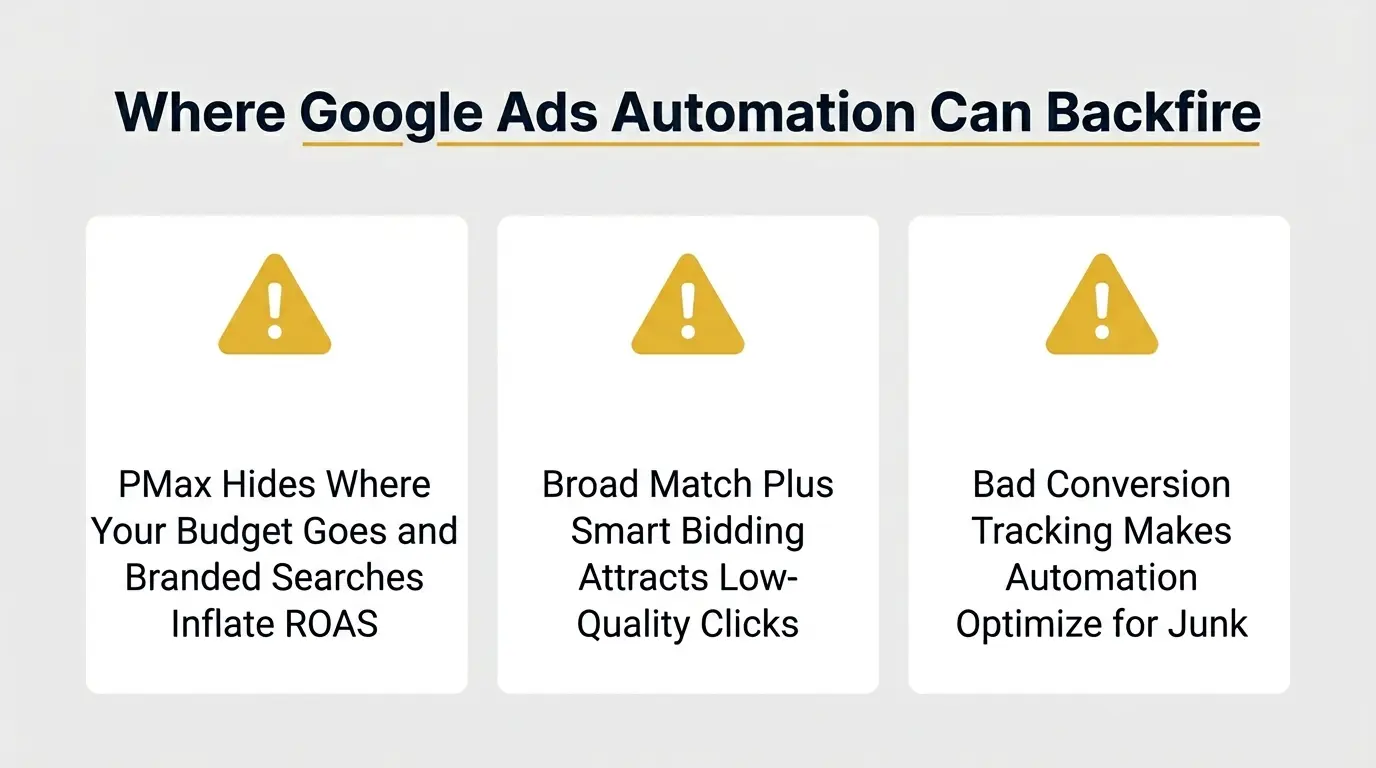
The same Google Ads algorithms that save you money can waste it faster than manual management ever could, especially in these three situations.
1. Performance Max’s Black-Box Targeting Still Needs Human Oversight
PMax’s biggest strength is also its biggest problem: you can’t see exactly what it is doing. You don’t get a full search term report. You can’t see exactly which Display placements it chose. And PMax loves to spend on branded searches because they convert at insanely high rates. But those people were searching for your brand name; they would have found you anyway.
So PMax reports a beautiful 800% ROAS, while a portion of that “performance” is just cannibalizing traffic you would get for free from organic off-page SEO strategies.
56% of practitioners cite black-box targeting as their top frustration with Performance Max. The fix is to always run a separate branded Search campaign and use PMax’s brand exclusion list. If you don’t, your PMax ROAS number is lying to you… and you are making budget decisions based on a lie.
2. Broad Match Plus Smart Bidding Can Expand Reach Too Aggressively
Google pushes this combination hard: use broad match keywords and let Smart Bidding figure out which queries are worth bidding on. Sometimes that works brilliantly. Sometimes your plumbing company’s ads start showing for “plumber salary in Texas” because the algorithm decided those are “related.”
The risk is highest when you have low conversion volume – fewer than 30–50 conversions per month. Smart Bidding needs data to learn the difference between a good click and a garbage one, and without enough conversions to learn from, it makes expensive assumptions.
In low-volume accounts, phrase match or exact match with manual bidding can actually waste less money than broad match with automation. There are clear best practices for when to use which approach – don’t let Google’s sales pitch override the math.
3. Automation Without Proper Conversion Tracking Is Just Automated Waste
This is the biggest one. Every Smart Bidding strategy optimizes toward whatever you told it a “conversion” is. If your tracking is counting page views and actual purchases all as the same thing, the algorithm will optimize for the cheapest and easiest one… which is page views.
It will do that incredibly efficiently by spending your entire budget on bottom-of-the-barrel clicks that load a page and leave. If you have duplicate conversion tags (same event firing from both Google Ads and GTM), the algorithm sees twice the conversions that actually happened and bids way too aggressively.
Before any PPC automation touches your bidding, your conversion tracking setup needs to be bulletproof. That means removing anything that isn’t a real business outcome and cross-checking numbers against GA4. Skip this step, and you are automating waste.
How to Set Up Google Ads Automation for Full Performance Visibility
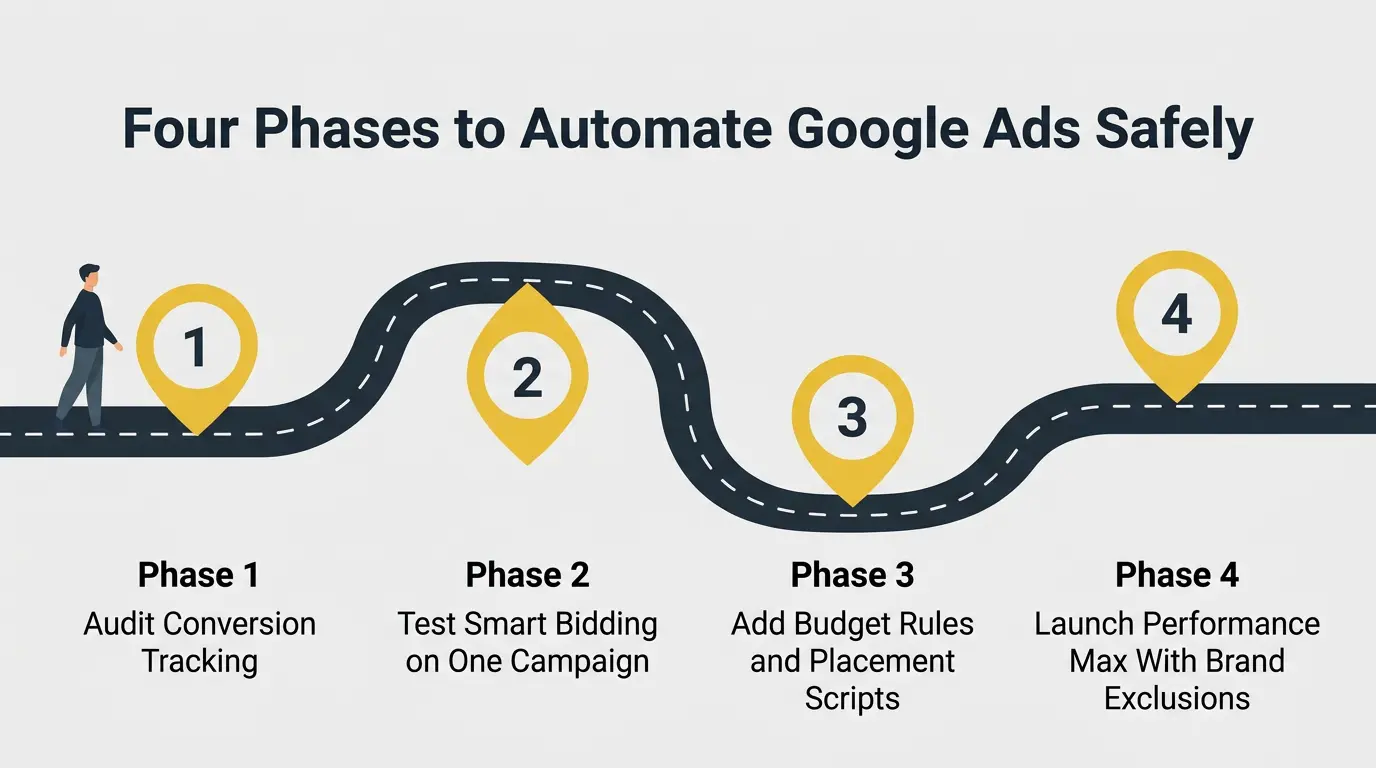
The natural instinct is to change everything to be automated at once. Don’t. These Google Ads strategies in the 4-phase rollout let you capture the benefits of implementing automation while staying close to the action.
Phase 1: Audit and Fix Conversion Tracking First
Open your Google Ads conversion settings and look at every conversion action listed there. Ask yourself if it is a real business outcome. It is surprisingly common to have the same conversion firing from a Google Ads tag AND a separate Google Tag Manager trigger, which means every real conversion gets counted twice.
- Remove all soft conversions (newsletter signups, time-on-site, PDF downloads) from your primary conversion column – keep only purchases, qualified leads, and booked demos.
- Check for duplicate tags by comparing your Google Ads conversion count against GA4 for the same 7-day window. If they differ by more than 10–15%, a tag is double-firing
- Assign accurate conversion values to each action so Smart Bidding can distinguish a $500 deal from a $50 one when it sets bids.
- Set up a proper GA4 tracking pipeline and use it as your single source of truth to validate everything Google Ads reports
Phase 2: Start With One Campaign on Automated Bidding
Smart Bidding setup can be done in just a few clicks, but the real work is in feeding it the right data. The algorithm needs a realistic starting point. Leave it alone for 2–3 weeks while it learns, then compare against the manual-bidding period. Knowing how Quality Score influences what you pay per click helps you set targets the algorithm can actually hit.
- Choose the campaign with the highest monthly conversion count. Smart Bidding needs at least 30 conversions/month for Target CPA and 50 for Target ROAS to learn reliably.
- Don’t touch the target or panic-switch back to manual during the 2–3 week learning period. Daily fluctuations are normal, and every change resets the learning clock.
- After 3 weeks, compare CPA and conversion volume side by side against the manual period. If it is equal to or better, roll Smart Bidding to your next campaign; if worse, the campaign likely needs more volume.
- Track your automation rollout inside the OKRs Tool by creating a dedicated objective such as “Reduce wasted Google Ads spend” and measurable key results tied to CPA, ROAS, conversion volume, and budget efficiency.
Phase 3: Add Automated Rules for Budget and Placement Control
Now that your bidding automation is running, build in the stopgaps that catch waste between your manual reviews. Automated rules and scripts handle the daily work of keeping garbage out of your account.
- Create a Google Ads automated rule that cuts the budget by 30% and emails you whenever any campaign’s CPA exceeds your threshold for 7 consecutive days.
- Set a second rule to auto-pause any ad group that goes 14 days without a single conversion.n
- Install a placement exclusion script that runs daily and blocks mobile game apps and content farm sites from your Display and Video campaigns.
- Deploy a search term mining script that automatically adds any query spending more than 2x your target CPA without converting as a negative keyword.d
Phase 4: Expand to Performance Max and Cross-Channel Automation
Only launch PMax after Phases 1–3 are stable, and your conversion tracking is proven reliable. PMax rewards hands-on advertisers who feed it good data and strong creative, and punishes those who launch it with defaults and let it run unchecked.
- Run a separate branded Search campaign and add brand exclusions to PMax before launch.
- Feed PMax strong audience signals from day one – your customer email list, high-value remarketing segments, custom audiences built around competitor URLs
- Review asset group reporting weekly to identify which creative combinations are getting conversions and which are dead weight.
- Monitor PMax’s channel allocation in the Insights tab to ensure it is actually spending across Search, Display, YouTube, and Shopping.
How Google Ads Automation Changes Performance Across Different Businesses
The way Google Ads automation works in one business can look completely different in another. Here are 3 examples that show how the same automation tools make decisions in very different situations and industries.
1. Nootropics Depot

Tongkat Ali products at Nootropics Depot present a unique Google Ads challenge because supplement advertisers operate in one of the most heavily scrutinized advertising environments. The product pages discuss testosterone support, libido, muscle mass, endurance, vitality, and physical performance.
For an account like this, Google Ads automation becomes valuable in a place most advertisers never think about: preventing spend on traffic that creates compliance risk.
Take search queries as an example. Someone searching “tongkat ali benefits” is very different from someone searching “tongkat ali testosterone replacement” or “tongkat ali cure low testosterone.” The latter searches can drift into medical or treatment-related territory that supplement brands need to handle carefully.
A manual manager might review search terms every few days. Automation can review them daily. That difference matters. If a query pattern starts emerging that pushes traffic toward unsupported health claims, automated negative keyword systems can remove those searches before they accumulate significant spend.
The second opportunity involves product differentiation. Nootropics Depot emphasizes measurable eurycomanone standardization levels, including 2% and 10% extracts, as well as extensive lab testing and quality controls.
Automation can help separate high-intent buyers searching for specific extract strengths from general curiosity traffic. Someone searching “10% eurycomanone tongkat ali” or “tongkat ali 2% extract” is much further down the buying path than someone searching “what is tongkat ali.”
Smart Bidding systems become particularly useful here because they can identify which intent categories consistently generate revenue and shift spend accordingly. The waste reduction isn’t coming from bidding cheaper. It is coming from avoiding the wrong conversations entirely.
2. IceCartel
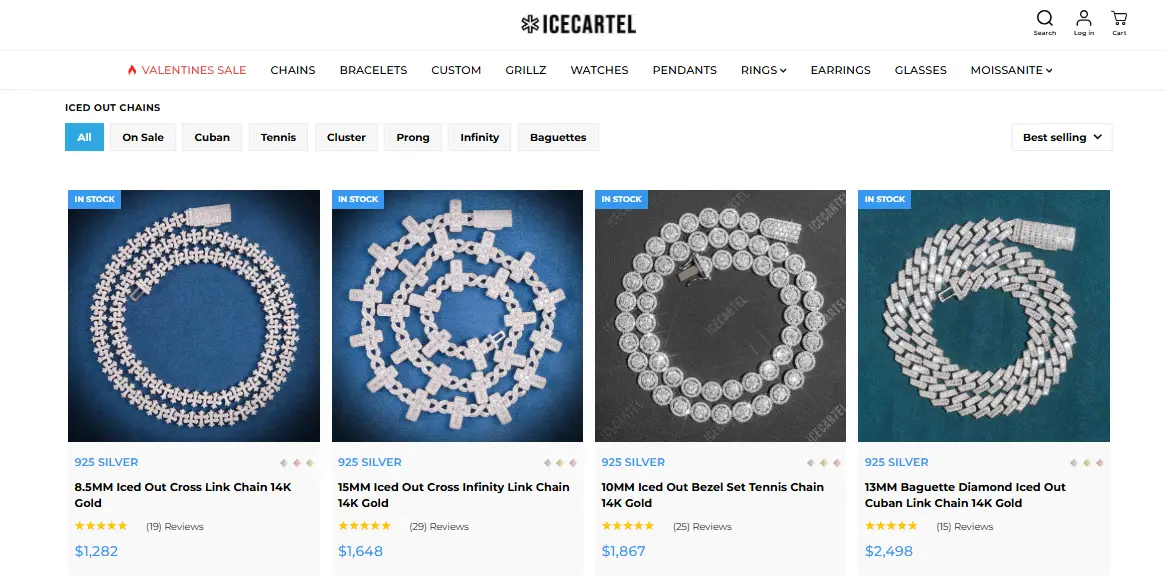
The challenge for iced-out chains at IceCartel is completely different. This isn’t a compliance problem. It is a trend velocity problem.
Fashion demand changes quickly. Chain styles that perform well this month may slow down next month. Cuban links, tennis chains, rope chains, silver finishes, gold finishes, iced-out variations – they can all move differently depending on social trends, influencer activity, music releases, or seasonal demand.
Manual budget management struggles here because consumer interest changes faster than reporting cycles. A weekly optimization schedule is frequently too slow. Automation can monitor product-level performance continuously and shift budget toward chain categories producing stronger conversion signals.
If the Cuban campaign suddenly starts generating purchases at half the acquisition cost, automation can respond immediately. A human manager may not discover the shift until the next reporting review. That is where the wasted spending accumulates.
Another overlooked area involves price sensitivity. IceCartel positions itself around a premium appearance without requiring customers to spend the price of solid gold jewelry. Google Ads automation can use historical conversion data to identify which audiences consistently purchase higher-ticket products versus entry-level products.
Instead of treating every visitor equally, bidding systems can prioritize shoppers whose behavior resembles previous chain buyers. That changes the economics of the account. Rather than optimizing for traffic volume, automation optimizes for actual jewelry purchasers. For a retailer with hundreds of product variations, that distinction can save a significant amount of budget.
3. Sewing Parts Online
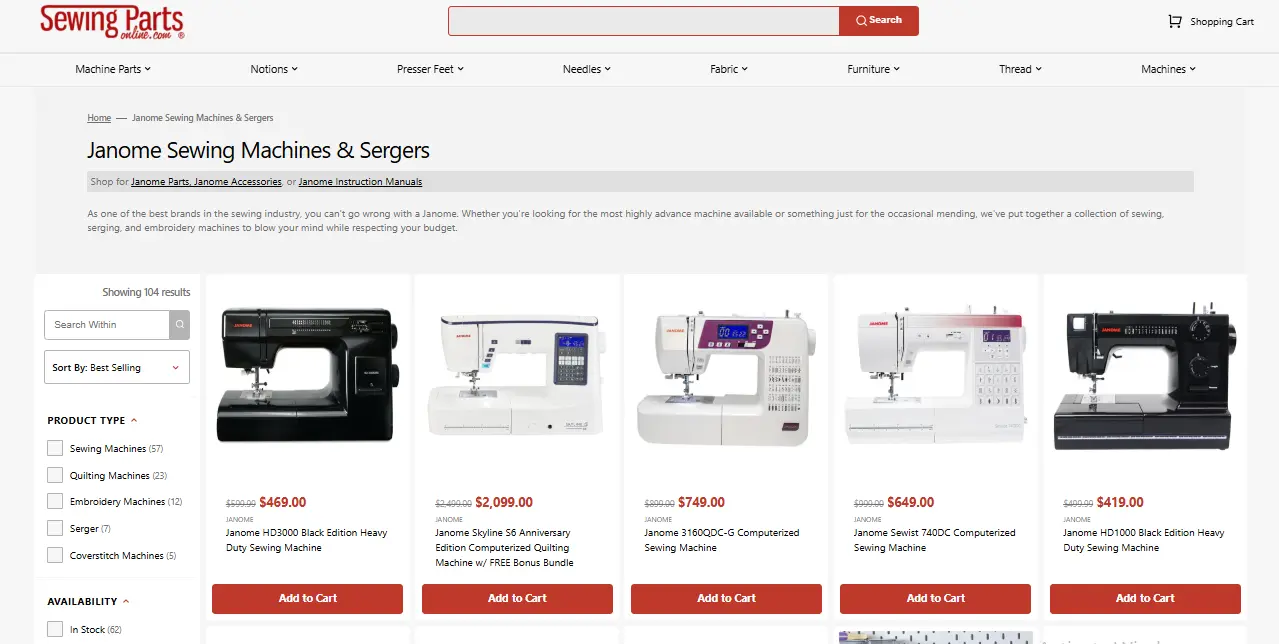
The challenge facing Janome Sewing Machines by Sewing Parts Online is neither compliance nor trend volatility. It is catalog complexity. Janome shoppers are extremely specific. They rarely search in broad categories. Instead, they search using model numbers, machine names, compatibility questions, or feature requirements.
That creates a massive amount of long-tail search behavior. A human manager might identify the top-performing keywords. Automation can identify thousands.
For example, a user searching:
“Janome beginner sewing machine”
“Janome quilting machine”
“Janome computerized sewing machine”
“Janome heavy fabric sewing machine”
may all have completely different purchase intentions.
Research on sewing machine purchasing behavior consistently shows that buyers evaluate machines based on project type, skill level, stitch options, automation features, and ease of use.
Google Ads automation can detect which combinations produce actual machine sales. This becomes especially important because sewing machines are not impulse purchases. People usually research extensively before buying. That means conversion paths are longer. Someone may visit five times before purchasing.
Manual bidding undervalues these users because they don’t convert immediately. Automated bidding systems can recognize behavioral patterns that resemble previous machine buyers and continue bidding aggressively when the likelihood of eventual purchase remains high.
For a retailer selling Janome machines, the biggest waste isn’t spending too much. It is failing to recognize future buyers while they are still researching. Automation helps close that gap by identifying those signals earlier than a human manager realistically can.
Conclusion
Google Ads automation doesn’t eliminate the need to think about your campaigns. It eliminates the need to manually do the same tedious checks every single day. When these layers run together on top of clean conversion tracking, the 20–40% waste that is typical in unmanaged accounts drops into single digits.
If you don’t want to build all of this yourself, Reliqus runs digital marketing and PPC management systems with exactly this kind of layered automation – conversion tracking audits, phased Smart Bidding rollouts, automated budget rules, and Performance Max setups that actually report honest numbers.
Talk to us about your account, and let’s see where your biggest opportunities are hiding.
Frequently Asked Questions
How much does it cost to automate Google Ads?
Google Ads automation tools are free. You are paying for ad spend, not the automation. Third-party scripts and Google Ads automation software like Optmyzr range from $50–$500/month, depending on account size.
Is Google Ads automation effective for small budgets under $1,000/month?
It depends on conversion volume, not budget size. Smart Bidding needs roughly 30 conversions per month for Target CPA and 50 for Target ROAS to learn effectively. If you are under those thresholds, Maximize Clicks with a bid cap or manual CPC paired with automated rules usually performs better.
Can Google Ads automation work for lead generation campaigns?
Yes, but your tracking has to be tighter than in eCommerce. If Smart Bidding treats all form fills equally, it optimizes for volume, which means cheap and worthless leads. The fix: import offline conversion data from your CRM so the algorithm learns which leads actually close.
How long does it take to see results after turning on automated bidding?
Google’s learning period runs 2–3 weeks, and performance will fluctuate during that window. Most accounts stabilize within 4–6 weeks.

Burkhard Berger
He helps innovative B2B companies implement modern SEO strategies to scale their organic traffic to 1,000,000+ visitors per month. Curious about what your true traffic potential is?