
The best AI knowledge base tool depends on where your information currently lives and who needs to access it.
Guru is a strong overall choice for companies that want an internal knowledge base with verification, governance and AI answers. Glean is better suited to enterprises that need to search across many applications without moving all their information into a new wiki.
For companies creating and maintaining their own documentation, Notion, Slite and Confluence offer collaborative workspaces with AI search and content tools. Document360 is better suited to product documentation and public knowledge bases, while Zendesk Knowledge and Intercom Knowledge Hub are designed primarily for customer-support teams.
Engineering organisations should consider Stack Internal, while businesses requiring highly customised customer or employee knowledge experiences may prefer Helpjuice, Bloomfire or Coveo.
No platform is best at every type of knowledge management. Some tools help teams write and verify knowledge. Others search across information stored in several systems. Customer-facing platforms focus on self-service, while enterprise AI-answering systems concentrate on retrieving secure, permission-aware answers at scale.
Best AI Knowledge Base Tools at a Glance
| AI knowledge base tool | Best for | Primary category | Free access | Starting price |
| Guru | Governed internal knowledge | Internal knowledge base and enterprise search | Demo access | Custom pricing |
| Glean | Searching across enterprise applications | Enterprise search and AI answers | Demo access | Custom pricing |
| Notion AI | Collaborative documentation and connected search | Workspace and internal knowledge base | Limited free AI trial | Business from $20 per member per month |
| Slite | Self-maintaining documentation for growing teams | Internal knowledge base | Trial available | $10 per user per month annually |
| Confluence and Rovo | Atlassian-based organisations | Wiki, search and AI agents | Confluence free plan | Paid plans vary by user count |
| Stack Internal | Engineering and technical knowledge | Structured technical knowledge base | Free for up to 50 users | $6.50 per seat per month |
| Document360 | Product documentation and customer self-service | Public and private knowledge base | Trial and demo access | Custom pricing |
| Zendesk Knowledge | Customer-support help centres | Help centre and service knowledge | 14-day trial | Suite Team from $55 per agent per month annually |
| Intercom Knowledge Hub | Teams using Intercom and Fin | Support knowledge and AI-agent grounding | Trial available | Intercom plan plus usage-based Fin pricing |
| Tettra | Slack-centred internal knowledge | Internal wiki and AI Q&A | 30-day trial | Contact provider |
| Helpjuice | Highly customised standalone knowledge bases | Internal and external knowledge base | 14-day trial | From $249 per month |
| Coveo | Enterprise AI search and generative answers | AI search and relevance platform | Demo access | Custom pricing |
| Bloomfire | Enterprise knowledge sharing and insights | Knowledge management and enterprise intelligence | Demo access | Custom pricing |
Pricing and product information were reviewed in July 2026. Providers frequently change plan limits, AI allowances and included features, so verify current terms before purchasing.
Our Top Recommendations
Best overall internal AI knowledge base: Guru
Guru combines an internal knowledge base, enterprise search and an intranet-style employee experience. Its strongest differentiator is knowledge governance. Guru can identify conflicting or duplicate information, assign experts to verify content and provide permission-aware answers through AI Knowledge Agents.
Best enterprise search platform: Glean
Glean is designed for organisations whose knowledge is spread across applications, messages, documents, tickets and business systems. It connects those sources through enterprise search and an AI assistant rather than requiring every department to move its content into one new documentation platform.
Best collaborative knowledge workspace: Notion AI
Notion is a strong option when teams want documentation, projects, databases, meeting notes and AI search in one workspace. Its Business plan includes Notion Agent, AI Meeting Notes and enterprise search across Notion and connected applications such as Slack and GitHub.
Best lightweight internal knowledge base: Slite
Slite is designed specifically around company documentation and keeping that documentation current. It combines AI search, document verification, knowledge-management controls and an agent that can search connected tools on its Pro plan.
Best for product documentation: Document360
Document360 is well suited to SaaS companies, product teams and organisations creating help centres, user manuals, standard operating procedures and API documentation. Its Eddy AI features provide cited answers, article recommendations, summarisation and knowledge-base chat.
Best for customer-support knowledge: Zendesk Knowledge
Zendesk Knowledge is the most logical option for companies already using Zendesk for tickets, messaging and customer service. It connects help-centre content with agents, AI-generated answers and customer self-service.
Best for engineering knowledge: Stack Internal
Stack Internal, formerly Stack Overflow for Teams, organises technical knowledge using a structured question-and-answer format. It also includes AI-enhanced search, content-health features and integrations with tools such as Slack, Microsoft Teams, GitHub and Visual Studio Code.
How We Evaluated These Tools
Reliqus reviewed each platform using current product pages, documentation and pricing information.
We considered:
- Internal and external knowledge-base support
- AI-powered search
- Direct answers with citations
- Content creation and rewriting
- Knowledge verification
- Duplicate and conflicting-content detection
- Stale-content identification
- Knowledge-gap detection
- Permissions and access control
- Search across connected applications
- Slack and Microsoft Teams integration
- Customer help-centre functionality
- Analytics and search reporting
- Version history
- Approval workflows
- Multilingual support
- API and MCP access
- AI-agent integrations
- Security and governance
- Pricing transparency
- Suitability for different company sizes
This article does not claim that Reliqus ran an identical production test across all 13 platforms.
These products solve different problems. Comparing a public documentation platform directly with enterprise search software would produce a misleading universal ranking.
Recommendations are based on documented capabilities, intended users and product fit. Vendor-reported reductions in tickets, search time or support costs are not treated as results every customer will achieve.
What Is an AI Knowledge Base?
An AI knowledge base is a system that stores, connects or indexes organisational information and uses artificial intelligence to help people find, create and maintain that information.
The knowledge may include:
- Policies
- Standard operating procedures
- Product documentation
- Frequently asked questions
- Employee handbooks
- Customer-support articles
- Technical solutions
- Training materials
- Research
- Meeting decisions
- Project information
- Sales enablement content
- Legal and compliance guidance
Traditional knowledge bases generally return a list of pages that match the user’s search terms.
An AI knowledge base may instead:
- Interpret the question.
- Search several sources.
- Identify relevant passages.
- Combine the information into an answer.
- Cite the original documents.
- Respect the user’s existing permissions.
- identify missing or conflicting knowledge.
- Suggest new or updated content.
A reliable AI answer still depends on the quality of the underlying knowledge. AI cannot consistently produce accurate answers when policies are outdated, documentation conflicts or important information has never been recorded.
Types of AI Knowledge Base Tools
Internal knowledge bases
Internal knowledge bases help employees find company information.
Common examples include:
- Guru
- Slite
- Tettra
- Notion
- Confluence
- Bloomfire
They are commonly used for:
- Employee onboarding
- Human-resources policies
- Sales processes
- Support procedures
- Product information
- Standard operating procedures
- Internal training
Customer-facing knowledge bases
Customer knowledge bases allow users to find answers without opening a support ticket.
Common examples include:
- Document360
- Zendesk Knowledge
- Intercom Knowledge Hub
- Helpjuice
They may include:
- Help-centre articles
- Troubleshooting guides
- Product instructions
- Frequently asked questions
- Release notes
- User manuals
- API documentation
Enterprise search platforms
Enterprise search products connect information stored across multiple systems.
Common examples include:
- Glean
- Coveo
- Notion Enterprise Search
- Atlassian Rovo
- Guru Enterprise Search
These tools are useful when information is spread across:
- Google Drive
- SharePoint
- Slack
- Microsoft Teams
- Salesforce
- Jira
- GitHub
- Box
- Confluence
- Support platforms
AI-answering platforms
AI-answering systems retrieve information from approved sources and generate a direct answer.
A well-designed system should:
- Cite its sources
- Respect permissions
- Show when information is uncertain
- distinguish between current and outdated content
- Avoid answering when evidence is insufficient
- Provide a path to the original documents
Technical knowledge bases
Technical knowledge platforms focus on questions, solutions, code, architecture and engineering decisions.
Stack Internal is the clearest example in this comparison. Confluence, Notion, Document360 and Slite can also manage technical documentation, but they use a broader document-based model.
AI Knowledge Base vs Enterprise Search
These terms overlap, but they are not identical.
Knowledge base
A knowledge base is a managed collection of information.
The organisation generally decides:
- What should be documented
- Who owns the content
- How pages are structured
- When content must be reviewed
- Who can publish changes
- Which information is authoritative
Enterprise search
Enterprise search retrieves information from systems where people already work.
The information may remain inside:
- Cloud drives
- Messaging tools
- Project-management software
- CRMs
- Helpdesks
- Development tools
Enterprise search reduces the need to migrate every document into one central wiki.
When to choose each approach
Choose a dedicated knowledge base when the organisation needs a clearly governed source of truth.
Choose enterprise search when valuable knowledge already exists across many platforms and moving it would be unrealistic.
Many larger organisations need both:
- A governed knowledge base for authoritative information
- Enterprise search for discovering broader organisational context
The Best AI Knowledge Base Tools in 2026
1. Guru
Best for: Companies needing verified, governed and permission-aware internal knowledge
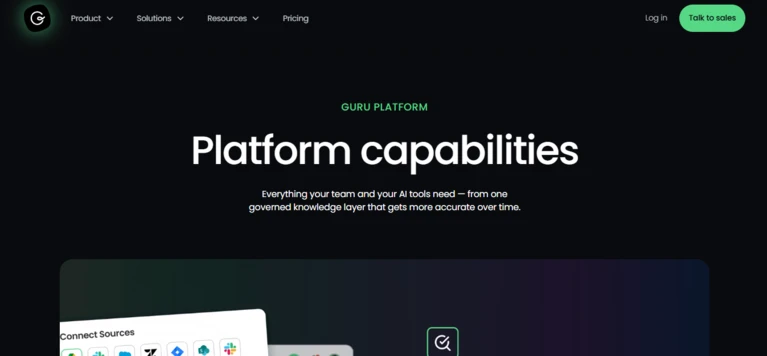
Guru combines a company wiki, intranet and enterprise search platform.
Its current product direction centres on creating a governed knowledge layer for both people and AI systems. Guru can connect information sources, identify conflicts, merge duplicates and help teams maintain authoritative answers.
Knowledge Agents can answer employee questions, perform scheduled knowledge work and operate inside tools employees already use.
Key features
- AI-powered internal search
- Knowledge cards and collections
- Expert verification
- Duplicate detection
- Conflicting-content detection
- Knowledge Agents
- Browser extension
- Slack and Microsoft Teams integrations
- Intranet functionality
- Permission-aware results
- Knowledge-gap identification
- Content analytics
- AI-answer governance
Pricing
Guru now uses customised pricing based on:
- Number of users
- AI usage
- Knowledge complexity
- Required integrations
- Security
- Deployment support
The company does not present a simple fixed self-service rate on its current pricing page.
Advantages
- Strong knowledge-governance features
- Verification and ownership workflows
- Search across connected tools
- Useful integrations
- Designed to support both employees and AI agents
- Suitable for company-wide knowledge programmes
Potential limitations
- Pricing requires a sales conversation
- More setup than a lightweight wiki
- Teams must assign content owners
- Verification workflows create administrative responsibility
- May be excessive for very small teams
Reliqus verdict
Guru is one of the strongest overall choices for companies that view knowledge accuracy and governance as seriously as search speed.
It is particularly suitable when incorrect or outdated information could affect customers, employees or automated AI systems.
2. Glean
Best for: Large organisations searching across many applications and data sources
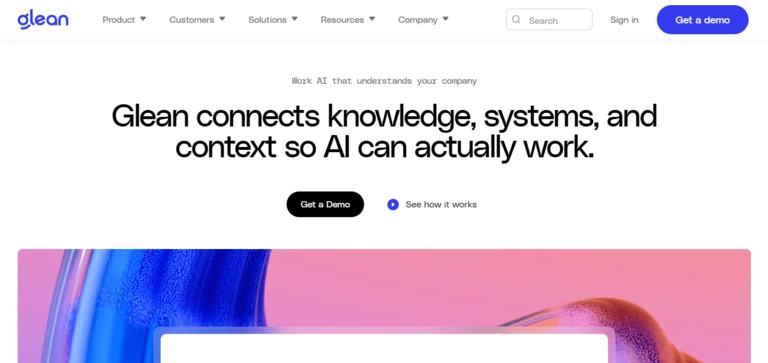
Glean is an enterprise search and work-AI platform.
It connects company applications and builds a permission-aware index of organisational knowledge. Employees can search for documents, people, conversations and answers without knowing which system contains the information.
Glean’s product now extends beyond search into an AI assistant, agents and workplace content creation, but enterprise retrieval remains its central strength.
Key features
- Enterprise search
- AI-generated answers
- Permission-aware retrieval
- Application connectors
- People and expertise search
- Personalised results
- Knowledge graph
- AI assistant
- Enterprise agents
- Search analytics
- Security and governance
- Multi-application retrieval
Pricing
Glean uses custom enterprise pricing. The final quote may depend on:
- Employee count
- Connected applications
- Indexing volume
- AI functionality
- Security requirements
- Implementation
- Support
Advantages
- Strong cross-application search
- Does not require a complete content migration
- Permission-aware results
- Suitable for large enterprises
- Helps locate people as well as documents
- Supports AI assistants and agents
Potential limitations
- Primarily aimed at enterprise buyers
- No public self-service pricing
- Requires connector and permission configuration
- Search quality depends on access to source systems
- Does not replace the need to govern authoritative policies
Reliqus verdict
Glean is best when the company’s biggest problem is not writing documentation but finding information already distributed across dozens of systems.
3. 
Best for: Teams wanting collaborative documentation, projects and AI search in one workspace
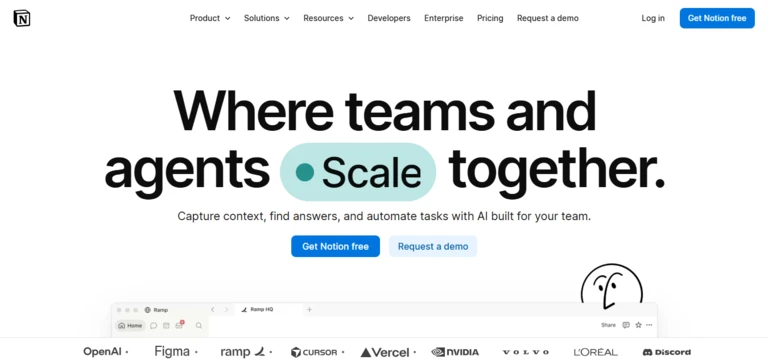
Notion combines pages, databases, projects, internal sites and AI functionality.
Teams can create wikis, policies, project documentation, meeting notes and standard operating procedures in the same workspace.
Notion’s Business plan includes its Agent, AI Meeting Notes and Enterprise Search across connected applications. Verified pages can be marked as current, and verification status can appear in AI citations and search results.
Key features
- Collaborative pages and databases
- Team wikis
- Notion Agent
- AI writing and summarisation
- Enterprise Search
- Connected applications
- Page verification
- Meeting notes
- Database automations
- Public sites
- Permissions and private teamspaces
- API and integrations
Pricing
Current Notion pricing includes:
- Free: $0
- Plus: $10 per member per month
- Business: $20 per member per month
- Enterprise: Custom pricing
The Business plan includes broader AI capabilities and enterprise search.
Advantages
- Flexible documentation
- Easy team adoption
- Combines knowledge and project work
- Attractive page design
- Useful databases
- AI included in the Business plan
- Connected-app search
Potential limitations
- Flexibility can produce inconsistent structures
- Requires governance to prevent duplicate pages
- Enterprise Search remains labelled as beta in current pricing material
- Not as specialised in verification as Guru
- Public customer documentation is less structured than Document360
Reliqus verdict
Notion is one of the best options for teams that want knowledge management integrated with daily project and collaborative work.
4. Slite
Best for: Growing teams that want a focused and self-maintaining internal knowledge base
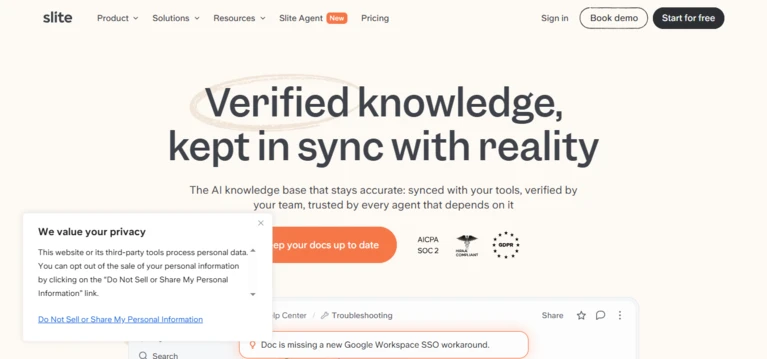
Slite is designed around creating, organising and maintaining internal documentation.
Its Basic plan includes AI search, document verification and knowledge-management controls. The Pro plan adds Slite Agent, search across connected applications and agentic knowledge workflows.
Slite also provides document fact-checking and tools designed to identify information that may need review.
Key features
- AI-powered search
- Document verification
- Slite Agent
- Cross-tool search
- Knowledge-management dashboard
- Suggested content fixes
- Knowledge workflows
- Collaborative documentation
- MCP and API access
- Version history
- Reader-only seats on Enterprise
- Security and audit controls
Pricing
Slite currently offers:
- Basic: $10 per user per month when billed annually
- Pro: $20 per user per month when billed annually
- Enterprise: Custom pricing
The Pro plan includes 50 monthly agent credits per seat, with additional credits available.
Advantages
- Clearer focus than general project platforms
- Straightforward pricing
- Built-in content verification
- AI search
- Clean writing experience
- Useful for small and mid-sized teams
Potential limitations
- Smaller integration ecosystem than Glean
- Agent usage is credit based
- Less suitable for advanced public documentation
- Enterprise features require custom pricing
- Teams must still maintain ownership and review cycles
Reliqus verdict
Slite is a strong middle ground between a simple company wiki and a complex enterprise knowledge-management programme.
5. Confluence and Rovo
Best for: Organisations already using Jira and the Atlassian ecosystem
Confluence is Atlassian’s collaborative documentation and company-wiki platform.
It is commonly used for:
- Product documentation
- Engineering decisions
- Project plans
- Policies
- Meeting notes
- Technical specifications
- Team knowledge
Rovo adds AI search, chat and agents across Atlassian and connected organisational knowledge. Rovo uses Atlassian’s Teamwork Graph to connect people, projects and information.
Key features
- Collaborative documentation
- Spaces and page hierarchies
- Templates
- Version history
- Page comments
- Rovo Search
- Rovo Chat
- Rovo Agents
- Jira integration
- Connected application search
- Permissions
- Enterprise administration
Pricing
Confluence provides a free plan and paid Standard, Premium and Enterprise plans.
Rovo functionality is available through eligible paid Jira, Confluence and Atlassian collection subscriptions. Atlassian is moving advanced Rovo usage toward a credit allowance model based on the product and plan.
Advantages
- Strong Jira integration
- Familiar to product and engineering teams
- Flexible documentation
- AI search and agents
- Large application marketplace
- Suitable for enterprise deployment
Potential limitations
- Large Confluence sites can become difficult to navigate
- Knowledge can become stale without ownership
- Pricing varies by user count and plan
- Advanced Rovo usage consumes credits
- Search quality depends on page structure and permissions
Reliqus verdict
Confluence is the natural choice when the organisation already manages development and project work through Atlassian.
6. Stack Internal
Best for: Engineering teams managing technical questions and solutions
Stack Internal is Stack Overflow’s enterprise knowledge platform.
It uses a structured question-and-answer model rather than relying only on long documents. Employees ask questions, subject-matter experts contribute answers and the community validates useful information.
Its AI-enhanced search can combine several answers into a response, while content-health and validation features help teams identify stale information.
Key features
- Structured questions and answers
- Long-form articles
- AI-enhanced search
- Auto-Answer for Slack and Teams
- Subject-matter expert identification
- Content Health
- Collections
- Private teams
- API access
- MCP on Enterprise
- GitHub and development-tool integrations
- Human validation
Pricing
Stack Internal currently provides:
- Free: Up to 50 users
- Basic: $6.50 per seat per month
- Business: Higher self-service tier
- Enterprise: Custom pricing
The Basic plan includes the searchable knowledge base, SSO and Slack and Microsoft Teams integrations.
Advantages
- Strong fit for technical teams
- Affordable Basic plan
- Free for up to 50 users
- Human-reviewed Q&A
- Good expertise identification
- Developer-tool integrations
- Useful AI search
Potential limitations
- Q&A structure may not suit every department
- Requires community participation
- Less suitable for highly designed public documentation
- Advanced ingestion and MCP require Enterprise
- Content still requires expert review
Reliqus verdict
Stack Internal is one of the strongest knowledge platforms for engineering organisations where employees repeatedly solve the same technical problems.
7. 
Best for: Product documentation, help centres, user manuals and standard operating procedures
Document360 is a dedicated knowledge-base and documentation platform.
It provides separate environments for authors and readers, along with content workflows, analytics, SEO controls, localisation and private or public access.
Its Eddy AI suite includes assistive search, summarisation, related-article recommendations and chatbot functionality. Ask Eddy returns a direct response with citations from the knowledge base.
Key features
- Public and private knowledge bases
- Product documentation
- API documentation
- User manuals
- Standard operating procedures
- Eddy AI search
- Cited answers
- AI chatbot
- Article summarisation
- Related-article recommendations
- Localisation
- SEO tools
- Analytics
- Editorial workflows
- Knowledge-base widget
Pricing
Document360 uses customised pricing based on the knowledge-base configuration, number of projects, readers, authors and AI functionality.
Advantages
- Purpose-built documentation platform
- Strong public knowledge-base features
- AI search with citations
- Multilingual support
- Useful analytics
- Content workflows
- Good fit for software documentation
Potential limitations
- Pricing is not immediately visible
- More structured than general internal wikis
- AI features may require an additional plan
- Can require more setup than Notion or Slite
- Less focused on cross-company enterprise search
Reliqus verdict
Document360 is one of the strongest options when the knowledge base itself is a customer-facing product experience.
8. Zendesk Knowledge
Best for: Customer-support teams already using Zendesk
Zendesk Knowledge connects help-centre content with customer self-service, human support agents and AI agents.
Teams can create support articles, surface relevant content inside the Agent Workspace and provide generative answers through help-centre search.
Zendesk’s generative search creates a direct answer from eligible knowledge-base content rather than returning only a list of links. Eligible Zendesk Knowledge and Suite plans currently include an allowance for generative search results.
Key features
- Customer help centre
- AI-powered search
- Generative answers
- Knowledge Builder
- Agent Workspace recommendations
- AI-agent knowledge sources
- Article creation
- Multilingual help centres
- Search analytics
- Ticket-to-article workflows
- Permissions
- Omnichannel support integration
Pricing
Zendesk currently offers:
- Support Team: $19 per agent per month annually
- Suite Team: $55 per agent per month annually
- Suite Professional: $115 per agent per month annually
- Enterprise: Custom pricing
The knowledge base is included from Suite Team, while more advanced AI and support functionality depends on the selected tier and usage.
Advantages
- Native Zendesk integration
- Strong customer-support workflow
- AI search
- Agent and customer self-service
- Ticketing and knowledge in one system
- Useful for multi-channel service
Potential limitations
- Less attractive without Zendesk
- Agent-based pricing can become expensive
- Advanced AI features may require higher plans or add-ons
- Primarily focused on service rather than company-wide knowledge
- Requires ongoing article maintenance
Reliqus verdict
Zendesk Knowledge is best when the help centre needs to function as part of a larger customer-support operation.
9. Intercom Knowledge Hub
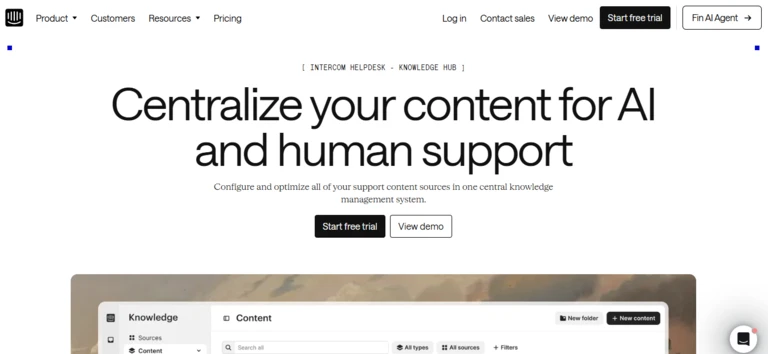
Best for: Support teams using Intercom, Fin and Copilot
Intercom Knowledge Hub centralises support content used by customers, human agents and Fin.
It can manage Intercom articles, snippets and synced external sources. The same knowledge can power:
- Public self-service
- Fin AI Agent
- Support-agent assistance
- Consistent customer answers
Knowledge Hub is designed to bring several support-content sources into one place rather than requiring every article to be recreated manually.
Key features
- Support articles
- Snippets
- External content syncing
- Fin knowledge grounding
- Copilot support
- Public help centre
- Content optimisation
- Knowledge gaps
- Customer-facing answers
- Internal support information
- Procedures and policies
- Reporting
Pricing
Knowledge Hub is part of Intercom’s broader helpdesk offering.
Intercom charges separately for certain usage-based functions. Fin currently costs $0.99 per successful outcome, in addition to applicable platform and seat charges.
Advantages
- Strong Fin integration
- Centralised support content
- External knowledge syncing
- Public and agent-facing use
- Suitable for AI-first support operations
- Knowledge and conversations remain connected
Potential limitations
- Primarily designed for Intercom users
- Total pricing includes seats and usage
- Fin charges can vary with resolution volume
- Not intended as a company-wide intranet
- AI performance depends heavily on support content quality
Reliqus verdict
Knowledge Hub is a logical choice for organisations that want one support-knowledge layer powering Fin, human agents and the public help centre.
10. Tettra
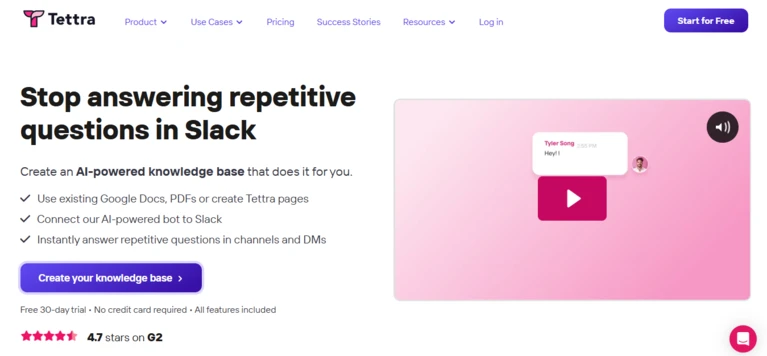
Best for: Smaller teams that manage most internal communication in Slack
Tettra is an internal knowledge base centred on reducing repeated questions in Slack.
Teams can create Tettra pages or connect existing Google Docs and PDFs. Kai, Tettra’s AI knowledge assistant, can answer questions using approved content and Slack.
When Kai cannot find an answer, it can direct the question to an appropriate subject-matter expert so the missing information can be added to the knowledge base.
Key features
- Internal wiki
- Kai AI assistant
- Slack integration
- Google Docs and PDF knowledge
- Question routing
- Subject-matter experts
- Knowledge requests
- Stale-content identification
- Duplicate-content controls
- Page ownership
- Usage analytics
- Content review workflows
Pricing
Tettra offers a 30-day trial with its AI functionality included. Current production pricing should be requested directly from Tettra.
Advantages
- Strong Slack workflow
- Simple internal use case
- Useful question-routing process
- Content ownership
- AI answers
- Knowledge-gap capture
Potential limitations
- Smaller application ecosystem than Glean
- Primarily focused on internal knowledge
- Less suitable for public documentation
- Pricing is not highly visible
- Requires employees to document answers
Reliqus verdict
Tettra is well suited to growing teams that want to turn repetitive Slack questions into reusable company knowledge.
11. Helpjuice
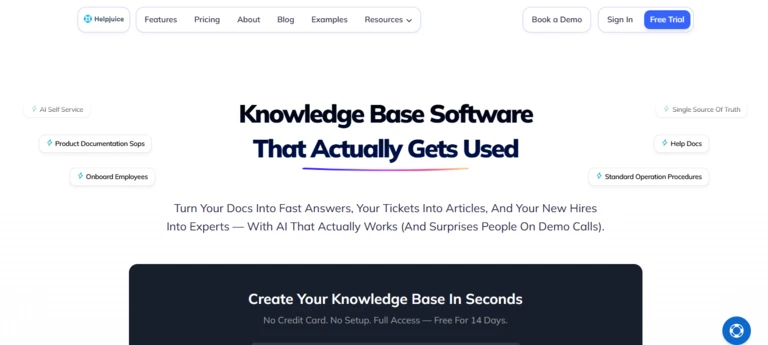
Best for: Companies needing a highly customised standalone knowledge base
Helpjuice is a dedicated knowledge-base platform for internal and customer-facing documentation.
It emphasises custom branding, search, localisation, collaboration and article workflows. Its AI suite includes writing, search, a chatbot, article translation and tools intended to keep knowledge current.
Helpjuice includes custom design work in its higher knowledge-base packages, which differentiates it from platforms that provide only templates.
Key features
- Internal and external knowledge bases
- Custom design
- AI search
- AI chatbot
- AI writing
- AI article translation
- More than 40 translation languages
- Collaboration
- Approval workflows
- Version history
- Analytics
- SSO
- Tutorial builder
- Chrome extension
Pricing
Helpjuice currently lists:
- Knowledge Base: $249 per month for up to 30 users
- AI Knowledge Base: $449 per month for up to 100 users
- Unlimited AI Knowledge Base: $799 per month
A 14-day trial is available.
Advantages
- Clear flat monthly pricing
- Custom branding and design
- AI suite included on AI plans
- Internal and public use cases
- Localisation
- Unlimited-user option
Potential limitations
- Higher entry price than seat-based tools for small teams
- AI claims should be independently tested
- Less enterprise search functionality than Glean
- Not a complete helpdesk
- Custom design may be unnecessary for internal use
Reliqus verdict
Helpjuice is a strong option when the company wants a standalone, branded knowledge base without purchasing a broader CRM, helpdesk or workplace suite.
12. Coveo
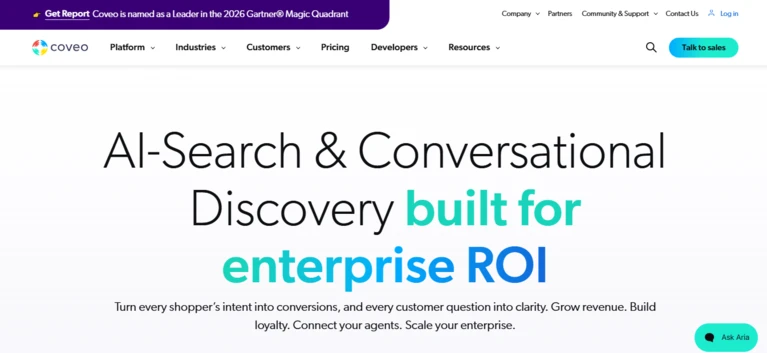
Best for: Enterprise search and generative answers across customer and employee experiences
Coveo is an enterprise AI-search and relevance platform.
It can unify information from several sources and provide search, recommendations and generative answers across:
- Customer self-service
- Support-agent experiences
- Employee search
- Websites
- Ecommerce
- AI agents
Coveo’s generative-answering tools are designed to ground responses in enterprise content while applying security permissions and contextual relevance.
Key features
- Enterprise AI search
- Generative answering
- Unified content indexing
- Customer self-service
- Agent knowledge assistance
- Workplace search
- Personalised recommendations
- Permission-aware retrieval
- Search relevance analytics
- Salesforce integrations
- APIs
- MCP support
- Multilingual experiences
Pricing
Coveo uses custom enterprise pricing based on the experience, search volume, applications, integrations and AI usage.
Advantages
- Advanced enterprise search
- Useful for customer and employee experiences
- Strong relevance and personalisation
- Integrates with existing knowledge systems
- Supports generative answers
- Suitable for large-scale deployments
Potential limitations
- Enterprise implementation
- No public self-service pricing
- More complex than a traditional knowledge base
- Requires good source content
- Can be excessive for small teams
Reliqus verdict
Coveo is most suitable when a large organisation needs AI-powered retrieval and answers across several customer and employee touchpoints.
13. Bloomfire
Best for: Enterprises that want knowledge sharing, research and organisational insights
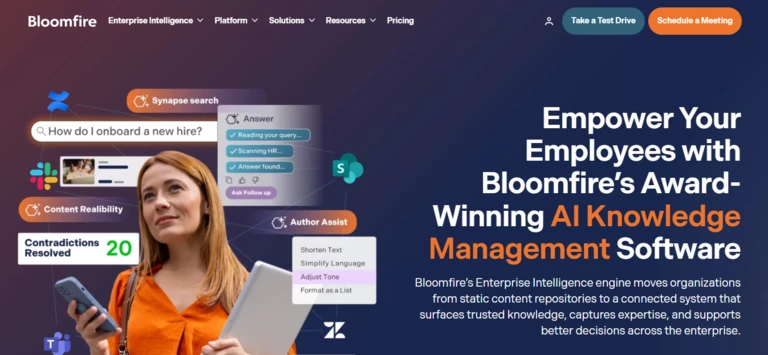
Bloomfire is an enterprise knowledge-management platform designed to help organisations capture, govern and distribute institutional knowledge.
Its platform supports content publishing, questions and answers, multimedia, search, analytics and AI-assisted knowledge discovery.
Bloomfire increasingly positions its product as an enterprise intelligence system rather than a basic company wiki.
Key features
- Enterprise knowledge base
- AI-powered search
- Questions and answers
- Multimedia content
- Knowledge sharing
- Community participation
- Analytics
- Content governance
- Employee insights
- Research repositories
- Custom branding
- Enterprise security
Pricing
Bloomfire uses customised pricing based on the organisation, products and deployment.
Advantages
- Strong enterprise knowledge-sharing model
- Useful for research and insights
- Supports several content types
- Community-oriented features
- Governance and analytics
- Suitable for large departments
Potential limitations
- Pricing requires a consultation
- More complex than a small-team wiki
- Requires employee participation
- May overlap with existing collaboration tools
- Search quality depends on content quality and adoption
Reliqus verdict
Bloomfire is a strong candidate for larger organisations that need to manage both formal documents and knowledge contributed by employees, researchers or subject-matter experts.
Best AI Knowledge Base Tools by Use Case
Best for internal company knowledge
Consider:
- Guru
- Slite
- Notion
- Tettra
- Confluence
- Bloomfire
Choose Guru when verification and governance are priorities.
Choose Slite or Tettra when the team needs a simpler knowledge-management system.
Choose Notion when knowledge must sit alongside projects, databases and collaborative work.
Best for enterprise search
Consider:
- Glean
- Coveo
- Guru
- Notion Enterprise Search
- Atlassian Rovo
Choose Glean when knowledge is distributed across a large number of employee applications.
Choose Coveo when search and generative answers must support customer, employee and website experiences.
Best for customer-facing documentation
Consider:
- Document360
- Helpjuice
- Zendesk Knowledge
- Intercom Knowledge Hub
Choose Document360 when product documentation is the main requirement.
Choose Zendesk or Intercom when the help centre must be closely connected with the support platform.
Choose Helpjuice when custom branding and a standalone knowledge base matter most.
Best for technical teams
Consider:
- Stack Internal
- Confluence
- Document360
- Notion
- Slite
Stack Internal is strongest for reusable technical questions and expert-reviewed answers.
Document360 is better for structured product and API documentation.
Best for Slack users
Consider:
- Tettra
- Guru
- Stack Internal
- Slite
The best tool should allow employees to retrieve knowledge without leaving Slack and convert unanswered questions into maintained documentation.
Best for Microsoft Teams users
Consider:
- Guru
- Stack Internal
- Glean
- Confluence with connected search
- Coveo
Verify whether the integration only shares links or can provide permission-aware answers directly in Teams.
How to Choose an AI Knowledge Base Tool
1. Identify the main audience
Determine whether the knowledge base is for:
- Employees
- Customers
- Support agents
- Developers
- Partners
- AI agents
- Several audiences
A customer help centre requires different publishing, branding and analytics from an internal employee wiki.
2. Decide whether content will be centralised
Ask whether the company wants to:
- Move knowledge into one managed platform
- Search existing systems
- Use a combination of both
Moving everything can improve governance but requires migration and ongoing maintenance.
Leaving information distributed reduces migration work but may make it harder to identify the authoritative source.
3. Test source citations
Every AI-generated answer should make it easy to inspect the supporting source.
Check whether citations show:
- Document title
- Relevant passage
- Source application
- Author
- Last-updated date
- Verification status
- Access permissions
An answer without evidence should not be trusted merely because it is written confidently.
4. Review permission handling
The platform must respect existing access rules.
An employee should not gain access to:
- Salary information
- Private legal documents
- Executive planning
- Customer records
- Confidential project data
simply because the AI search index connected to the source.
Test permissions using users with different roles.
5. Examine content-maintenance features
Look for:
- Owners
- Review dates
- Verification
- Expiration
- Stale-content alerts
- Duplicate detection
- Conflicting-information detection
- Knowledge-gap reporting
- Approval workflows
- Version history
AI search cannot solve poor knowledge maintenance by itself.
6. Review answer controls
The system should allow administrators to define:
- Approved knowledge sources
- Source priority
- Excluded content
- Response tone
- When the AI should refuse
- When it should escalate
- Which actions it may perform
- Whether web information is permitted
7. Evaluate search analytics
Useful analytics should reveal:
- Most common questions
- Failed searches
- Questions receiving no answer
- Low-confidence responses
- Frequently viewed articles
- Content that creates support tickets
- Stale pages
- Unused content
- Knowledge gaps
These findings should feed back into the documentation process.
8. Calculate total cost
Knowledge-base pricing may include:
- Author seats
- Reader seats
- Agent seats
- AI credits
- Search volume
- Generated answers
- Storage
- Connected applications
- Localisation
- Custom domains
- Implementation
- Support
- API calls
Compare the total cost for the intended audience rather than only the advertised entry plan.
How Reliqus Should Test AI Knowledge Base Tools
Create a standard knowledge set
Use 100 documents containing:
- Current policies
- Outdated policies
- Duplicate documents
- Conflicting instructions
- Frequently asked questions
- Long technical documents
- Short answers
- Tables
- PDFs
- Restricted documents
- Deliberately missing information
Test 1: Direct answer accuracy
Ask 50 questions with known answers.
Score each response as:
- Correct and complete
- Correct but incomplete
- Partially correct
- Unsupported
- Incorrect
- Refused appropriately
Test 2: Citation accuracy
Check whether every citation:
- Supports the answer
- Opens the correct source
- Points to a relevant passage
- Respects permissions
- Shows the current document
Test 3: Conflicting information
Provide an old and new policy.
The system should:
- Prefer the approved current policy
- Identify the conflict
- Avoid combining incompatible instructions
- Show the source date or verification status
Test 4: Missing information
Ask questions that are not answered in the knowledge base.
The tool should:
- State that it lacks sufficient information
- Avoid inventing an answer
- Recommend a relevant person or next step
- Record the question as a knowledge gap
Test 5: Permission control
Use:
- General employee account
- Manager account
- HR account
- External customer
- Administrator
Confirm that each user sees only authorised content.
Test 6: Content maintenance
Check whether the platform can identify:
- Stale articles
- Unowned pages
- Duplicates
- Conflicting information
- Unanswered questions
- Underused content
Test 7: Search across connected tools
Ask questions requiring information from:
- Slack
- Google Drive
- Microsoft Teams
- Confluence
- CRM
- Helpdesk
- Project-management system
Measure retrieval accuracy and permission enforcement.
Suggested Scoring Framework
| Criterion | Weight |
| Answer accuracy | 20% |
| Citation and source quality | 15% |
| Search and retrieval | 15% |
| Permissions and security | 15% |
| Knowledge-maintenance features | 10% |
| Content creation and workflows | 10% |
| Integrations | 5% |
| Ease of use | 5% |
| Pricing and value | 5% |
A serious permission failure should be treated as a disqualifying issue rather than balanced against good search or design.
Risks and Limitations of AI Knowledge Bases
Confidently incorrect answers
An AI system may combine several relevant passages into a conclusion that no source actually supports.
Require citations and test whether the cited passages justify the full answer.
Outdated knowledge
AI can make an old policy easier to find without making it correct.
Assign owners and review dates to important content.
Conflicting sources
Different departments may maintain separate versions of the same policy.
The system should identify conflicts rather than silently blending them.
Permission leakage
Poor connector or indexing configuration may expose information to unauthorised users.
Test permissions before broad rollout and after every major connector change.
Prompt injection
External documents may contain instructions intended to manipulate an AI-answering system.
Treat document content as information, not system instructions. Restrict tools and permissions.
Low employee adoption
A knowledge base fails when employees continue asking the same questions in private messages instead of using or updating the platform.
Integrate knowledge retrieval into the communication tools people already use.
Overproduction of AI content
AI writing can make it easy to generate hundreds of weak or duplicative pages.
Require:
- Content ownership
- Editorial review
- Clear purpose
- Source evidence
- Archiving rules
- Duplicate checks
Final Verdict
The best AI knowledge base tool is the platform that helps people find trustworthy information while making it easier for the organisation to keep that information current.
Choose Guru when verification, governance and trusted internal answers are the main priorities.
Choose Glean when information is spread across many enterprise applications.
Choose Notion AI when knowledge needs to sit alongside projects, databases and collaborative work.
Choose Slite or Tettra when a growing team wants a focused internal knowledge base without a large enterprise implementation.
Choose Confluence and Rovo when the organisation already works in Jira and Atlassian.
Choose Stack Internal for technical and engineering knowledge.
Choose Document360 for product documentation, user manuals and customer self-service.
Choose Zendesk Knowledge when knowledge must operate inside a Zendesk support environment.
Choose Intercom Knowledge Hub when Fin, support agents and customers should use the same support content.
Choose Helpjuice when custom design and a standalone knowledge base are important.
Choose Coveo when enterprise search and generative answering must support several customer and employee experiences.
Choose Bloomfire when the organisation needs a broader enterprise knowledge-sharing and insights platform.
Before purchasing, test whether the platform can:
- Answer real questions accurately.
- Cite the correct sources.
- Respect user permissions.
- distinguish between current and outdated information.
- Identify conflicting documents.
- Refuse when evidence is insufficient.
- Reveal knowledge gaps.
- Support content ownership and review.
- Integrate with the applications employees already use.
- Operate at a predictable total cost.
The purpose of an AI knowledge base is not to generate more documentation.
It is to help employees, customers and AI systems reach the correct information when they need it.
Frequently Asked Questions
What is the best AI knowledge base tool?
Guru is a strong overall option for governed internal knowledge. Glean is better suited to enterprise search across existing applications, while Document360 is well suited to product documentation. Zendesk Knowledge and Intercom Knowledge Hub are stronger choices for customer-support teams.
What is the best AI knowledge base for small businesses?
Notion, Slite, Tettra, and Stack Internal are options for small businesses. Notion offers the most flexibility, while Slite and Tettra provide more focused knowledge-management features. Stack Internal can be a good fit for technical teams.
What is the best knowledge base for customer support?
Zendesk Knowledge is a strong choice for teams already using Zendesk. Intercom Knowledge Hub is better suited to businesses using Intercom’s customer service platform. Document360 and Helpjuice are stronger standalone options for customer-facing documentation.
What is the best internal knowledge base?
Guru is a strong option for organisations that prioritise content verification and governance. Slite offers a simpler internal documentation experience, while Notion combines knowledge management with projects, databases, and other collaborative features.
What is the difference between a knowledge base and a company wiki?
A company wiki is typically an employee-editable collection of internal pages. A knowledge base can be internal or customer-facing and often provides more structured features for search, publishing, analytics, approvals, and content maintenance. The terms can overlap depending on the platform.
Can AI create knowledge-base articles?
Yes. AI knowledge-base tools can draft, summarise, translate, and reformat content. However, a human should verify the accuracy, policy compliance, sources, product information, legal statements, links, and screenshots before publishing an AI-generated article.
Can an AI knowledge base answer customer questions?
Yes. Platforms such as Zendesk, Intercom, Document360, Helpjuice, and Coveo can provide AI-assisted answers to customer questions. For reliable responses, the AI should remain grounded in approved, current customer-facing content and provide supporting sources where appropriate.
Can an AI knowledge base search Slack and Google Drive?
Yes. Enterprise search and knowledge-management platforms such as Glean, Guru, Notion, and Atlassian Rovo can connect to business applications and search information across multiple sources. Available connectors, permissions, and plan requirements vary by platform.
Are there free AI knowledge-base tools?
Some platforms, including Notion, Confluence, and Stack Internal, offer free plans or free access with limitations. AI features, storage, users, and collaboration capabilities may be restricted. Slite and Tettra offer trials, but their AI features and free access depend on the current plan structure.
How much does AI knowledge-base software cost?
Pricing varies significantly by platform and use case. Small-team plans may cost around $6.50 to $20 per user per month, while standalone customer knowledge-base platforms can cost several hundred dollars per month. Enterprise search and knowledge-management platforms often use custom pricing based on users, connectors, content volume, and AI usage.
Should a knowledge base provide citations?
Yes. Citations help users verify information, review the original context, and identify potentially outdated content. For important business decisions, AI answers supported by clear sources are generally more trustworthy than answers without supporting evidence.