
The best AI meeting assistant depends on how and where your team meets.
Fathom is one of the strongest free options for individuals and client-facing teams. Fireflies.ai is better suited to businesses that want meeting notes connected with CRMs, project-management tools, and automated workflows. Otter.ai provides live transcription and conversational access to meeting information, while Granola offers a bot-free approach for people who prefer to take rough notes and let AI improve them.
For sales and customer-success teams, Avoma, tl;dv and Read AI provide deeper conversation analytics and meeting intelligence. Businesses already committed to Zoom, Google Workspace or Microsoft 365 may not need another standalone product because each platform now offers native AI note-taking and meeting-recap features.
No meeting assistant is consistently best at every task. Some focus on accurate transcription, some on collaborative meeting management, and others on analysing customer conversations across hundreds of calls.
Best AI Meeting Assistants at a Glance
| AI meeting assistant | Best for | Capture method | Free access | Paid plans start at |
| Fathom | Best free option for individuals and client calls | Bot and developing bot-free capture | Yes | $15 per user per month annually for teams |
| Fireflies.ai | Integrations and meeting workflow automation | Meeting bot, apps and extensions | Yes | $10 per user per month annually |
| Otter.ai | Live transcription and meeting Q&A | Meeting agent and device recording | Yes | $8.33 per user per month annually |
| Zoom AI Companion and My Notes | Teams already using Zoom | Native and bot-free | Limited free access | Included in eligible Zoom plans or standalone from $8.33 |
| Granola | Bot-free personal and collaborative notes | Desktop audio capture | Yes | $14 per user per month |
| tl;dv | Multi-meeting insights and customer-conversation analysis | Bot or desktop application | Yes | Paid plans available |
| Avoma | Sales, customer success and revenue teams | Meeting bot and platform integrations | 14-day trial | $19 per recorder per month annually |
| Read AI | Meeting metrics, coaching and engagement insights | Meeting bot and applications | Yes | $15 per user per month annually |
| MeetGeek | Multilingual transcription and automated workflows | Bot and bot-free recording | Yes | $9.99 per user per month annually |
| Krisp | Bot-free notes with noise cancellation | Desktop audio capture | 7-day trial | $8 per user per month annually |
| Fellow | Agendas, notes and action-item management | Meeting bot and platform integrations | Yes | $7 per user per month annually |
| Gemini in Google Meet | Google Workspace users | Native Google Meet feature | Through eligible Workspace plans | Included with eligible Workspace editions |
| Microsoft 365 Copilot in Teams | Microsoft 365 organisations | Native Microsoft Teams feature | No standalone free meeting plan | Included with eligible Copilot or Teams licences |
Pricing and feature information was reviewed on July 24, 2026. Providers frequently change plan limits, AI allowances and product packaging, so confirm current details before purchasing.
Our Top Recommendations
Best free AI meeting assistant: Fathom
Fathom’s free plan includes unlimited meeting capture, transcription and standard summaries. It is particularly useful for consultants, sales representatives and other professionals who spend much of their day on Zoom, Google Meet or Microsoft Teams. Fathom’s paid team plans add action items, advanced summaries, collaboration, coaching and CRM field updates.
Best for integrations and automation: Fireflies.ai
Fireflies combines transcription, summaries, meeting search and AskFred with extensive integrations and automated workflows. Its paid plans include unlimited transcription and summaries, while higher tiers add conversation intelligence, team analytics, administrative controls and advanced security features.
Best for real-time transcription: Otter.ai
Otter provides live transcription, speaker identification, AI chat, meeting summaries and action items. It supports Zoom, Google Meet and Microsoft Teams and also provides desktop and mobile applications for in-person or device-based recording.
Best bot-free meeting assistant: Granola
Granola captures meeting audio from the user’s device rather than adding a visible bot to the participant list. Users can take rough notes during the discussion, and Granola expands those notes using the meeting transcript. Its free plan permits unlimited meetings but limits access to older history.
Best for sales and customer-success teams: Avoma
Avoma combines meeting recording, transcription, AI summaries, scheduling, CRM updates and optional conversation and revenue intelligence. It charges only for recorder seats while allowing viewers and collaborators to access content without an additional paid licence.
Best for meeting analytics: Read AI
Read AI goes beyond notes by providing meeting metrics, personalised coaching, engagement information and searchable summaries across meetings, email and messaging. Its free plan includes five meeting reports per month.
Best native option for Zoom users: Zoom AI Companion
Eligible Zoom Workplace plans include AI-powered meeting summaries and My Notes. Zoom also offers standalone AI note-taking plans for teams that want to use its notes across Zoom and supported third-party meeting platforms.
How We Evaluated These Tools
Reliqus reviewed each platform using current product documentation, pricing pages, feature descriptions, and publicly available support material.
We compared:
- Supported meeting platforms
- Bot-based, bot-free and native capture methods
- Live and post-meeting transcription
- Speaker identification
- Summary quality controls
- Action-item extraction
- Meeting search and AI chat
- Multilingual support
- Video and audio recording
- CRM and project-management integrations
- Automated follow-up workflows
- Team collaboration
- Meeting analytics
- Administrative and security controls
- Free-plan usefulness
- Pricing transparency
Hands-on access differs across the category. Some tools provide useful free plans, while others reserve important functionality for paid or enterprise editions.
This article does not claim that Reliqus completed an identical controlled test across all 13 products. Rankings are based on documented capabilities and intended use cases.
What Is an AI Meeting Assistant?
An AI meeting assistant is software that records or processes a meeting and uses artificial intelligence to create useful outputs from the conversation.
Common capabilities include:
- Live transcription
- Speaker identification
- Meeting summaries
- Decisions and key takeaways
- Action items
- Follow-up emails
- Searchable meeting history
- Questions and answers based on the transcript
- CRM updates
- Project-management tasks
- Conversation and engagement insights
G2 defines AI meeting assistants as tools that automate activities such as meeting transcription, speaker and conversation tracking, action-item identification and summary creation. Its category criteria also include searchable meeting moments, shareable recordings, and integrations with calendars, email, messaging, project management systems, and CRMs.
G2 currently lists more than 50 products in its free or free-trial meeting-assistant directory, demonstrating how crowded the category has become. However, G2’s “free” category can include tools offering a limited trial rather than a permanent free plan.
Bot-Based vs Bot-Free vs Native Meeting Assistants
The way a meeting assistant captures a conversation can materially affect the user experience.
Bot-based meeting assistant
A software participant joins the meeting and appears alongside the human attendees.
Examples include:
- Fireflies
- Otter
- Read AI
- Avoma
- Fellow
- MeetGeek
Advantages include consistent recording across multiple conferencing platforms and centralised organisational controls.
Potential drawbacks include:
- The bot is visible to participants
- External organisations may refuse to admit it
- Some meetings prohibit third-party recording bots
- The bot may remain after the user leaves unless configured correctly
- Participants may be uncomfortable with an unfamiliar attendee
Bot-free meeting assistant
An application captures system or device audio without joining as a visible participant.
Examples include:
- Granola
- Krisp
- Tactiq
- Emerging desktop modes from Fathom, MeetGeek and tl;dv
Advantages include a less intrusive participant experience and support for in-person meetings or calls outside the main video-conferencing platforms.
Potential drawbacks include:
- The application may require local installation and audio permissions
- Recording can depend on the user’s device
- The tool may not capture a meeting if the application is closed
- Organisational administrators may have less central visibility
Native meeting assistant
The note-taking capability is built into the meeting platform.
Examples include:
- Zoom AI Companion
- Gemini in Google Meet
- Microsoft 365 Copilot in Teams
Native assistants generally avoid adding another participant and can follow the platform’s existing permissions and administrative settings.
Their primary limitation is platform dependence. A company using Zoom, Meet and Teams may still need a separate cross-platform assistant.
The Best AI Meeting Assistants in 2026
1. Fathom
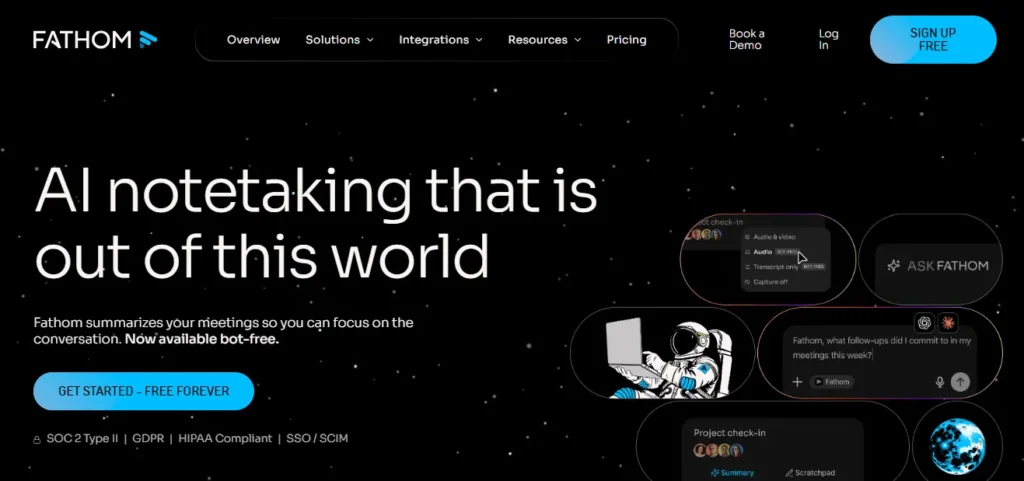
Best for: Individuals, consultants and customer-facing teams wanting a generous free plan
Fathom records meetings, creates transcripts and summaries, extracts action items and allows users to search or question their meeting content.
Its free individual plan includes unlimited recordings, transcripts and standard AI summaries. Advanced summary templates are limited on the free tier, while paid plans add deeper collaboration, custom summaries, coaching and CRM functionality.
Key features
- Unlimited recording and transcription
- AI meeting summaries
- Action-item extraction
- Follow-up email drafts
- Ask Fathom meeting chat
- Clips and shareable highlights
- Keyword and attendee search
- CRM integrations
- Team folders and comments
- Coaching metrics on higher plans
- Automatic CRM field updates on Business
Pricing
Fathom offers a permanent free plan.
For teams:
- Team: $15 per user per month when billed annually
- Business: $25 per user per month when billed annually
- Enterprise: Custom pricing
Team and Business plans currently require at least two users.
Potential limitations
The free plan provides limited access to advanced summary formats. Some team and CRM functionality requires paid licences, and organisations should verify whether the selected capture method works consistently across their required platforms.
Fathom has been expanding bot-free capture, but some bot-free capabilities have been released gradually or remain platform-specific.
Reliqus verdict
Fathom is one of the strongest starting points for an individual who wants reliable recording, transcription and summaries without paying immediately.
Its paid plans become more relevant when an organisation needs shared meeting intelligence, CRM updates and coaching.
2. Fireflies.ai
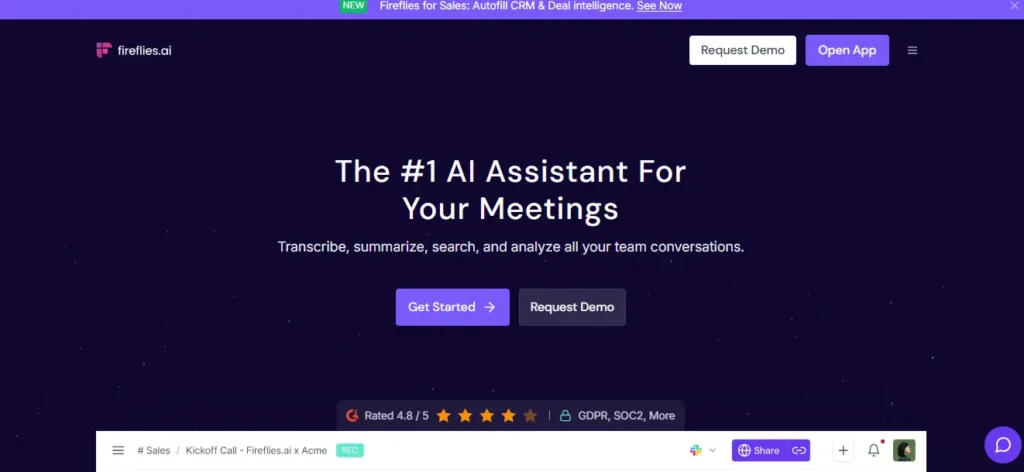
Best for: Teams that want to connect meeting information with other business applications
Fireflies records and transcribes meetings, generates summaries and action items, and allows users to search meeting history or ask questions through AskFred.
Its wider strength is workflow connectivity. Fireflies can move notes and meeting insights into CRM, collaboration, project management, and other tools. The platform also provides API access and AI Skills for custom post-meeting processing.
Key features
- Live transcription and notes
- Unlimited summaries on current plans
- AskFred AI assistant
- Action items and task manager
- Audio and video uploads
- Search across meetings
- AI Skills
- CRM and productivity integrations
- Browser, desktop and mobile applications
- Conversation intelligence
- Team analytics
- API access
Pricing
Current annual pricing includes:
- Free: $0
- Pro: $10 per user per month
- Business: $19 per user per month
- Enterprise: $39 per user per month
The Free plan currently includes unlimited transcription and AI summaries, although storage, downloads, video, integrations and advanced intelligence differ by tier.
Potential limitations
Fireflies includes AI-credit allowances for selected advanced functions, so “unlimited summaries” does not necessarily mean every AI workflow is unlimited.
The number of features can also make configuration more complex for users who only need a basic transcript.
Reliqus verdict
Fireflies is a strong option when meeting notes need to trigger business workflows rather than remain inside a separate meeting library.
3. Otter.ai
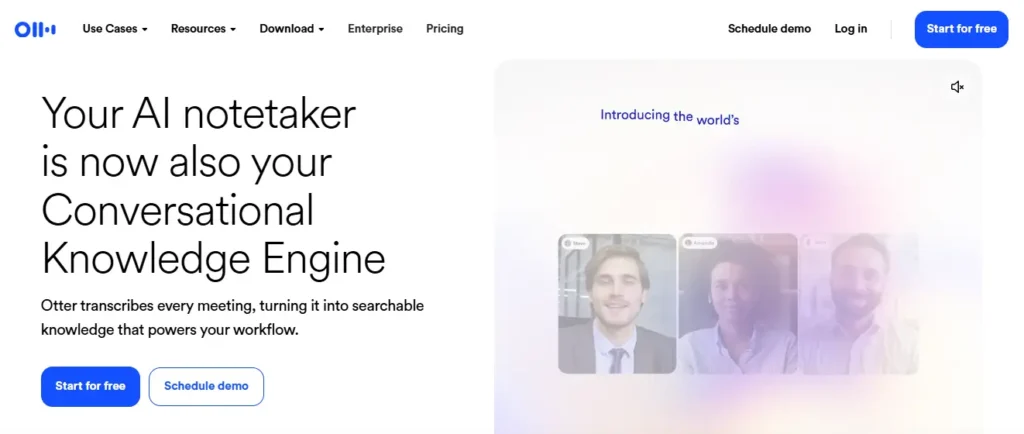
Best for: Live transcription, meeting chat and collaborative notes
Otter provides real-time transcripts, speaker identification, summaries, action items and AI chat.
Its Meeting Agent can join Zoom, Microsoft Teams and Google Meet calls. Users can also record through Otter’s desktop and mobile applications or upload existing audio and video files.
Key features
- Live transcription
- Speaker identification
- Automated summaries
- Action items
- AI chat within and across meetings
- Meeting templates
- Audio playback
- Search and export
- Mobile and desktop applications
- File uploads
- CRM and Zapier integrations on eligible plans
- Custom vocabulary on paid plans
Pricing
Otter currently offers:
- Basic: Free with 300 monthly transcription minutes
- Pro: $8.33 per user per month when billed annually
- Business: $19.99 per user per month when billed annually
- Enterprise: Custom pricing
Pro currently includes 1,200 monthly in-app recording minutes, while Business includes unlimited meetings and in-app recordings subject to plan conditions.
Potential limitations
Otter’s free and Pro plans impose meeting-duration, file-import or monthly-minute limits.
Language availability should also be checked carefully. Its current pricing documentation lists transcription support for English, Spanish, French, German, Japanese and Chinese, which is narrower than the language coverage promoted by several competitors.
Reliqus verdict
Otter is well suited to users who value live transcripts and interactive meeting Q&A.
Teams needing extensive multilingual support or deeper sales coaching may find other platforms more appropriate.
4. Zoom AI Companion and My Notes
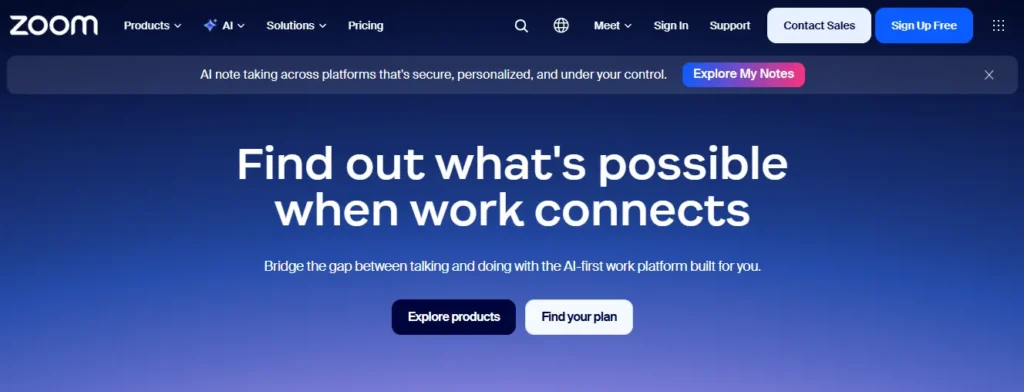
Best for: Businesses already using Zoom Workplace
Zoom provides native AI meeting summaries, in-meeting questions and My Notes within its expanding AI product suite.
My Notes can capture and organise meeting notes without adding a third-party participant. Zoom also supports AI note-taking for selected third-party meeting platforms, depending on the plan and capture method.
Key features
- Native Zoom meeting summaries
- In-meeting questions
- Action items and next steps
- My Notes
- Personal note-taking alongside AI context
- Custom summary templates
- Post-meeting recap emails
- Support for selected external meeting platforms
- Administrative controls
- Search and AI queries across meeting content
Pricing
Zoom Workplace paid plans starting at approximately $14.16 per user per month include AI-powered meeting summaries and My Notes.
Standalone AI note-taking has also been offered from approximately $8.33 per user per month when billed annually. Free access is limited by the number of summaries, notes or AI uses available each month.
Potential limitations
The exact combination of Zoom AI Companion, ZoomMate, My Notes and Workplace features can be difficult to understand because Zoom’s AI packaging continues to evolve.
Teams should confirm:
- Which meetings can be captured
- Whether third-party platforms are supported
- Monthly usage allowances
- Which features are included in the existing Zoom licence
- Whether additional AI credits are required
Reliqus verdict
Zoom’s native assistant is the most logical first option for a team that already conducts nearly every meeting in Zoom.
A separate assistant becomes more valuable when the organisation needs cross-platform capture, broader CRM automation or specialised conversation intelligence.
5. Granola
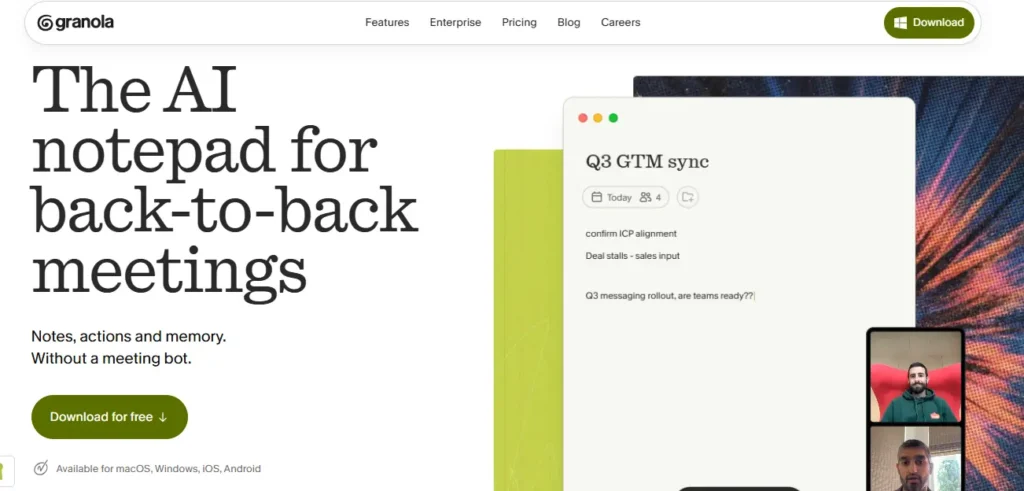
Best for: Bot-free note-taking and professionals who want to combine personal notes with AI
Granola is an AI notepad rather than a traditional meeting bot.
It listens through the user’s device, creates a transcript and uses that meeting context to improve the notes the user writes. It also provides AI chat within and across meetings and supports custom note templates.
Key features
- Bot-free meeting capture
- AI-enhanced personal notes
- Custom templates
- AI chat across meeting history
- Shared folders
- Multilingual support
- Mobile application
- HubSpot, Notion, Slack, Attio and Zapier integrations
- API and MCP access on paid plans
Pricing
Granola currently offers:
- Basic: Free with unlimited notes but limited visible history
- Business: $14 per user per month
- Enterprise: $35 per user per month
The Basic plan retains older content but restricts visibility to recent meeting history.
Potential limitations
Granola is designed around individual participation. It is less suitable when a team needs a centrally controlled bot to capture meetings the user cannot attend.
It also takes a different approach from fully automated meeting recorders. People who want complete notes without writing anything may prefer Fathom, Fireflies or Otter.
Reliqus verdict
Granola is one of the most distinctive products in the category. It is particularly useful for founders, researchers, consultants and product teams who already take rough notes but want AI to organise and expand them.
6. tl;dv
Best for: Analysing themes across multiple sales, customer and research meetings
tl;dv records, transcribes and summarises meetings on Zoom, Google Meet and Microsoft Teams.
It goes beyond individual call recaps by supporting multi-meeting analysis, topic tracking and recurring reports. A team can search for patterns such as pricing objections, competitor mentions or customer requests across many conversations.
Key features
- Meeting recording and transcription
- Support for more than 30 languages
- AI summaries
- Highlight clips
- Ask AI
- Multi-meeting reports
- Topic and objection tracking
- CRM integrations
- Workflow integrations
- Sales playbook monitoring on higher plans
- Bot and desktop capture options
Pricing
tl;dv provides a free plan with unlimited recordings and transcriptions, AI-generated notes and selected multi-meeting capabilities.
Paid plans unlock broader AI usage, integrations, recurring reports, sales playbook analysis and advanced team intelligence. Pricing should be confirmed through tl;dv’s in-app calculator because the final cost can vary by plan, billing term and team configuration.
Potential limitations
The number of AI and team-intelligence features available differs substantially between the free, Pro and Business levels.
Teams should also test whether tl;dv’s report templates and topic detection fit their actual sales or customer-research methodology.
Reliqus verdict
tl;dv is a strong choice when the goal is not merely to remember one meeting, but to identify patterns across an entire library of conversations.
7. Avoma
Best for: Sales, customer-success and revenue teams needing meetings connected to CRM workflows
Avoma combines meeting assistance, scheduling, collaborative notes and optional conversation and revenue intelligence.
It automatically records calls, produces real-time transcripts, creates structured summaries and action items, drafts follow-up emails and saves meeting information to connected CRM records.
Key features
- Video recording
- Real-time transcription
- AI summary notes
- Action-item extraction
- Ask Avoma
- Follow-up emails
- CRM note synchronisation
- Custom note topics and templates
- Meeting scheduling
- Conversation intelligence add-on
- Revenue intelligence add-on
- Free viewer and collaborator seats
Pricing
Avoma currently offers:
- Startup: $19 per recorder per month annually
- Organization: $29 per recorder per month annually
- Conversation Intelligence add-on: $29 per applicable seat per month annually
- Revenue Intelligence add-on: $29 per applicable seat per month annually
Viewers and collaborators can access meeting content without paid recorder licences. A 14-day trial is available.
Potential limitations
Avoma’s modular pricing requires buyers to distinguish between:
- The meeting-assistant base plan
- Recorder seats
- Free viewers
- Conversation intelligence
- Revenue intelligence
- Scheduling and routing functionality
The complete cost can therefore be higher than the advertised meeting-assistant price.
Reliqus verdict
Avoma is one of the most complete options for revenue teams that want meeting notes, CRM hygiene, coaching and pipeline insights within the same system.
Teams comparing broader options should also check our list of the best AI sales assistant tools
8. Read AI
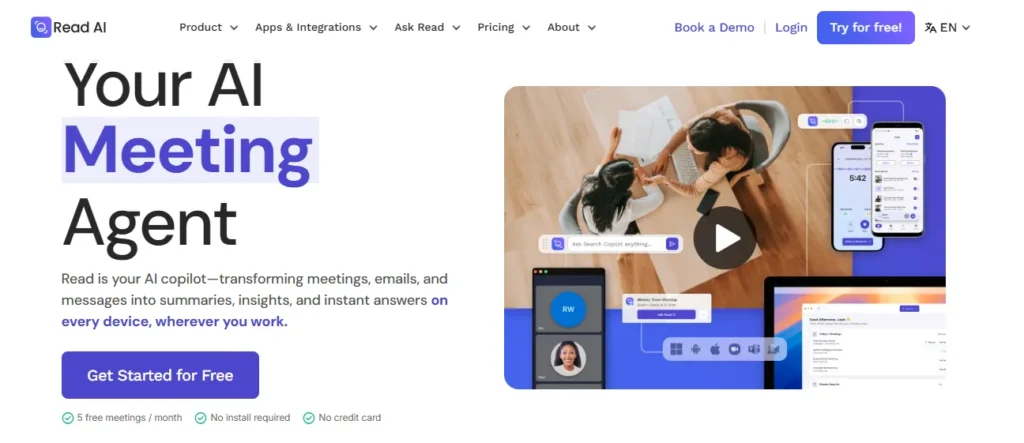
Best for: Meeting engagement metrics, personal coaching and cross-channel work summaries
Read AI records and transcribes meetings, generates summaries and action items, and measures aspects of meeting participation and engagement.
Its reports can include topics, key questions, transcript information, sentiment and participant engagement. Read has also expanded beyond meetings to provide search and summaries across email and workplace messaging.
Key features
- Meeting summaries
- Transcription
- Action items
- Key questions
- Live notes
- Engagement and sentiment metrics
- Personalised meeting coaching
- Video playback and highlights on higher tiers
- Search across meetings and workplace information
- CRM and productivity integrations
- Mobile and desktop applications
- Ada executive assistant
Pricing
Read currently offers:
- Free: Five meeting transcripts per month
- Pro: $15 per user per month annually
- Enterprise: $22.50 per user per month annually
- Enterprise+: $29.75 per user per month annually, with a five-licence minimum
Enterprise adds video playback, while Enterprise+ adds capabilities such as HIPAA support, SAML, SCIM and custom retention.
Potential limitations
Meeting-engagement scores should not be treated as definitive measures of employee performance or attention.
A person may speak less because they are listening, hold a different role, experience accessibility barriers or participate through chat. Automated sentiment and engagement metrics require context and responsible management interpretation.
Reliqus verdict
Read AI is a strong option for users who want more than a transcript and are interested in meeting behaviour, coaching and cross-meeting search.
Teams managing high support ticket volume may also want to compare the best AI customer support agents.
9. MeetGeek
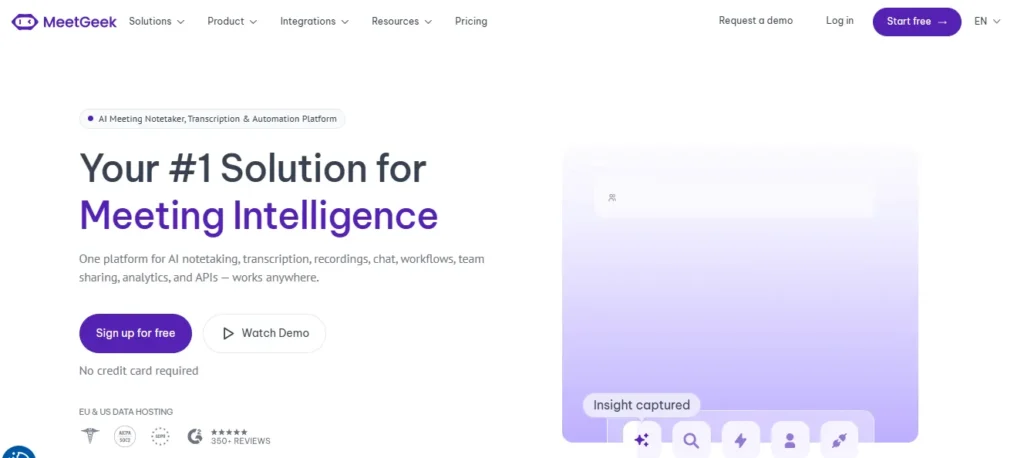
Best for: Multilingual meetings, flexible capture and automated workflows
MeetGeek records meetings, generates transcripts and summaries, extracts action items and provides meeting analytics.
It supports more than 100 languages and can capture meetings through a bot, browser extension, desktop application or mobile application. It also offers API and MCP access and automation capabilities.
Key features
- Zoom, Google Meet and Teams recording
- More than 100 transcription languages
- Automatic language detection
- AI summaries
- Meeting analytics
- Global search and AI chat
- Audio and video uploads
- Bot-free recording
- Mobile and desktop applications
- CRM integrations
- Agentic workflows
- API and MCP access
Pricing
MeetGeek currently offers:
- Basic: Free with three transcription hours per month
- Pro: $9.99 per user per month annually
- Business: Higher paid tier with unlimited transcription and team functionality
- Enterprise: Custom organisational pricing
The Basic plan includes unlimited AI summaries but limits transcription hours and storage.
Potential limitations
The free plan is useful for occasional meetings but is unlikely to cover someone attending calls every day.
Teams should also verify transcription performance in their particular languages, accents and technical vocabulary rather than relying only on the number of supported languages.
Reliqus verdict
MeetGeek provides one of the more flexible combinations of multilingual transcription, bot and bot-free capture, analytics and workflow automation.
10. Krisp
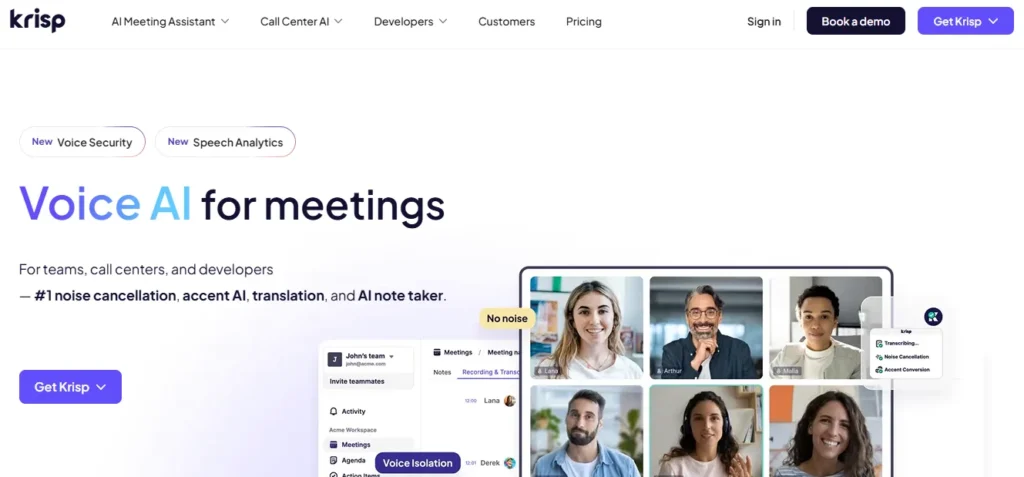
Best for: Bot-free meeting notes combined with noise cancellation
Krisp began as a real-time noise-cancellation product and now includes a full AI Meeting Assistant.
Its desktop application captures meetings without adding a participant, records and transcribes the conversation, and generates summaries and action items. It also supports in-person meetings and provides accent-conversion features on selected plans.
Key features
- Bot-free recording
- Transcription
- AI notes
- Action items
- Audio and video recording
- In-person meeting capture
- Noise cancellation
- Accent conversion
- Personal vocabulary and model customisation on selected plans
- Administrative and compliance controls on higher tiers
Pricing
Krisp currently provides:
- Seven-day free trial
- Core: $8 per user per month when billed annually, or $16 monthly
- Advanced: Higher-priced plan for teams requiring administration, compliance or sales functionality
- Enterprise: Custom pricing
Core includes unlimited transcription, recording, AI notes and action items.
Potential limitations
Krisp requires a desktop application and access to device audio.
Teams that need a centralised bot, extensive CRM workflows or multi-meeting sales analysis may find dedicated meeting-intelligence platforms more suitable.
Reliqus verdict
Krisp is particularly valuable for remote workers who need both cleaner audio and private, bot-free meeting notes.
11. Fellow
Best for: Structured agendas, collaborative notes and action-item accountability
Fellow combines AI recording with broader meeting management.
It helps teams create agendas, collaborate on notes, generate summaries and action items, assign follow-ups and maintain meeting series. This makes it more suitable than a basic transcript application for recurring one-to-ones, team meetings and structured operational reviews.
Key features
- Collaborative agendas
- AI recording and transcription
- AI summaries
- Action items
- Ask Fellow
- Meeting templates
- Private and shared notes
- Project-management integrations
- Slack integration
- CRM integrations on higher tiers
- Keyword tracking
- Organisational meeting analytics
- Transcript redaction on Enterprise
Pricing
Fellow currently offers:
- Free: Five lifetime AI notes and recordings per user
- Team: $7 per user per month annually
- Business: $15 per user per month annually
- Enterprise: $25 per user per month annually, starting at 10 users
Business includes unlimited AI notes and recordings, while Team includes 10 AI notes per user per month.
Potential limitations
The Free and Team plans impose AI usage limits, so the advertised entry price may not cover people who record several meetings each day.
A fellow is also broader than an AI notetaker. Users who do not need agendas, meeting series or collaborative action-item management may prefer a simpler tool.
Reliqus verdict
Fellow is one of the strongest choices for organisations that want to improve the entire meeting process, not only create a transcript after the call.
12. Gemini in Google Meet
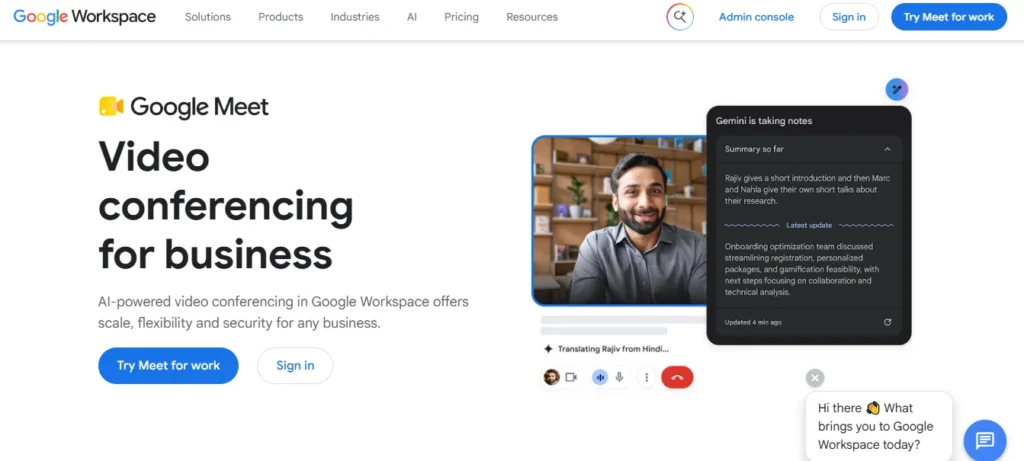
Best for: Organisations conducting most meetings through Google Workspace
Google Meet’s “Take notes for me” feature automatically creates organised meeting notes in Google Docs.
The notes are attached to the Calendar event and can include summaries, decisions and next steps. Users joining late can request a summary of the discussion so far. Google also provides Ask Gemini in Meet on eligible plans for questions about meeting discussions and action items.
Key features
- Native Google Meet note-taking
- Notes created in Google Docs
- Calendar attachment
- Summary so far
- Decisions and next steps
- Ask Gemini during meetings
- Configurable note length and focus
- Administrative sharing controls
- Explicit-consent settings
- Support for in-person note-taking on eligible devices and plans
Pricing
“Take notes for me” requires an eligible Google Workspace edition or Google AI plan.
Google Workspace packaging and regional prices change, so organisations should confirm whether the feature is included in their current Business or Enterprise edition.
Language limitations
Google currently supports note-taking in English, French, German, Italian, Japanese, Korean, Portuguese and Spanish.
The feature handles one spoken language at a time, so meetings that switch frequently between languages may not be captured correctly.
Potential limitations
Gemini in Meet is primarily useful inside Google Meet.
Organisations using Zoom or Microsoft Teams for external calls may still need a cross-platform product. Google also warns that a meeting summary may sometimes be incomplete, inaccurate or not generated.
Reliqus verdict
Gemini is the most convenient option for Google Workspace organisations that want notes stored directly in Docs and linked with Calendar.
13. Microsoft 365 Copilot in Teams
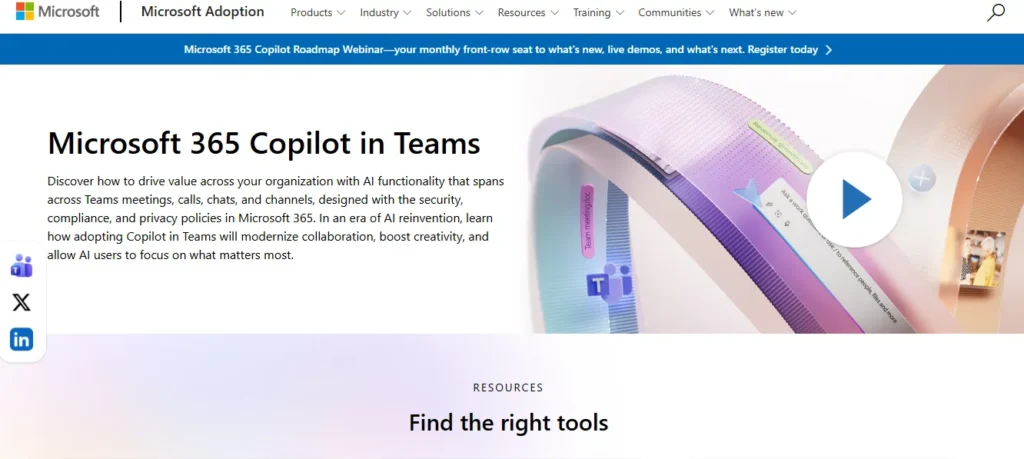
Best for: Microsoft 365 organisations wanting meeting information connected with workplace documents and communication
Microsoft 365 Copilot works within Teams meetings and meeting recaps.
It can summarise discussions, identify decisions, list action items, explain what a user missed and help create follow-up content that can be moved into Word or Excel. Intelligent recap can also organise recordings into topics and relevant meeting moments, depending on licensing.
Key features
- In-meeting Copilot
- Meeting recap
- Decisions and action items
- Speaker and topic information
- Questions about meeting content
- Integration with Outlook, Word and other Microsoft 365 applications
- Intelligent recap
- Enterprise administrative controls
- Work-data context through Microsoft 365
Pricing
Microsoft 365 Copilot requires an eligible Microsoft 365 subscription and a Copilot licence or qualifying package.
Pricing varies by region and plan. Microsoft currently offers bundled Business plans with Copilot and separate enterprise Copilot licensing.
Potential limitations
Microsoft’s meeting AI is tied closely to Teams, Microsoft 365 licensing and administrative configuration.
Some recap and Copilot functions also depend on whether transcription or recording was enabled during the meeting.
Reliqus verdict
Microsoft 365 Copilot is the natural first choice for an organisation whose meetings, documents, email and collaboration already operate within Microsoft 365.
Best AI Meeting Assistants by Use Case
Best free options
Consider:
- Fathom
- Fireflies
- Otter
- Granola
- MeetGeek
- tl;dv
These free plans are not equivalent.
Fathom and tl;dv emphasise unlimited capture, while Otter and MeetGeek apply monthly transcription limits. Granola permits unlimited notes but restricts access to older history. Fireflies provides unlimited transcripts and summaries but limits storage and advanced functionality.
Best for sales calls
Consider:
- Avoma
- Fathom
- tl;dv
- Fireflies
- Read AI
Sales teams should prioritise:
- CRM synchronisation
- Objection tracking
- Follow-up emails
- Deal summaries
- Playbook adherence
- Coaching
- Multi-call search
- Automatic field updates
Best for internal meetings
Consider:
- Fellow
- Granola
- Microsoft 365 Copilot
- Gemini in Google Meet
- Zoom AI Companion
Internal teams often need agendas, decisions, assigned actions and searchable organisational knowledge more than sales analytics.
Best for multilingual meetings
Consider:
- MeetGeek
- Fellow
- Fireflies
- tl;dv
- Google Meet Gemini
The number of supported languages does not prove equal transcription quality across all languages. Test the tool using your actual speakers, terminology and audio conditions.
Best for in-person meetings
Consider:
- Otter
- Granola
- Krisp
- Read AI
- MeetGeek
Check whether the mobile or desktop application can identify different speakers when everyone is recorded through one microphone.
Best bot-free options
Consider:
- Granola
- Krisp
- Google Meet Gemini
- Microsoft 365 Copilot
- Zoom My Notes
- Tactiq
- Emerging desktop versions of Fathom, MeetGeek and tl;dv
If you’re also building out your outbound prospecting stack, our guide to the best AI SDR tools covers the top options for automating cold outreach and lead generation.
How to Choose an AI Meeting Assistant
1. Decide how meetings should be captured
Choose between:
- Visible meeting bot
- Bot-free desktop application
- Native platform feature
- Mobile or in-person recording
- Uploaded audio or video
A tool that works well for scheduled Zoom calls may not work equally well for telephone calls, in-person interviews or unplanned Teams meetings.
2. Test transcription using your real audio
Transcription quality can be affected by:
- Accents
- Multiple languages
- Overlapping speech
- Background noise
- Poor microphones
- Industry terminology
- Product names
- Acronyms
- Internet quality
Do not evaluate accuracy using only a short, scripted demonstration.
3. Compare summary usefulness, not summary length
A good meeting summary should accurately capture:
- The purpose of the meeting
- Important context
- Decisions
- Concerns
- Commitments
- Owners
- Deadlines
- Unresolved questions
A longer summary is not necessarily a better summary.
4. Review action-item accuracy
AI assistants may:
- Miss an assignment
- Assign an action to the wrong person
- Invent a deadline
- Convert a suggestion into a commitment
- Ignore an implied task
- Duplicate an action
Every action item should remain editable and link back to the relevant transcript or recording moment.
5. Examine meeting search
Basic search finds specific words.
Stronger meeting intelligence should answer questions such as:
- Which customers mentioned onboarding problems?
- What objections appeared most often this month?
- Which decisions remain unresolved?
- What did we promise this client?
- Which feature requests appeared across interviews?
Check whether answers include links or citations back to the original conversation.
6. Review integrations
Common destinations include:
- Salesforce
- HubSpot
- Pipedrive
- Slack
- Microsoft Teams
- Notion
- Confluence
- Asana
- ClickUp
- Jira
- Linear
- Zapier
Confirm whether the integration only sends a summary or can map decisions and action items into specific records and fields.
7. Understand data handling
Before recording confidential meetings, review:
- Where recordings are stored
- How long data is retained
- Whether administrators can set deletion policies
- Whether customer data is used to train models
- Whether model training can be disabled
- Available regional storage
- Encryption
- Access controls
- Audit logs
- SSO and SCIM
- Whether the vendor offers required contractual terms
8. Check participant notifications and consent
Meeting recording and transcription requirements vary by jurisdiction and organisation.
The tool should make it easy to:
- Notify participants
- Obtain required consent
- Stop recording
- exclude confidential sections
- Prevent automatic recording for sensitive meetings
- Control external sharing
- Delete recordings when necessary
Google now allows Workspace administrators to require explicit participant consent before recording, transcription or AI note-taking begins.
Organisations should obtain legal guidance for the countries and states in which they operate.
How Reliqus Should Test AI Meeting Assistants
A credible comparison should use the same recordings and scoring system across every compatible product.
Test 1: Standard business meeting
Use a 30-minute internal meeting containing:
- Project updates
- Three decisions
- Five action items
- Named owners
- Several deadlines
- One unresolved question
Measure whether the tool captures each item correctly.
Test 2: Client or sales call
Use a 30-minute conversation containing:
- Customer goals
- Two objections
- Pricing discussion
- Competitor mention
- Follow-up commitment
- Next meeting date
Review the summary, CRM output and follow-up email.
Test 3: Difficult audio
Create a meeting containing:
- Background noise
- Different accents
- Overlapping speech
- Fast speakers
- Industry terminology
- Product names
Compare the transcript with a manually prepared reference transcript.
Test 4: Multilingual meeting
Use a meeting in one supported non-English language.
Run code-switching as a separate test because a tool supporting several languages may not support switching between them within one meeting.
Test 5: Action items
Create 15 known actions containing:
- Explicit assignments
- Implied assignments
- Deadlines
- No deadline
- Multiple owners
- Tentative suggestions that should not become tasks
Measure:
- Actions detected
- Actions missed
- False action items
- Correct owners
- Correct deadlines
Test 6: Meeting questions
Ask each tool the same questions:
- What decision was made about the launch date?
- Who owns the pricing update?
- What concerns did the customer raise?
- Which questions were left unresolved?
- What should happen before the next meeting?
Record whether the answer is correct and whether it links to supporting transcript evidence.
Test 7: Privacy and user controls
Check:
- Is the bot clearly identified?
- Can recording be paused?
- Can specific meetings be excluded?
- Can a participant request deletion?
- Can administrators set retention?
- Can external sharing be restricted?
- Can model training be disabled?
- Are audit records available?
Suggested scoring framework
| Criterion | Weight |
| Transcript accuracy | 20% |
| Summary accuracy and completeness | 20% |
| Action-item accuracy | 15% |
| Meeting search and AI answers | 10% |
| Ease of capture and setup | 10% |
| Integrations and workflow automation | 10% |
| Collaboration and sharing | 5% |
| Privacy and administrative controls | 5% |
| Pricing and value | 5% |
Products built specifically for sales or revenue intelligence should receive a separate score for:
- CRM field accuracy
- Objection detection
- Coaching
- Deal insights
- Multi-call trends
Do not allow advanced sales analytics to compensate for inaccurate transcripts or summaries.
Risks and Limitations of AI Meeting Assistants
Inaccurate summaries
AI may omit an important qualification, confuse two speakers or represent a tentative discussion as a final decision.
The recording and transcript should remain available when decisions have financial, legal or operational consequences.
Incorrect action items
An incorrectly assigned action can create confusion after a meeting.
Action items should be reviewed before they are moved automatically into project-management or CRM systems.
Recording sensitive information
Meetings may contain:
- Customer information
- Employee information
- Financial details
- Health information
- Credentials
- Legal advice
- Confidential strategy
- Product plans
Automatic recording should not be enabled for every calendar event without clear exclusions and governance.
Participant discomfort
A visible bot can change how people behave during a discussion.
Teams should explain:
- Why the assistant is present
- What it records
- Who can access the data
- How long the data is retained
- How someone can object
Excessive reliance on engagement scores
Talk-time, sentiment and engagement metrics are context-dependent.
They should not be used alone for employee evaluation, candidate assessment or disciplinary decisions.
Meeting overload
An AI assistant makes meetings easier to document, but it does not make unnecessary meetings valuable.
Teams should still ask whether the meeting needs to happen, who needs to attend and whether the outcome could be achieved asynchronously.
Final Verdict
The best AI meeting assistant is not simply the tool that creates the longest summary.
It should accurately capture what happened, identify real decisions and tasks, preserve evidence from the original conversation and move information into the systems where the team already works.
Choose Fathom when you want a strong free assistant for individual and client-facing meetings.
Choose Fireflies.ai when integrations and automated workflows are the priority.
Choose Otter.ai when live transcription and meeting Q&A matter most.
Choose Granola or Krisp when you want a bot-free experience.
Choose Avoma or tl;dv when sales, customer-success and multi-meeting insights are central to the decision.
Choose Read AI when meeting metrics and coaching are important.
Choose Fellow when you want agendas, collaborative notes and action-item accountability in the same platform.
Start with Zoom AI Companion, Gemini in Google Meet or Microsoft 365 Copilot when your organisation already operates almost entirely within one of those ecosystems.
Before adopting a tool across the company, run a controlled test using real meetings and measure:
- Transcript accuracy
- Summary accuracy
- Action-item accuracy
- Speaker identification
- Search and question-answering quality
- Integration reliability
- Participant experience
- Privacy and administrative controls
- Total cost at expected usage
An AI meeting assistant should help people pay more attention to the conversation.
It should not create a second layer of inaccurate notes that the team has to correct after every call.
Frequently Asked Questions
What is the best AI meeting assistant?
Fathom is one of the strongest free options for individuals and client-facing professionals. Fireflies is better for integrations and automation, while Otter is well suited to live transcription.
Avoma and tl;dv are stronger for sales and customer-conversation analysis. Granola and Krisp are useful for bot-free capture.
The best choice depends on your meeting platforms, workflow and data requirements.
What is the best free AI meeting assistant?
Fathom, Fireflies, Otter, Granola, MeetGeek and tl;dv all offer free access.
Fathom is attractive for unlimited meeting capture. Otter provides 300 monthly transcription minutes. MeetGeek provides three hours each month. Granola allows unlimited notes but limits access to older history.
Compare the practical limits rather than choosing only because the product says “free.”
Are AI meeting assistants accurate?
They can produce useful transcripts and summaries, but no meeting assistant is completely accurate.
Results vary according to audio quality, accents, language, overlapping speech, terminology and the type of summary requested.
Important decisions and commitments should be checked against the recording or transcript.
Can an AI meeting assistant join Zoom, Teams and Google Meet?
Many standalone products support all three platforms, including Fireflies, Otter, Fathom, Avoma, Read AI, MeetGeek and tl;dv.
Native tools such as Gemini in Meet and Microsoft 365 Copilot primarily work inside their own meeting platforms.
Can AI meeting assistants record in-person meetings?
Yes. Otter, Granola, Krisp, Read AI and MeetGeek provide mobile, desktop or device-based options that can be used for in-person discussions.
Speaker identification may be less accurate when everyone is captured through one microphone.
What is a bot-free AI meeting assistant?
A bot-free assistant records audio through the user’s computer or device instead of appearing as another meeting participant.
Granola and Krisp are prominent bot-free options. Several other products now offer both bot-based and desktop capture.
Can an AI meeting assistant create action items?
Yes. Most leading tools attempt to identify tasks, owners and deadlines.
Action-item accuracy varies, so a person should review the list before it is transferred into a project-management system.
Can AI meeting assistants update a CRM?
Some products can send summaries or notes to Salesforce, HubSpot and other CRMs.
More advanced products such as Avoma, Fathom and selected revenue platforms can map meeting information into specific CRM fields. The level of automation depends on the plan and integration.
Can AI meeting assistants analyse several meetings together?
Yes. Granola, tl;dv, Fireflies, Read AI, Fathom and other platforms provide some form of cross-meeting search or AI chat.
Multi-meeting intelligence is useful for identifying recurring customer needs, objections and themes.
Is it legal to use an AI meeting assistant?
Recording and transcription laws vary by location and type of communication.
Businesses should notify participants, obtain any legally required consent and follow their organisation’s privacy policies. Seek legal advice for the jurisdictions in which the company operates.
How much do AI meeting assistants cost?
Many products offer free plans.
Paid individual and small-team plans commonly begin between approximately $7 and $20 per user per month when billed annually. Sales intelligence, enterprise governance and advanced security can increase the cost significantly.
Do I need a separate AI meeting assistant if I already use Zoom, Google Meet or Teams?
Not necessarily. Native AI tools like Zoom AI Companion, Gemini in Google Meet, and Microsoft 365 Copilot can handle basic meeting notes and summaries for many users.
However, a dedicated AI meeting assistant can be a better option if your organization needs cross-platform recording, a centralized meeting library, advanced CRM integrations, sales coaching, multi-meeting analysis, bot-free meeting capture across different platforms, or more flexible pricing and features.